



iPhone 18 case
An iPhone 17 case is not a safe bet for an iPhone 18 model, even when it seems to fit. An iPhone 18 case should match the exact model, camera layout, and button positions. Not just the phone’s general shape. Here’s how to check an older case and choose the right fit for Apple’s announced lineup.
Key Takeaways
- Case fit depends on more than the overall phone shape, since camera layouts and button placement can shift between generations.
- Always match a case to your exact iPhone 18 model rather than assuming last year's case will work.
- If you're upgrading from an iPhone 17, double-check compatibility before reusing your current case.
- The smartest value comes from a case designed for your specific model, with proper cutouts and raised edges where they count.
Will Your iPhone 17 Case Fit the iPhone 18? The Compatibility Answer
Don’t count on an iPhone 17 case fitting an iPhone 18. Some early reports say iPhone 17 Pro cases can physically fit iPhone 18 Pro models, but that does not establish safe, reliable compatibility across models. Apple does not officially guarantee cross-generation case fit. Check the exact model, every opening, and the protective edges before reusing a case.
Why iPhone 17 cases shouldn't be your iPhone 18 plan
Case fit depends on more than the phone’s outline. Camera placement, button locations, port openings, and camera-area depth all matter. MacRumors and AppleInsider reported that some iPhone 17 Pro cases may physically fit iPhone 18 Pro models. A snug fit alone does not prove the camera or controls are properly protected, so treat those reports as a reason to inspect. Not as a compatibility promise.
For a fit reference, consider the Gripmunk - Slim Case for iPhone 16 Pro. It is made for iPhone 16 Pro, not the iPhone 18 lineup. Case fit is model-specific; don’t assume it suits a different phone.
Camera lip depth: the small detail that changes everything
The camera opening can line up while the raised rim still falls short. MacRumors reported that iPhone 17 Pro cases may not provide enough camera-lip height for the raised camera bezels on iPhone 18 models. This can leave the lenses less protected when the phone rests on its back. Check that the raised camera ring sits above the camera area; a close-looking cutout is not enough.
iPhone 17 vs. iPhone 18 case compatibility checklist
Use this checklist before putting an older case on a new phone. If any point fails, or the maker has not confirmed compatibility with the exact model, choose a case made for that phone. A case that bends, blocks a control, or leaves the camera exposed is not a good fit, even if it snaps on.
| Check | What to confirm |
|---|---|
| Model name | The case is listed for the exact iPhone model and size. |
| Camera opening | The cutout clears every lens and the raised camera rim protects the area. |
| Buttons and controls | Buttons press normally, and the camera control area is unobstructed. |
| Ports and edges | Port openings align, the case sits evenly, and screen edges remain raised. |
Meet the iPhone 18 Lineup: What You're Actually Protecting

iPhone 18 Pro and Pro Max: sizes, camera bump, and button cutouts
Apple announced iPhone 18 Pro and iPhone 18 Pro Max on September 9, 2026. Both use the A20 Pro chip and a 48MP Fusion Main camera with variable aperture, plus a smaller Dynamic Island and next-generation vapor chamber. These features make model-specific openings and camera coverage worth checking. Use Apple’s technical specifications for exact dimensions and control placement; don’t assume the two Pro sizes share a case.
iPhone Duo: what a foldable means for cases
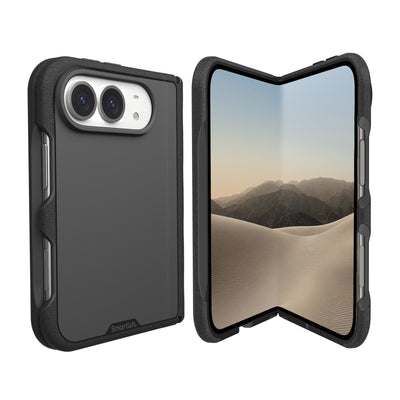
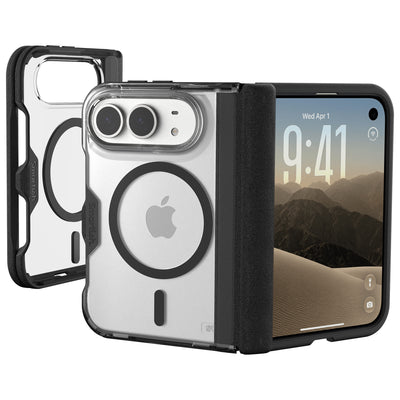
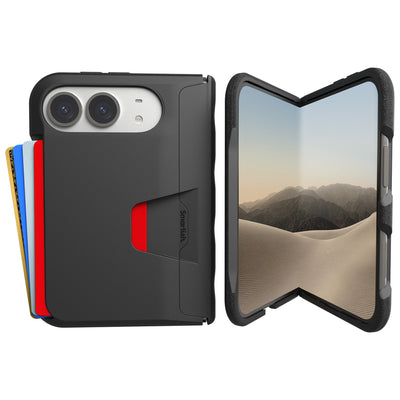
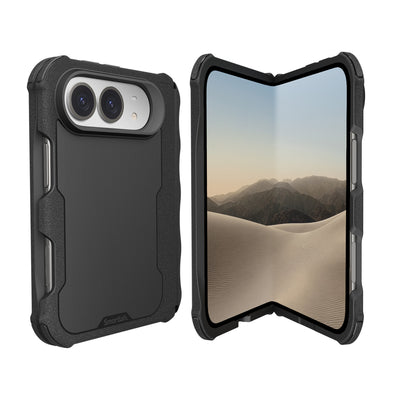
iPhone Duo is Apple’s first foldable iPhone, with a 7.6-inch inner display, a 5.4-inch outer display, an A20 Pro chip, and grade 5 titanium construction. Its two-screen design calls for a case made specifically for Duo, not a conventional iPhone case adapted by guesswork. Apple announced star white and night sky finishes, and says the phone ships with iOS 27.1. As of September 21, 2026, Duo is announced but not yet on sale.
Starting prices and why the right case is the affordable insurance
Apple’s U.S. starting prices are $1,199 for iPhone 18 Pro, $1,299 for iPhone 18 Pro Max, and $1,999 for iPhone Duo. These are device starting prices, not prices for every storage capacity. Match a case to the precise model: its openings and raised edges need to line up to protect the phone. The Gripmunk - Slim Case for iPhone 16 Pro is for iPhone 16 Pro only, not a substitute for a verified case for a newer model.
Slim, Rugged, Wallet, or MagSafe: Picking Your Case Style
Choose a case by how you use your phone: pocket space, grip, storage, and charging all matter. First confirm that a case is made for your exact iPhone 18 model. The Gripmunk - Slim Case for iPhone 16 Pro is a slim-case example for iPhone 16 Pro only, not an iPhone 18 case. Its fit should not be assumed for a newer model.
Gripmunk and Gripzilla are both drop tested and have air-pocket corners, raised screen edges, and a raised camera ring. Wallet Slayer Vol. 1 and Vol. 2 add card storage; only Gripmunk and Gripzilla are MagSafe compatible. Card storage adds thickness, while MagSafe matters if you use compatible chargers or accessories.
| Style | Best suited for | Trade-off to consider |
|---|---|---|
| Slim, Gripmunk | A pocket-friendly feel with case protection | Less substantial in hand than a thicker case |
| Protective, Gripzilla | Commuting, outdoor plans, and a more substantial grip | Thicker than a slim case |
| Wallet, Wallet Slayer Vol. 1 or Vol. 2 | Keeping cards with the phone | Thicker than a standard case |
| MagSafe, Gripmunk or Gripzilla | Using compatible wireless chargers and accessories | MagSafe does not make a case more protective |
Slim cases: pocket-friendly with real protection (Gripmunk)
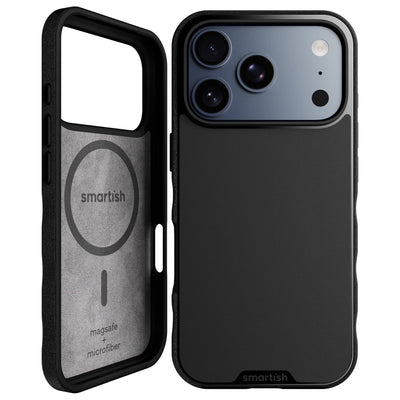
Gripmunk suits people who want a slimmer case for pockets, small bags, and errands. Its textured sides provide grip without feeling sticky, and finger grooves give your hand a secure place to rest. Air-pocket corners, raised screen edges, and a raised camera ring add coverage without turning a phone into a pocket brick. Gripmunk is also MagSafe compatible for use with compatible charging and accessories.
The linked Gripmunk - Slim Case for iPhone 16 Pro is built for that specific model. Check the exact listing before ordering; a similar look or name does not establish compatibility with another generation.
Rugged cases for commutes and adventures (Gripzilla)
Gripzilla is the thicker, more protective option for commutes, outdoor plans, or a bag shared with other gear. It has a rigid backplate, air-pocket corners, raised screen edges, and a raised camera ring. Textured sides and finger grooves help with handling. Gripzilla is drop tested and MagSafe compatible. Choose it if the added structure suits your routine.
Wallet cases: ditch the back pocket
Wallet Slayer Vol. 1 and Wallet Slayer Vol. 2 combine a phone case with card storage, which can mean fewer loose items to carry. They are thicker than standard cases, so consider how one feels in your pocket and whether you want to carry cards with your phone. Only Wallet Slayer Vol. 2 has a kickstand for hands-free viewing. Neither wallet model is marketed as MagSafe compatible, so don’t choose one expecting MagSafe charging.
MagSafe: what it does and what it doesn't
MagSafe supports wireless charging and lets compatible accessories attach through the case’s magnetic system. It is not a protection rating and does not change case thickness. Gripmunk and Gripzilla are the MagSafe-compatible styles; Wallet Slayer Vol. 1 and Vol. 2 are not. If you rely on a MagSafe charger, check the listing for compatibility with your exact iPhone model and charging setup.
Protection vs. Bulk: A Decision Framework for Real Life
The right balance depends on your routine. A slim case may suit you if pocket comfort comes first; a thicker design may feel more secure in hand during commutes or outdoor plans. A wallet case adds card storage and thickness. Start with the trade-off you notice every day, then confirm the case is made for your exact model.
Textured sides and finger grooves can make a phone easier to hold while walking, checking directions, or juggling errands. The sides should feel secure without catching on a pocket. If a case feels awkward or makes everyday use less comfortable, its protection features may not be worth that trade-off for you.
Match the case to your day, not your anxiety
| Daily priority | What to look for | Trade-off |
|---|---|---|
| Easy pocket carry | A slim profile and grippy sides | Less thickness in hand |
| Extra structure | A thicker case with a rigid backplate | More space in a pocket or bag |
| Fewer items to carry | A wallet case with card storage | More thickness than a standard case |
| Wireless accessories | A case specifically marked MagSafe compatible | Compatibility depends on the exact case and phone |
Grip features that help with handling
A grippy surface and finger grooves can help you keep a comfortable hold during everyday use. They do not make a phone impossible to drop, and no case removes every risk. Look for sides that feel secure and still slide into your usual pocket or bag. For an active day, consider whether a thicker profile feels reassuring or gets in your way.
Screen and camera protection: raised edges and lens rings
Raised screen edges help keep the display off a flat surface when the phone is face down. A raised camera ring helps keep the camera area off a surface when the phone rests on its back. Check both features on a case designed for your model: a cutout that clears the lenses does not show that the camera rim sits high enough. Confirm that controls and ports remain accessible, too.
What Should You Spend on an iPhone 18 Case?

There’s no single right price for a case. Spend based on features you’ll use, such as a slimmer profile, card storage, or MagSafe compatibility, and check the current price for the exact model. A higher price alone does not tell you how well a case fits or whether it suits your routine. For an iPhone 18 case, confirm exact-model compatibility first, then compare materials, design, and useful extras with your budget.
Where the extra money actually goes (and where it doesn't)
Price can reflect design features, materials, or functionality, but it does not automatically mean better fit or protection. Check the case’s model listing, then decide whether its extras solve a real need. A wallet case adds card storage; MagSafe compatibility matters if you use compatible chargers or accessories. Skip features you won’t use. Apple’s starting prices vary by phone model, so a case budget is a separate choice, not a percentage you have to spend.
| What you’re paying for | Check before buying | Best fit for |
|---|---|---|
| Basic case design | Exact model fit, raised edges, and camera coverage | Everyday carry without extra features |
| MagSafe compatibility | That the listing names your phone model and MagSafe use | People with compatible chargers or accessories |
| Card storage | How many cards it holds and how the added thickness feels | Carrying cards with your phone |
| Screen or lens protection | Whether the accessory is made for your exact device | People who want separate display or camera coverage |
Fair-price protection: how Smartish compares
At Smartish, we focus on useful design rather than features that don’t help in daily use. The Gripmunk - Slim Case for iPhone 16 Pro is a slim case made for a specific phone: iPhone 16 Pro only, not the iPhone 18 lineup. Check the product listing for current pricing and compatibility. Don’t assume a case fits because its name or shape looks familiar.
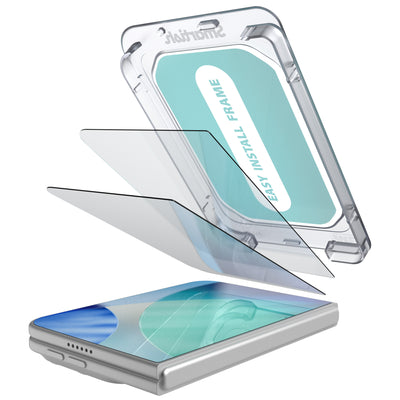
Pairing your case with screen and lens protectors
A case and a separate screen protector serve different parts of the phone. Confirm that an accessory works with your case and exact device, and that it does not interfere with the display or camera openings. The Gripmunk - Slim Case for iPhone 16 Pro is for iPhone 16 Pro only. For a newer model, choose a verified case and screen or lens accessory made for that exact phone, then compare the combined cost with your budget.
Frequently Asked Questions
Will an iPhone 17 Pro case fit an iPhone 18 Pro?
Probably not reliably, even if it snaps on. Some reports say iPhone 17 Pro cases physically fit iPhone 18 Pro models, but Apple doesn't guarantee cross-generation fit, and the camera lip may sit too low to protect the new raised lenses. Always check model-specific compatibility first.
Are iPhone 18 cases compatible with iPhone 17 Pro Max?
No, a case made for an iPhone 18 model should not be assumed to fit an iPhone 17 Pro Max. Camera placement, button positions, and port openings can differ between generations. A snug-looking fit doesn't mean the cutouts and raised edges line up where they should.
What is the best iPhone 18 case for drop protection?
The best drop-protection case is one made for your exact iPhone 18 model with air-pocket corners, raised screen edges, and a raised camera ring. Our Gripzilla is the thicker, more protective option for commutes and outdoor plans, and it's drop tested.
Do iPhone 18 cases support MagSafe?
Some do, but not all, so check the product listing before buying. At Smartish, Gripmunk and Gripzilla are MagSafe compatible, while the Wallet Slayer cases are not. Keep in mind that MagSafe adds charging convenience, not extra protection.
How much should I spend on an iPhone 18 case?
Spend enough to get a case built for your exact model with verified fit and real protection, not a random bargain bin snap-on.
How do I check if an old case fits my new iPhone 18?
Confirm the case is listed for your exact iPhone 18 model and size, then test everything: the camera cutout and raised rim, button presses, port openings, and raised screen edges. If any point fails, pick a case made specifically for your phone.
Does the iPhone Duo need a special case?
Yes, iPhone Duo is Apple's first foldable iPhone with a 7.6-inch inner display and a 5.4-inch outer display, so it needs a case designed specifically for its two-screen design. A conventional iPhone case adapted by guesswork won't cut it.