



Affordable slim cases with MagSafe support
Affordable slim cases with MagSafe support should do three things well: stay low-profile, keep magnetic accessories aligned, and add useful protection at vulnerable edges. Thickness alone tells only part of the story. Check the case’s grip, corner design, camera clearance, and screen lip before buying.
Key Takeaways
- A slim case earns its keep when the magnets line up cleanly with your charger and wallet every time, not just when the phone is sitting still.
- Corner design matters more than raw thickness, since air-pocket corners absorb the impact where most real-world drops land.
- Look for a raised screen lip and a lifted camera ring so your screen and lenses stay off tables, countertops, and gravel alike.
- Textured, grippy sides make a thin case easier to hold, which prevents the drops your edges will otherwise have to apologize for.
- Precise cutouts keep ports and buttons usable, so slimness never comes at the cost of everyday convenience.
At Smartish, we design Cases around everyday handling, not just a tidy product listing. Here’s how to judge a slim case by the details that matter once your phone leaves the box.
What Makes a Slim MagSafe Case Actually 'Slim' (and Why Magnet Alignment Beats Strength)
A slim case is typically around 1 to 1.5 millimeters thick and weighs under an ounce. That range is a useful reference, not a universal standard. The Incase slim-case collection shows how low-profile designs are positioned, but the best measure is the listed thickness for your exact model. For MagSafe, a centered magnet array matters more than a vague claim of extra strength: alignment helps accessories sit where they should.
Key takeaway: Look for a clearly stated thickness, a case made for your exact iPhone model, and a MagSafe ring positioned to align with the phone’s charging area. A thin shell with poorly placed magnets can make a wallet or charger sit crooked.
How Thin Is Slim? Millimeters, Not Marketing
Listings often use words like “thin” or “slim” without giving a measurement. Many slim cases are around 1 to 1.5 millimeters thick and weigh under an ounce. Material changes the feel: a flexible TPU shell bends more readily, while a polycarbonate panel tends to feel firmer. Aramid fiber can keep weight low, but material alone does not tell you how a case handles a corner impact or whether its magnets line up. Check thickness, weight, edge shape, and model fit together.
How MagSafe Magnet Arrays Work
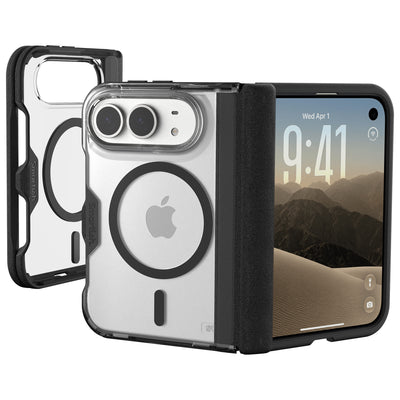
MagSafe accessories use a ring of magnets to attach to the back of a compatible iPhone or case. The ring helps position items such as a charger or wallet; it is not a substitute for a case designed around that phone’s dimensions. A case can feel thin yet add enough material between the phone and accessory to affect attachment. Look for explicit MagSafe compatibility rather than assuming every magnetic-looking ring supports the same use.
Why Alignment Matters More Than Raw Pull Strength
A well-centered ring puts an accessory where it is meant to sit. A stronger magnet that is off-center can leave a charger or wallet crooked, affecting placement and everyday use. Check whether the listing names your exact phone model and identifies MagSafe compatibility; vague “magnetic” wording establishes neither. Smartish Cases include MagSafe-compatible options in Gripmunk and Gripzilla, with fit tied to each case’s specific model listing.
The Slim-but-Actually-Protective Test: Corners, Camera Ring, and Screen Lip

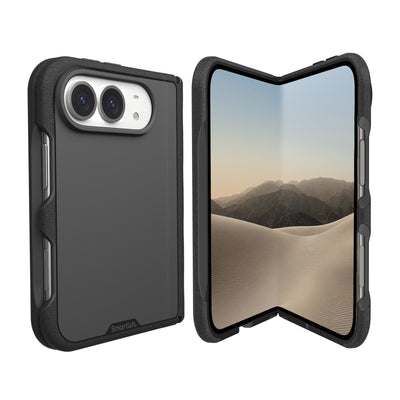
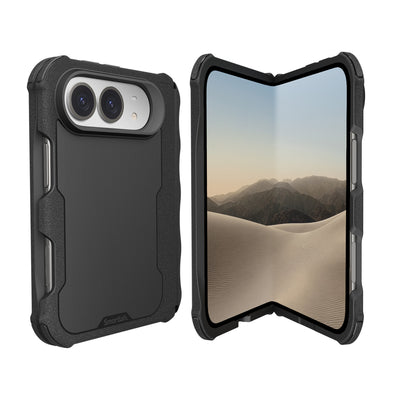
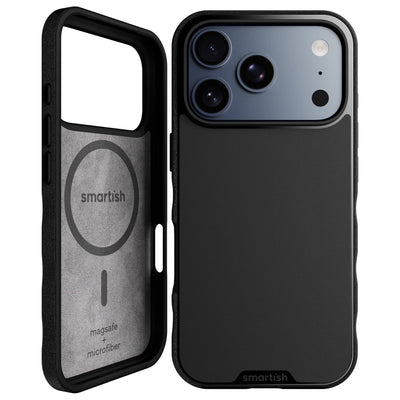
A low profile does not rule out practical protection. Check the places most likely to meet a desk, sidewalk, or countertop: the corners, screen edge, and camera area. Our case designs include air-pocket corners and raised screen edges. The raised camera ring helps keep lenses off a flat surface when the phone rests on its back. Those details matter more than a slim label on the box.
Air-Pocket Corners: Where Drop Protection Lives
Air-pocket corners add cushioning at the edges, where a phone may land during an everyday fumble. A thin case that protects the back but leaves its corners bare has an obvious weak point. Gripmunk and Gripzilla are both drop tested and have protective air-pocket corners. For your shortlist, inspect all four corners and look for a design that wraps around them rather than stopping short.
Raised Screen Edge and Raised Camera Ring Clearance
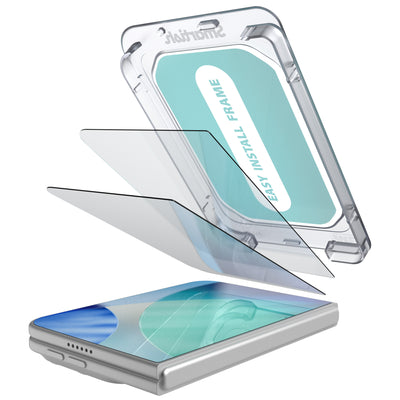
A raised screen edge creates a small buffer when the phone rests face down; a raised camera ring helps keep the lenses from touching the table when it rests on its back. Check the actual case around the display and camera cutout, since openings and edge height vary by model. A screen protector may also affect how the case fits around the front edge, so consider both together rather than judging the case in isolation.
Grip Texture That Doesn't Cling to Your Pocket
Smooth plastic can feel slippery in hand, while a heavily textured edge may catch on pocket fabric. The useful middle ground is grippy, not sticky. Smartish cases use textured sides and finger grooves to give your hand a more secure place to rest without making pocket access a wrestling match. When possible, check the side texture and button feel, not just the glossy back or color options.
Slim vs. Thick: Protection Isn't a Millimeter Game
Thickness is one clue, not a protection score. A case with cushioning at the corners, a raised screen edge, and camera clearance can offer practical safeguards without turning the phone into a bulky brick. A thicker shell that skips those features may not serve everyday handling as well. Compare construction and fit alongside measurements, and choose based on how you carry and use your phone.
A Quick Feature Check
- Corner coverage with cushioning, not a flat edge that leaves the corners exposed.
- A raised edge around the screen and a raised camera ring.
- Side texture that feels secure in hand and slides comfortably from a pocket.
- Exact-model fit and clearly stated MagSafe compatibility.
What the Design Trade-Off Looks Like
Pros
- A slim profile is easier to carry in a pocket or small bag.
- Thoughtful corners and raised edges add protection without relying on thickness alone.
Cons
- A slim case has less material than a thicker design, so it may not suit every use.
- MagSafe fit and case dimensions vary by exact phone model and SKU.
Price Tiers: What $15, $25, and $35 Buy You in a Slim MagSafe Case
Price can hint at a case’s materials and finish, but it does not confirm good magnet alignment or useful protection. Check the details that affect your use, then compare features with price.
| What to check | Possible trade-off |
|---|---|
| Clear model fit, stated MagSafe compatibility, centered magnet ring, corner coverage | Materials or finish may be more basic; vague listings make quality harder to judge |
| MagSafe fit, grip texture, air-pocket corners, raised screen edge, camera ring | Features still vary by model and case design |
| Specific materials, finish details, anti-yellowing claims for clear cases, included extras | A higher price alone does not prove stronger magnets or better drop protection |
Under $20: The Flimsy-Line Danger Zone
A lower price does not automatically mean a case is poorly made. The concern is missing information: no exact iPhone model, no clear MagSafe claim, and no details about corner or camera coverage. If the listing says only “magnetic,” do not assume a wallet will sit securely or a charger will align correctly. Look for a product page that names the phone model and shows the case’s construction. If those basics are absent, keep shopping rather than treating a low price as proof of value.
$20-$30: The Sweet Spot
This range can be a practical place to look for an everyday case with several useful details in one package: a centered MagSafe ring, textured sides, covered buttons, and cushioning at the corners. Smartish Cases include options designed with air-pocket corners and raised screen edges. Check the exact listing for the phone model and features you need. Price does not replace that check, but a clearly described case makes it easier to judge what you are paying for.
$30 and Up: Where Brand Tax Lives
A higher price may reflect a particular finish, material, or added accessory. Ask what the extra cost buys: a stated material, a useful design feature, or a clear anti-yellowing position on a clear case. Do not treat an expensive label as evidence of better magnet placement, stronger corner protection, or faster charging. Smartish Cases are another option to review; compare the exact model listing with your priorities instead of paying more for details you will not use.
How We Judge a Case at Each Tier
We look past the price tag and ask practical questions: Is the case made for the exact phone? Does it state MagSafe compatibility? Does it show protection at the corners, screen edge, and camera? Are grip and finish described clearly? For clear designs, does the listing explain its approach to yellowing? A case that answers these questions gives you a better basis for comparison than one relying on a low price or broad claims alone.
Accessory Compatibility Checklist: Wallets, Car Mounts, Stands, and Chargers
MagSafe compatibility is a starting point, not a promise that every accessory will work equally well with every case. Confirm the case fits your iPhone model, then check how it handles the wallet, mount, stand, or charger you use. Results depend on the phone, case, and accessory combination. Reviewing each item’s compatibility details can help avoid a wallet that shifts or a mount that does not hold as expected.
| Accessory | What to check | Practical check |
|---|---|---|
| MagSafe wallet | MagSafe compatibility and centered attachment | Attach and remove it; check that it sits flat and does not slide during ordinary handling |
| Car mount or stand | Phone-and-case fit, attachment position, and the mount’s stated limits | Test the setup while parked before relying on it during a drive |
| Wireless charger | Charger type, iPhone support, and case compatibility | Check that the phone sits in position and begins charging with the case on |
| Case fit | Exact iPhone model, camera opening, button coverage, and Camera Control access | Match the model name and inspect the cutouts before ordering |
MagSafe Wallets: The Slip Test
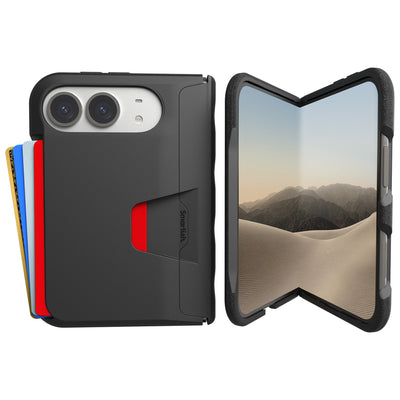
After attaching a wallet, check that it lies flat against the back of the case and stays in place as you handle the phone. A crooked fit or easy sliding calls for a closer look at the case’s MagSafe details and the wallet’s compatibility notes. Contents and handling can affect how secure the setup feels, so test the combination before carrying it through a busy day.
Car Mounts and Stands: Hold Under Vibration
Mount stability depends on the mount, phone, case, and placement working together. Check the mount maker’s fit guidance, then test the setup while the car is parked. Make sure the phone sits centered and remains attached during gentle repositioning. A strong-feeling connection in your hand does not prove safe performance on the road. For desk stands, confirm the case does not block contact points or prevent the phone from resting at the intended angle.
Wireless Charging Speed: Slim vs. Thick Cases
Apple states that iPhone MagSafe charging can reach up to 15W with a certified MagSafe charger, while standard Qi charging can reach up to 7.5W. Actual charging depends on the iPhone, charger, power source, and setup. A slim case does not prove a particular charging speed. Confirm that your case and charger support the charging method you plan to use, then check that the charger aligns and starts charging with the case installed.
Camera Control Button and Button Coverage on Newer iPhones
Case button designs vary. On current Smartish cases, Camera Control is cut out, while other buttons are covered; port cutouts remain accessible. Before ordering, inspect the product images and specifications for the exact model. Confirm that the Camera Control opening matches your phone and that covered buttons remain easy to press. A case designed for a different iPhone model may not provide the right fit or access.
Model Compatibility: iPhone Duo, iPhone 18 Pro, iPhone 17 and Beyond
Choose a case listed for your exact iPhone model. iPhone Duo, iPhone 18 Pro, and iPhone 17 have model-specific dimensions and camera layouts, so do not assume one case fits across generations or models. Apple’s specifications identify the phone; they do not confirm accessory fit. Check the exact Smartish Cases listing for compatibility before buying, especially for a newly released model.
Slim MagSafe Case FAQs: Your Quick Answers

A slim profile or price cannot tell you everything about daily use. Check exact iPhone fit, stated MagSafe compatibility, and construction, then test the case with your accessories. These answers cover the main trade-offs without treating a low price or thin shell as proof of performance.
Will a slim case protect my phone if I drop it?
It can add useful protection, though no case prevents every kind of damage. Look for cushioning at the corners, a raised screen edge, and a raised camera ring. Smartish Cases include air-pocket corners and raised edges. Choose based on construction and your routine, not thickness alone.
Do affordable MagSafe cases charge as fast as Apple's own?
Charging speed depends on the iPhone, charger, power source, and setup, not just the case price. Apple states that iPhone MagSafe charging can reach up to 15W with a certified MagSafe charger; standard Qi charging can reach up to 7.5W. A case must fit properly and support MagSafe use, but it does not set the charger’s maximum output. Smartish Cases include MagSafe-compatible options. Check the exact listing for your model.
Do clear slim cases yellow?
Clear-case materials can change appearance with use and exposure. Look for a specific anti-yellowing claim rather than assuming every transparent case will keep the same look. Smartish clear cases are positioned as anti-yellowing, but that does not mean a case will never change over time.
What's the real difference between a $15 and $35 slim case?
The higher price may reflect a particular material, finish, or added feature. It does not prove better magnet alignment or drop protection. Compare model fit, MagSafe details, corner coverage, and stated materials. Pay for features you value, not a price tag by itself.
Frequently Asked Questions
How thin is a slim MagSafe case, really?
A slim MagSafe case is typically around 1 to 1.5 millimeters thick and weighs under an ounce. That's a useful reference, not a rule. Check the listed thickness for your exact iPhone model rather than trusting words like 'thin' on the box.
Can an affordable slim case still hold a MagSafe wallet or car mount securely?
Yes, as long as the magnet ring is centered over your phone's charging area. Alignment matters more than raw pull strength: a well-centered ring keeps wallets and mounts sitting straight, while an off-center magnet can leave accessories crooked.
Do cheap MagSafe cases charge as fast as Apple's own?
A well-designed MagSafe case shouldn't slow down wireless charging. Look for explicit MagSafe compatibility and exact-model fit rather than a vague 'magnetic' claim, since extra material between phone and charger can affect how accessories attach.
What's the difference between a $15 slim case and a $35 one?
Price hints at materials and finish, but it doesn't confirm good magnet alignment or useful protection. Compare features, not just numbers.
Will a slim case actually protect my phone if I drop it?
A slim case can protect well if it has cushioning where drops actually happen: air-pocket corners, a raised screen edge, and a raised camera ring. Thickness is one clue, not a protection score, so check construction before you buy.
What should I look for before buying a slim MagSafe case?
Check four things: corner coverage with cushioning, raised edges around the screen and camera, side texture that's grippy without clinging to your pocket, and exact-model fit with clearly stated MagSafe compatibility. Those details beat a slim label every time.
Does a textured slim case snag on pockets?
A good textured case should be grippy, not sticky. The sweet spot is side texture and finger grooves that give your hand a secure hold while still sliding comfortably out of a pocket. Check the sides and buttons, not just the back panel.