



Pricing for protective phone cases online
Start with exact model fit, impact-absorbing corners, raised edges, and clear testing information.
Key Takeaways
- Price tells you what a case costs, not whether it actually protects your phone, so look past the sticker.
- A case built for the exact model matters most, since a loose fit can undo even the best materials.
- Impact-absorbing corners and raised edges around the screen and camera do the heavy lifting in a drop.
- Solid testing info separates cases designed with protection in mind from cases designed to just look tough.
- Smart design at a fair price beats fancy marketing at a painful one every time.
A Lowe’s listing puts the typical phone case at around $50, with prices ranging from $7 to $79. That spread makes features a better guide than the price tag. Here’s what each tier may offer and what to check before buying.
What a Protective Phone Case Should Cost: The Three Price Tiers, Decoded
A reasonable budget depends on the protection details and materials, not just the listing price. Basic cases can cover everyday handling needs; higher-priced models may add design choices, specialized materials, or built-in features. Check model fit and construction before comparing costs.
Budget ($10-$20): What You Actually Get
At this price, look for a snug fit, raised screen edges, a raised camera ring, and corners shaped to absorb impact. Features vary, so don’t assume a low-cost case has all four. Confirm that it names your exact phone model, then check photos and product details for edge coverage and button access. A low price can be fair value if the basics are clearly described.
Mid-Range ($20-$40): The Sweet Spot for Most People
This range may offer everyday protection, considered materials, textured sides, or MagSafe compatibility. Treat those as features to verify, not automatic perks of the price tier. Look for specific drop-testing information and raised edges. Choose a case that suits your routine without paying for extras you won’t use.
Premium ($40+): Where Your Money Really Goes
Some cases also cost more because of a premium label. None of those details alone proves better drop protection. Check the specifications for features you’ll use and weigh them against the added cost.
Quick Comparison: Price Tier vs. Features
Use this table as a starting point, not a promise that every case in a tier includes the same features. Check each listing for fit, coverage, materials, and testing details.
| What may be included | What to verify |
|---|---|
| Basic coverage and everyday handling protection | Exact phone fit, raised edges, corner coverage |
| More material and feature options | Drop-test details, grip, MagSafe support if needed |
| Special finishes, added functions, or complex construction | Whether the extras improve your daily use |
Are Expensive Phone Cases Actually More Protective?

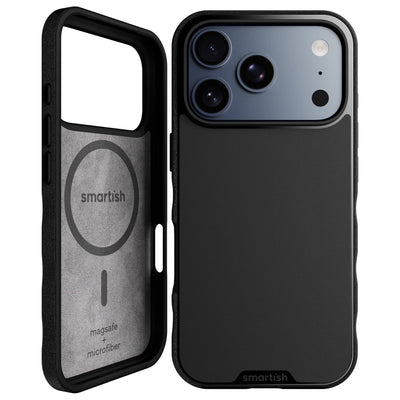
Not automatically. A higher price can pay for materials, design, or extra functions; protection depends on construction and testing. Compare those details instead of treating cost as a stand-in for performance. Smartish cases have air-pocket corners and raised screen edges; Gripmunk and Gripzilla are both drop tested. Those details tell you more than a broad claim about toughness.
How Materials Drive Price: TPU, Polycarbonate, Silicone, and Leather
Materials affect feel, flexibility, appearance, and construction. TPU is flexible, while polycarbonate is a rigid plastic. Silicone feels soft and flexible; leather has a distinct look and texture. Cases may combine materials, adding design and manufacturing complexity. Material names alone don’t establish impact performance, so check construction and test information too.
Drop Testing Explained (Without the Jargon)
Drop testing checks how a case performs when dropped under stated conditions. A reference to MIL-STD-810G names a testing standard, but the phrase alone does not show which tests a particular case passed or how it was tested. Look for specific, verifiable details. Also check for air-pocket corners, a raised screen edge, and a raised camera ring, which add space between your phone and a flat surface.
Why a $25 Case Can Match a $60 One
Cases with different prices can offer similar core protective features. A pricier option may include a finish or function you don’t need; a less costly case may focus on fit, grip, and impact protection. Compare model compatibility, edge coverage, materials, and available test details. Pay for useful construction, not a number that only looks reassuring.
Where Smartish Fits: Wirecutter Recognition Without the Markup
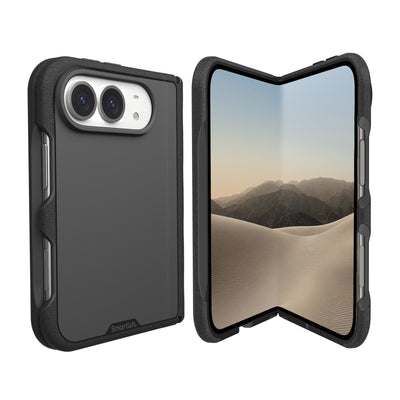
Wirecutter has named Smartish’s case its “best case for most people” for eight years in a row. That recognition is context, not a substitute for checking a specific case’s features. Smartish Cases have air-pocket corners and raised screen edges, plus a raised camera ring to help keep lenses off a flat surface when the phone rests on its back. Match the case to your exact phone model before ordering.
Pricing by Case Type: Slim, Rugged, MagSafe, and Wallet
Case style affects what you get: a slim design prioritizes a lighter feel, while a protective build adds structure. MagSafe supports magnetic accessories, and a wallet case combines phone coverage with card storage. Compare each type by its job, not its label. Check the price for your exact phone model, since fit and availability can vary.
Slim Cases (Gripmunk)
Gripmunk is Smartish’s slim case. It has air-pocket corners, a raised screen edge, and a raised camera ring to help keep lenses off a flat surface when the phone rests on its back. Textured sides provide grip without feeling sticky, and finger grooves make it more comfortable to hold. Choose it for everyday protection without a thicker profile. Smartish Cases are customizable, so you can pick a look that suits you.
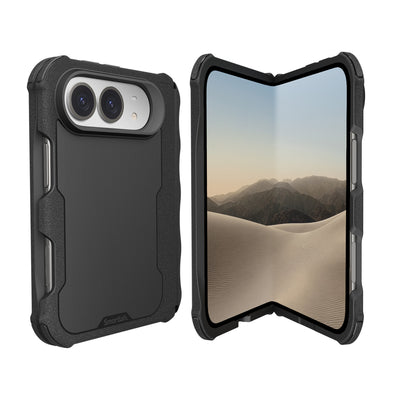
Protective Cases (Gripzilla)
Gripzilla is the more protective option, with a rigid backplate and air-pocket corners. It is drop tested, like Gripmunk, so the choice is about design and feel, not a claim that only the thicker case has been tested. Consider a more structured case for a busy bag, commute, or time outdoors. Check the listing for exact model compatibility before ordering.
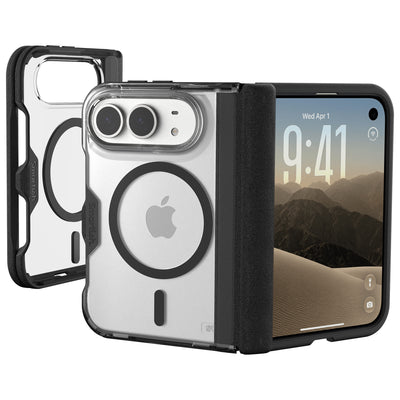
MagSafe Cases: Does Compatibility Cost More?
MagSafe compatibility matters if you use magnetic charging or accessories designed to attach to your phone. Smartish markets Gripmunk and Gripzilla as MagSafe compatible. That compatibility does not change their protection level or make either case bulkier. Cost depends on the specific case and listing, so compare current prices for the same phone model rather than assuming a fixed surcharge. If you don’t use MagSafe accessories, you may not need that feature.
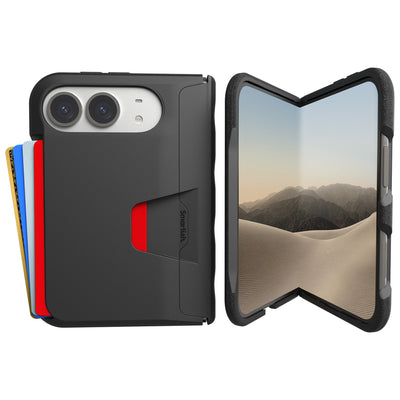
Wallet Cases (Wallet Slayer Vol. 1 and Vol. 2)
Wallet Slayer Vol. 1 and Wallet Slayer Vol. 2 add card storage, which can reduce how much you carry separately. They are thicker than slim cases, so consider whether that suits your pockets and routine. Only Wallet Slayer Vol. 2 has a kickstand. Neither model is marketed as MagSafe compatible. Compare the current listing price and storage details; choose for the features you’ll use rather than assuming a wallet case costs less than separate accessories.
| Case type | Smartish example | Best fit for | Details to weigh |
|---|---|---|---|
| Slim | Gripmunk | A lighter everyday setup | Grip, air-pocket corners, raised edges |
| Protective | Gripzilla | A more structured feel | Rigid backplate, drop testing |
| MagSafe | Gripmunk or Gripzilla | Magnetic charging and accessories | Compatibility with your phone and accessories |
| Wallet | Wallet Slayer Vol. 1 or Vol. 2 | Carrying cards with your phone | Added thickness; kickstand on Vol. 2 only |
The Cost-Per-Year Math: Your Case's True Price Tag
A case’s purchase price is only part of its cost. Consider how long you expect to use it, whether you need accessories, and what checkout adds. Shipping and taxes can change the total, so compare the final amount rather than the first price you see. This is a planning tool, not a promise about how long a case will last.
The Simple Formula: Price ÷ Years of Use
Divide the case price by the years you use it. Use your actual purchase price and time in service. A case that costs more upfront may have a lower yearly cost if it stays in use longer, but price alone cannot predict its lifespan.
Replacement Frequency: When to Swap Your Case
Replace a case when it no longer fits securely, has a cracked or badly damaged structure, or has openings that no longer align with your phone. After a hard impact or visible wear, check the corners, edges, camera opening, and button coverage. A scuffed finish alone does not always mean replacement; loose fit or damaged protective parts are more useful signals. Follow the case maker’s care or replacement guidance.
Add-On Costs: Screen Protectors and Lens Protectors
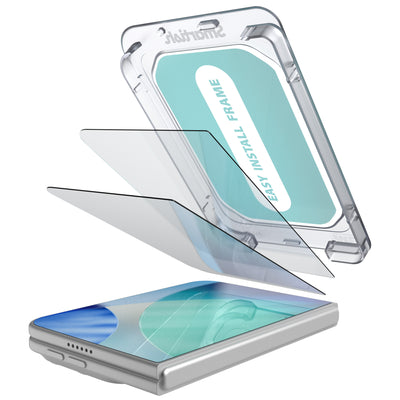
Screen and camera lens protectors add to the upfront total, so include them if they suit your setup. A raised screen edge helps keep the display off a flat surface; the raised camera ring helps protect lenses when the phone rests on its back. Neither feature replaces a screen protector or lens protector. Check fit with your exact phone and case, since accessory compatibility can vary.
Hidden Online Costs: Shipping, Taxes, and Return Policies
Before checkout, review shipping charges, estimated delivery, sales tax, and the return policy. A low listed price may not be the lowest final cost once fees are added. Confirm whether opened or used items can be returned and who pays return shipping. Save the order confirmation and check the seller’s model-fit details, especially when phone versions have similar names.
Example: Cost-Per-Year Comparison
These sample prices and periods are for arithmetic only, not claims about typical case prices or lifespans. Use figures from your own order and experience. Add shipping, tax, and accessories to the purchase total before dividing.
Your Online Case-Shopping Checklist (Plus FAQs)

Before buying, check what determines whether a case fits your phone and routine. A clear listing identifies the exact model, describes construction, and shows the total cost before checkout. Smartish Cases are one option; use the same checklist for any case. Pay for features you’ll use, not a higher price by itself.
The 7-Point Checklist Before You Click Buy
- Confirm exact model fit. Similar phone names do not mean cases are interchangeable.
- Check edge coverage. Look for raised screen edges and a raised camera ring.
- Inspect the corners. See whether the listing describes impact-absorbing corner construction.
- Read the material details. Check what the case is made from and how it may feel in hand.
- Look for test specifics. A testing label alone does not explain the conditions or results.
- Confirm accessory compatibility. Check MagSafe support if you use magnetic chargers or accessories.
- Review checkout terms. Include shipping and taxes, and read the return policy before ordering.
Spending more may make sense for a useful added feature, not simply because the phone itself was costly.
How to Spot Counterfeits and Gimmicky Listings
Check that the seller and product name match the brand’s official listing. Be cautious if photos, specifications, or model compatibility conflict. Vague claims such as “maximum protection” are less helpful than clear construction and testing information. Watch for a price that seems disconnected from the stated materials or features, or missing return terms. If basic questions go unanswered, pause before checkout. Smartish Cases have product details you can compare against this checklist.
MagSafe and Replacement: Two Quick Buying Answers
Do you need MagSafe? Only if you use magnetic charging or accessories that attach to your phone. It may affect price, so compare current listings rather than assuming a fixed added cost. When should you replace a case? Swap it if it no longer fits securely, its structure is cracked or badly damaged, or its openings no longer align with the phone. Ordinary scuffs alone do not always mean it is time for a new one.
Frequently Asked Questions
How much should I expect to pay for a protective phone case?
That said, price alone doesn't tell you how well a case protects. Check exact model fit, raised edges, impact-absorbing corners, and drop-test details before comparing price tags.
Are expensive phone cases really more protective?
Not automatically. A higher price often pays for finishes, extra functions, or a premium label, while actual protection comes down to construction and testing.
What's the difference between a $10 case and a $50 case?
The price gap usually reflects materials, design complexity, and extra features, not necessarily better protection. Both tiers should offer a snug fit, raised screen edges, and corner coverage. Verify those basics in any listing, then decide if the pricier extras fit your daily routine.
Do I need a MagSafe-compatible case, and does it cost more?
MagSafe compatibility is a nice-to-have if you use magnetic chargers or accessories, and it doesn't have to cost a premium. Gripmunk and Gripzilla are both MagSafe compatible and both drop tested, so you're choosing between slim and thicker builds, not sacrificing protection either way.
How often should I replace my phone case?
Swap your case when it shows real wear: cracked corners, loosened fit, or compressed edges that no longer sit raised above the screen. There's no fixed timeline. If the case still fits your exact phone model snugly and its edges hold up, it's still doing its job.
What should I look for in a budget phone case under $20?
Look for four basics: a fit for your exact phone model, raised screen edges, a raised camera ring, and impact-absorbing corners. Features vary by listing, so check the product details and photos. A low price can be fair value when the fundamentals are clearly described.
What does drop testing actually mean for phone cases?
Drop testing checks how a case performs when dropped under stated conditions. A mention of MIL-STD-810G names a standard but doesn't show which specific tests a case passed. Look for verifiable details, plus features like air-pocket corners and raised edges that add space between your phone and the ground.