



Price comparison for MagSafe cases
The useful question is what the extra money buys, from reliable magnetic attachment to added protection or a different design.
Key Takeaways
- Mid-priced cases often hit the sweet spot, adding features like wallet storage or MagSafe accessories without the luxury markup.
- The smarter play is matching the price to your lifestyle, since a careful couch scroller needs far less armor than a daily commuter.
Here’s how to weigh budget, mid-range, and premium prices, plus where Cases fit if you want everyday protection and MagSafe compatibility without paying extra just for a name.
MagSafe Case Prices: The Short Answer
MagSafe cases Apple’s official MagSafe cases start at $49. Those ranges are useful context, not a promise that every case in a tier offers the same fit, magnet hold, or protection.
What you get at $10-$25 (budget tier)
At this price, look for a model made for your exact iPhone, a secure magnetic connection, and useful basics such as raised screen and camera edges. Check product details carefully: low price alone doesn’t tell you how well a case attaches or protects.
What you get at $25-$45 (mid-range tier)
This range can offer more choice in grip, shape, and protection without reaching premium pricing. Its textured sides, air-pocket corners, and raised edges give you practical features for daily carry.
What you get at $45+ (premium tier)
Premium pricing can reflect a specific finish, material, or brand positioning. A higher price may suit someone seeking those particular details, but it doesn’t establish better magnetic performance or protection on its own. Compare the features you’ll use before paying more.
How We Compared MagSafe Case Prices

We compared published price ranges and product details through three practical questions: does the case attach to MagSafe accessories, does its design suit everyday protection needs, and are its materials or features clearly described? The research identifies a wide range, but it does not provide consistent hands-on magnet-strength or drop-test results across every case. We won’t fill that gap with made-up scores.
What we measured (magnet strength, protection, materials)
Price is only one part of the value check. Look for stated MagSafe compatibility, a case built for your phone model, and clear descriptions of the materials and protective details. For our own cases, that means checking the actual design: Gripmunk has grippy sides, air-pocket corners, and raised edges. We don’t treat an attractive finish as a substitute for useful construction.
How magnetic strength affects charging speed
A secure magnetic connection helps keep a MagSafe charger aligned with the phone. That alignment matters to the charging setup, but a case’s price alone can’t tell you its magnet strength or charging speed. The research notes that some listings cite 18N compatibility, yet that figure isn’t a standard result for every case. Check the case and charger specifications together.
Our transparency rules: no military-grade nonsense
We use published prices as comparisons, not as proof of protection. We don’t claim independent tests that weren’t supplied, and we don’t translate a higher price into a performance score. Smartish cases are drop tested, but that doesn’t mean every model from every maker has comparable test evidence. Buy based on documented features and verified fit, not a dramatic label.
Top MagSafe Cases by Budget: Our Ranked Picks
For a value-focused choice, start with the features you need and confirm the exact phone compatibility before checkout. Gripzilla is the more protective Smartish case option. Wallet Slayer Vol. 2 serves a different need: carrying cards in a case, but it is not marketed as MagSafe compatible.
#1 Best value: Gripmunk (slim, ~$20)
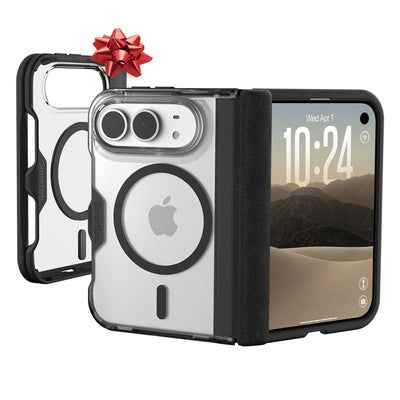
Best for: People who want a slim, MagSafe-compatible case with everyday protection. MagSafe case It is grippy, not sticky, and its MagSafe compatibility makes it a practical pick for compatible accessories.
#2 Best protection: Gripzilla (rugged, mid-range)
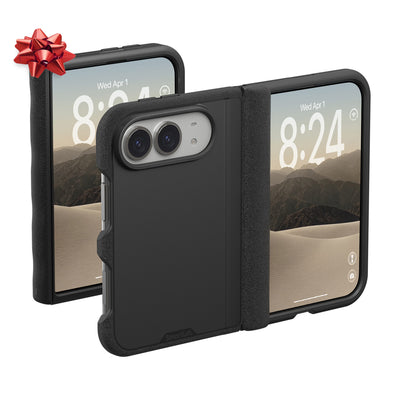
Best for: Busy days, commutes, and outdoor plans where you prefer a more protective case. Gripzilla is thicker than Gripmunk and has a rigid backplate, air-pocket corners, and raised edges. It is MagSafe compatible and drop tested, so you can choose a sturdier feel without giving up magnetic accessory compatibility. Check the current price for your phone model before comparing it with other options.
#3 Best for wallet carriers: Wallet Slayer Vol. 2
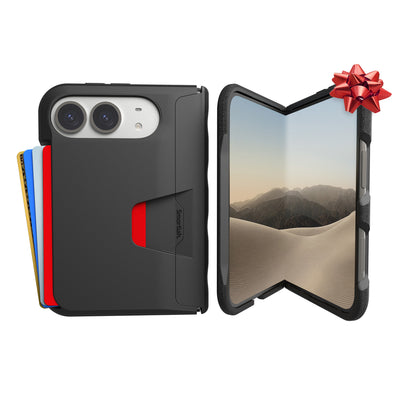
Best for: Anyone who wants a phone case with card storage and a built-in kickstand. Wallet Slayer Vol. 2 is thicker than a standard case, and it is not marketed as MagSafe compatible. That distinction matters: it may fit a wallet-case need, but it isn’t a direct MagSafe-case substitute for shoppers who rely on magnetic chargers or mounts.
Pros and cons at a glance
Gripmunk is the straightforward choice for a slim MagSafe setup; Gripzilla favors a more protective build; Wallet Slayer Vol. 2 adds card storage and a kickstand, with a thicker design and no MagSafe compatibility. Choose by daily use, not by price tier alone.
Cases are customizable, and Gripmunk and Gripzilla are the MagSafe-compatible options among these picks. Match the case to your exact iPhone model and the accessories you use. A familiar product name or a lower price can’t confirm fit by itself.
Comparison Table: Price vs. What You Actually Get
A useful case comparison separates confirmed features from assumptions based on price. The table below covers the three picks already discussed: Gripmunk for a slim MagSafe setup, Gripzilla for a sturdier build, and Wallet Slayer Vol. 2 for card storage. Check the current listing for your exact iPhone model and price, since prices and availability can vary.
Full comparison: price, protection, MagSafe strength, thickness
| Case | Price context | Protection details | MagSafe | Build and use |
|---|---|---|---|---|
| Gripzilla | Check current price for the specific phone model. | Drop tested, with air-pocket corners, raised screen edges, and a raised camera ring. | Marketed as MagSafe compatible. No comparative magnet-strength figure is provided. | Thicker build with a rigid backplate. |
| Wallet Slayer Vol. 2 | Check current price for the specific phone model. | Has raised screen edges and a raised camera ring. | Not marketed as MagSafe compatible. | Thicker wallet case with card storage and a kickstand. |
Gripmunk and Gripzilla are the MagSafe-compatible options in Smartish’s Cases collection. Both are drop tested, but their builds differ: Gripmunk keeps a slimmer profile, while Gripzilla has a rigid backplate and thicker feel. The product details listed here describe design features, not a head-to-head magnet-strength measurement.
Do all MagSafe cases support full 15W charging?
No single case price or MagSafe label establishes that a setup will deliver a particular charging speed. Charging depends on the phone, charger, power source, and case compatibility. A case needs to let the charger attach and align properly, but the research available here does not provide verified charging-speed results for these three picks.
Before buying, check the case and charger specifications for your exact iPhone model. Don’t treat a high price or a stated magnetic-force figure as proof of a specific wattage. A sound choice is one with clearly stated compatibility and the features you need, whether that means a slim profile, a thicker protective build, or card storage.
Missing From Other Guides: Long-Term Cost and Compatibility

A case’s value depends partly on how long it suits your routine and whether it works with the accessories you already own. Price alone can’t predict either. Before buying, compare the current case price with its stated features, exact iPhone fit, and MagSafe compatibility. Smartish Cases are designed for specific phone models, so confirm the selected model on the product listing rather than relying on a familiar case name.
Cost per year of protection: durability and replacement math
To estimate annual cost, divide the case’s purchase price by the number of years you actually use it. That is a personal comparison, not a durability forecast: replacement timing depends on wear, changing phones, and whether the case still fits your needs. Look at the condition of the edges, corners, and camera ring over time, and replace a case if damage affects its fit or function. A lower upfront price is only better value if the case continues to serve its purpose.
Will your case work with your MagSafe accessories (and your new iPhone)?
Check for explicit MagSafe compatibility before pairing a case with a charger, mount, or other magnetic accessory. A MagSafe label indicates intended compatibility, but it does not establish a specific charging speed or magnetic hold for every setup. Confirm the phone, case, and accessory specifications together, especially if you depend on a car mount or charge wirelessly during the day.
Fit notes for iPhone 18 Pro, Pro Max, iPhone Duo and iPhone 17
Case fit is model-specific. Apple announced iPhone 18 Pro, iPhone 18 Pro Max, and iPhone Duo in September 2026; that announcement does not confirm that an existing case fits any of them. iPhone Duo has a foldable design, so do not assume a case for another model will fit. Check the exact Smartish listing for iPhone 18 Pro, iPhone 18 Pro Max, iPhone Duo, or iPhone 17 before ordering. If the model is not listed, compatibility is not established.
FAQs: MagSafe Case Prices
Are expensive MagSafe cases worth the money?
They can be, if you value a particular material, finish, or design. A higher price alone does not prove stronger magnets or better protection. Pay for features you will use.
Do pricier cases mean stronger magnets?
No. Price is not a measurement of magnetic strength. Look for clear compatibility details and check how the case works with your charger or mount.
Which MagSafe cases offer the best value?
For a slim, MagSafe-compatible option, Smartish Gripmunk combines textured sides, air-pocket corners, and raised edges. Check the current listing for your exact iPhone model and price before choosing.
Frequently Asked Questions
What is the average price range for MagSafe cases?
Apple's official MagSafe cases start at $49.
Are expensive MagSafe cases worth the money?
A higher price doesn't automatically mean stronger magnets or better drop protection. Premium pricing often reflects a specific finish, material, or brand name. Spend more only when a particular feature or design matters to you, and compare documented features before paying extra.
Which brands offer the best value MagSafe cases?
Value comes from documented features at a fair price, not a logo. Gripzilla offers a more protective build if you want extra toughness without giving up MagSafe.
How does magnetic strength affect charging speed?
A secure magnetic connection keeps a MagSafe charger aligned with your phone, and that alignment supports an efficient charging setup. A case's price alone can't tell you its magnet strength, so check the case and charger specifications together before buying.
Do all MagSafe cases support full 15W charging?
No, MagSafe compatibility doesn't guarantee a specific charging speed for every case. Some listings cite figures like 18N, but that isn't a standard result across all cases. Verify both the case and charger specs, since alignment and design affect the charging setup.
What should I look for in a budget MagSafe case?
Look for a case made for your exact iPhone model, a secure magnetic connection, and practical basics like raised screen and camera edges. Price alone doesn't tell you how well a case attaches or protects, so read the product details carefully.
Does Wallet Slayer Vol. 2 work with MagSafe accessories?
Wallet Slayer Vol. 2 is not marketed as MagSafe compatible, so it isn't a direct substitute if you rely on magnetic chargers or mounts. It's built for carrying cards, with a thicker design and a built-in kickstand. For MagSafe, Gripmunk or Gripzilla are the picks.