




iPhone 18 Pro screen protector
Your phone’s front glass handles pocket grit, keys, coffee-table slides, and occasional drops. A sensible iPhone 18 Pro screen protector should help absorb that daily wear without costing nearly as much as the phone.
Key Takeaways
- Daily hazards like pocket grit and keys can scratch your screen, so a quality protector should handle that without costing a fortune.
- Skipping a expensive screen protector doesn't mean skipping protection, look for a balance of durability and price that fits your habits.
- Your phone already costs enough, the right screen protector absorbs drops and scratches without adding a second mortgage.
- Thickness and hardness matter less than real-world performance, a good protector survives coffee-table slides and pocket wear equally well.
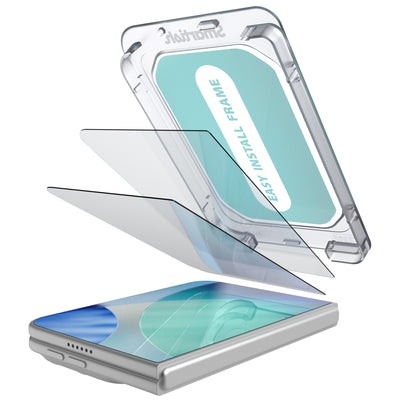
Look for 9H tempered glass, clear touch response, an oleophobic coating, and an alignment tray. Launch-day dimensions can shift, so verify fit before assuming an older model’s protector will line up perfectly.
iPhone 18 Pro Screen Protector: Why You Don't Need to Overpay
The “Sticker Shock” Trap: Are $50 Screen Protectors Worth It?
A single sheet of glass priced at $45 or $50 can make protection feel like a luxury purchase. That price may cover packaging, retail placement, warranty handling, or premium positioning, but it does not automatically mean better scratch resistance or a cleaner installation. The useful features remain familiar: hardness, optical clarity, edge coverage, adhesive quality, and case compatibility.
The bigger financial risk is the screen beneath the protector. Historically, out-of-warranty iPhone screen repairs have cost upwards of $329 to $379. AppleCare can reduce the repair bill, yet screen damage still carries a $29 deductible plus the recurring subscription fee. A protector is not a force field or a replacement for careful handling and coverage. It is a relatively small first line of defense against scratches, scuffs, and some impact damage.
Smartish's Take: Protection That Works, Without the Premium Price Tag
Smartish focuses on the part that solves the actual annoyance: dependable tempered glass, sensible pricing, and an application process that does not require surgeon hands. A two-pack or three-pack can bring replacement cost below $8 per drop, based on the research brief, making a cracked protector an irritating chore instead of a major expense.
For the rest of the phone, the Gripmunk with MagSafe® - Slim Case for iPhone 16 Pro takes a similar approach. It has textured sides, raised screen and camera edges, air-pocket corners, and a soft microfiber interior. It is specifically designed for iPhone 16 Pro, so do not treat it as a confirmed fit for another model. Protection works best when each accessory has a defined job.
What This Guide Covers (And What It Doesn't)
This guide covers the buying decisions that matter: what 9H means, why tempered glass is the usual table-stakes material, how coatings affect fingerprints, and which details influence clarity and touch sensitivity. It also covers installation, launch-fit uncertainty, multi-pack value, case pairing, and the difference between a protector and AppleCare.
It does not promise that any film prevents every crack. An iPhone 17 Pro protector may not fit a new model perfectly. Camera openings, speaker cutouts, bezel margins, and edge curves can change by fractions of a millimeter, creating a crooked border, blocked sensor area, or lifted edge. Confirmed model compatibility beats hopeful guesswork.
Choose a confirmed-fit 9H tempered glass protector with an oleophobic coating, high transparency, responsive touch performance, and an alignment tray. Pay for useful construction and a forgiving installation, not dramatic packaging.
Decoding Screen Protector Specs: What “9H Tempered Glass” Actually Means
Beyond the Buzzwords: Understanding Hardness Ratings (9H Explained)
“9H” refers to the pencil hardness scale commonly used to describe scratch resistance. It is an industry benchmark for resisting everyday abrasions from keys, coins, and pocket grit. The rating does not mean the protector is nine times stronger than one rated 1H, and it does not predict survival from every drop. Hardness mainly describes scratch resistance; impact performance also depends on thickness, tempering, adhesive, edge design, and the force and angle of contact.
A 9H surface can still chip at an exposed corner or crack after a hard impact. In many cases, the protector takes damage that would otherwise reach the display. Replaceable glass is doing its disposable job.
Tempered Glass vs. Other Materials: A Quick Breakdown
Material affects feel, appearance, and the type of protection provided. Tempered glass generally feels closest to the phone’s original display and offers a firm barrier against scratches. Flexible films can cover curved areas with less edge lift, while hybrid materials sit between film and glass in feel and impact behavior. No material wins every category, so choose according to daily risks and tolerance for visible wear.
| Material | Best at | Tradeoff |
|---|---|---|
| 9H tempered glass | Glass-like feel, scratch resistance, clear viewing | Can chip or crack after a hard impact |
| Flexible film | Light coverage and conforming to curved edges | More likely to show scuffs, dents, or installation marks |
| Hybrid protector | Balance of flexibility, coverage, and surface protection | Feel and clarity vary by construction |
The Importance of Oleophobic Coating: Banishing Fingerprints
An oleophobic coating helps skin oils slide across the surface instead of clinging to it. That means fewer smudges and easier wiping. Coatings wear over time through friction, cleaning, and regular use, so “oleophobic” describes a useful surface treatment, not a permanent promise of fingerprint-free use.
Clarity and Touch Sensitivity: Keeping Your iPhone 18 Pro Responsive
A good iPhone 18 Pro screen protector should preserve readable text, accurate colors, and normal touch input. Poor adhesive coverage, excessive thickness, haze, or a badly placed border can make the display look cloudy or cause missed taps. Face ID and the front camera need unobstructed sensor and lens areas, making precise cutouts and confirmed device dimensions important.
Check transparency, adhesive uniformity, edge coverage, and case clearance alongside the 9H claim. A specification sheet is useless if the glass sits crooked, catches a case lip, or interferes with swipes.
The Gripmunk with MagSafe® - Slim Case for iPhone 16 Pro uses the same practical accessory logic for its confirmed model: raised edges help keep the display and camera away from surfaces, while textured sides support a steadier grip. Pair any case with a protector only after checking model fit and edge clearance.
The Real Installation Anxiety: Bubbles, Dust, and Launch Fit Fiascos
Launch Fit Anxiety: Why Your Protector Might Not Fit Perfectly on Day One
Buying an iPhone 18 Pro screen protector before the phone is widely available can feel like ordering shoes from a silhouette. Pre-launch dimensions, camera openings, speaker placement, and bezel margins may come from early information rather than final hardware. A difference of half a millimeter can shift the border, cover part of a sensor area, or leave the edge too close to a case lip. An older-model protector is not a confirmed fit, even when the phone names sound similar.
Check the package for the exact model, not just a family name. Look for clear coverage around the earpiece, front camera, and display corners. The protector should leave enough room for a compatible case without pressure along the glass. Waiting for verified dimensions beats turning an expensive screen into a test sample.
The Alignment Tray: Your Secret Weapon for Bubble-Free Application
An alignment tray reduces placement errors. Its guides set the borders while the adhesive contacts the display in a controlled path, helping reduce crooked edges, uneven gaps, and trapped air. It does not remove dust or fix a dirty display, but it makes the most error-prone part of installation more forgiving.
Step-by-Step: Installing Your Screen Protector Like a Pro (Even If You're Not)
- Choose the setting. Use a clean, still room with good lighting. A bathroom after a warm shower can have less floating dust, though the phone itself should stay dry.
- Wash and dry your hands. Skin oils can transfer to the adhesive or display, so avoid touching the sticky side.
- Remove the case. Extra space helps the tray sit flat and prevents the case from nudging the glass.
- Clean the display. Use the included wet wipe, followed by the dry cloth. Inspect the surface at an angle and lift remaining specks with a dust-removal sticker.
- Position the tray. Confirm that the phone is centered and that the camera and speaker openings line up before exposing the adhesive.
- Apply the glass. Follow the kit’s release-tab instructions, allowing the adhesive to make contact gradually. Do not press randomly from the corners.
- Push out air. Use the included squeegee or a clean microfiber cloth to move bubbles toward the nearest edge with light, even pressure.
- Inspect before casing up. Give the adhesive time to settle according to the instructions, then check touch response and edge clearance.
Common Installation Pitfalls and How to Avoid Them
The usual troublemakers are dust, fingerprints, rushing, and installing over a case. A particle beneath the adhesive can create a permanent-looking bubble, while pressing hard on one corner can shift the protector. If a speck appears, pause and follow the kit instructions for lifting the glass and removing it. Do not scrape the display with a key, credit card, or other object.
Quick check: A screen protector can crack after an impact because it absorbs stress, not because it was designed for repeat purchases. Replace damaged glass when it has a chip, spreading crack, sharp edge, or loose corner. The Gripmunk with MagSafe® - Slim Case for iPhone 16 Pro has raised edges and air-pocket corners for its confirmed iPhone 16 Pro fit, but it should not be presented as a confirmed case for a different model. Pair the Gripmunk with MagSafe® - Slim Case for iPhone 16 Pro only with accessories made for the same phone.
Value vs. Vanity: Why Multi-Packs Beat Fancy Brands (and AppleCare)
The Myth of Engineered Fragility: Do Expensive Protectors Crack on Purpose?
A cracked protector can feel suspicious after paying $40 or more for one thin sheet. There is no sound basis for assuming screen protectors are deliberately made to fail. Tempered glass is designed to absorb scratches and impact before the phone display takes the hit, so a fracture can mean the replaceable layer did its job. Price alone does not reveal glass, adhesive, edge treatment, or fit quality. Judge construction and warranty terms, not package design.
Multi-Pack Magic: Getting More Bang for Your Buck
Screen protectors are wear items. Pocket grit creates scratches, a corner can chip during a drop, and installation can fail because of one dust speck. A two-pack or three-pack lowers replacement cost to under $8 per protector, according to the research brief. It provides a spare for future damage or a second installation attempt without another premium-priced purchase.
| Protection choice | Upfront cost pattern | What it covers | Best use |
|---|---|---|---|
| Single tempered-glass protector | One purchase, one replacement unit | Surface scratches and some impact stress | Shoppers who want basic coverage and already have careful installation habits |
| Two-pack or three-pack | Lower per-protector cost, under $8 per drop based on the research brief | Same everyday barrier, plus replacement flexibility | People who want value, a spare, or room for installation error |
| AppleCare coverage | Recurring subscription fee plus a $29 screen-damage deductible | Eligible service coverage, subject to plan terms | Owners who want broader repair support beyond surface protection |
Screen Protector vs. AppleCare+: A Cost-Benefit Showdown
A screen protector and AppleCare solve different problems. A protector helps guard the display from scratches, scuffs, and some impacts. AppleCare addresses eligible service needs, yet Apple reports a $29 deductible for screen damage in addition to the recurring plan fee. Without coverage, historical out-of-warranty iPhone screen repairs have reached $329 to $379. The choice depends on risk tolerance, repair budget, and desire for service coverage.
Case Compatibility: Avoiding the Dreaded “Lifted Edge”
A case can lift a protector by pressing against its perimeter. Check the model number, display shape, camera and speaker openings, and clearance between the glass and case lip. A case with raised edges should protect the front without squeezing the protector inward. Install the glass first, let the adhesive settle according to its instructions, then fit the case slowly. If a corner bubbles afterward, pressure or mismatched dimensions may be responsible.
The Practical Value Check
Pros
- Multi-packs reduce replacement cost and provide a spare.
- Tempered glass preserves a familiar screen feel.
- AppleCare can add repair support beyond surface protection.
Cons
- A protector cannot prevent every crack or replace repair coverage.
- AppleCare includes ongoing fees and a service deductible.
- A poor case fit can lift even accurately placed glass.
Making the Smart Choice for Your iPhone 18 Pro
Key Features to Look For in Your Next Protector
Choose confirmed model fit, 9H tempered glass, clear touch response, an oleophobic coating, precise cutouts, and an alignment tray. A multi-pack adds useful backup.
Smartish's Philosophy: Protection Without the Fuss
The Gripmunk with MagSafe® - Slim Case for iPhone 16 Pro follows that practical thinking with raised edges, grippy sides, and air-pocket corners for its confirmed model.
Your iPhone 18 Pro Deserves Solid Defense, Not a Gamble
For an iPhone 18 Pro screen protector, skip boutique-price theater. Pick useful glass, a forgiving installation system, and a case with confirmed compatibility. Your phone gets defense without asking your wallet to make a dramatic sacrifice.
Smart pick: The Gripmunk with MagSafe® - Slim Case for iPhone 16 Pro is specifically for iPhone 16 Pro, so verify every accessory against the exact phone model before purchase.
Frequently Asked Questions
Does the iPhone 18 need a screen protector?
An iPhone 18 screen protector is optional, but it is a sensible first layer against scratches, scuffs, and some impact damage. Choose a confirmed-fit 9H tempered glass protector with clear touch response, an oleophobic coating, and an alignment tray. Launch-day dimensions may change, so avoid assuming an older protector fits.
Does Apple recommend a screen protector for iPhone?
Apple does not require an iPhone screen protector, but an iPhone 18 Pro screen protector can help guard the display from everyday scratches and scuffs. A protector is not a replacement for careful handling or AppleCare, and it cannot promise protection from every crack or drop.
What is the highest rated iPhone screen protector?
The highest-rated iPhone screen protector is usually one with confirmed model fit, 9H tempered glass, high transparency, responsive touch performance, an oleophobic coating, and easy alignment. Ratings alone do not tell the whole story, so check edge coverage, adhesive quality, case clearance, and precise openings for Face ID and the front camera.
Will the iPhone 18 Pro have a glass back?
The iPhone 18 Pro back material has not been confirmed in the provided information, so a glass back should not be treated as a settled feature. Regardless of the rear design, an iPhone 18 Pro screen protector addresses front-display scratches, while a suitable case handles added protection for the phone's back and edges.
Will the iPhone 18 Pro be titanium again?
The iPhone 18 Pro's frame material has not been confirmed in the provided information, so titanium should be treated as unverified. Frame material does not change the buying basics for an iPhone 18 Pro screen protector: confirm the fit, choose tempered glass, and look for clear viewing, touch accuracy, and case compatibility.