




do magsafe accessories work with iPhone 18 Pro
Wondering do magsafe accessories work with iPhone 18 Pro? Yes, the phone supports the MagSafe accessory system, including magnetic chargers, wallets, battery packs, stands, and mounts. It also supports Qi2 wireless charging. The main concern is physical fit: a redesigned camera island can stop some accessories from sitting flat.
Key Takeaways
- Your iPhone 18 Pro works with all MagSafe chargers and accessories, but you need to check if your favorite case or mount clears the new camera bump.
- Qi2 wireless charging is fully supported, so you can use non-MagSafe magnetic chargers as long as they align properly with the phone's magnets.
- Thicker accessories like battery packs or wallets may wobble or fail to attach securely if the camera island pushes them out of alignment.
- Stick with accessories designed specifically for the iPhone 18 Pro or use a slim case that accounts for the redesigned camera to get a flat, stable connection.
- Test your existing MagSafe gear before buying new ones: many older accessories will still work, but anything with a rigid backplate might not sit flush.
This guide separates magnetic compatibility from physical clearance. Older accessories may still connect and charge, while cases, wallets, and battery packs can contact the camera area. A magnetic connection alone does not guarantee a perfect fit.
iPhone 18 Pro and MagSafe: The Quick Answer
Does the iPhone 18 Pro support MagSafe accessories?
Yes. The iPhone 18 Pro supports MagSafe accessories and Qi2 wireless charging, so existing magnetic chargers, wallets, docks, and mounts can attach to its magnetic ring. Apple’s iPhone 18 Pro accessory listings support that compatibility. With compatible MagSafe or Qi2 hardware and a 30W or higher power adapter, the phone can reach up to 25W wireless charging.
Not every older accessory will fit perfectly. A charger can connect but sit off-center. A wallet can attach but overlap the camera island. A battery pack can hold firmly while wobbling because its housing meets the camera plateau before the magnet ring settles against the back glass. So, do magsafe accessories work with iPhone 18 Pro? Functionally, yes. For physical compatibility, inspect the accessory’s shape and clearance.
What to expect: A peek at the iPhone 18 Pro's MagSafe capabilities
MagSafe combines an alignment ring with a wireless charging coil. The magnetic connection helps keep the coils aligned, which is why a puck generally works better than a loose Qi charging pad. Direct-contact MagSafe arrays typically provide roughly 4.5 to 5 Newtons of holding force, according to Apple’s MagSafe accessory guidance. That is enough for normal attachment, but not protection from every sideways shove.
The Hardware Hang-Up: Clearing the Camera Bump and Case Fit
Understanding the iPhone 18 Pro's physical dimensions and the camera island
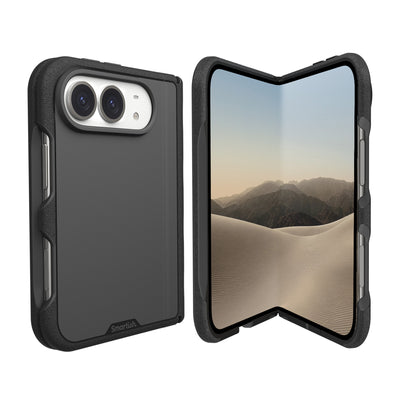
The magnetic ring sits on the back of the phone, below the camera area. An accessory with a broad body, raised edge, or rigid shell may not lie flat. The iPhone 18 Pro camera island occupies space near the upper rear panel, so small differences in thickness or shape matter. A thin charging puck generally has more room than a wide battery pack, and a wallet may sit lower if its top edge approaches the camera plateau.
Check whether the magnet ring centers over the charging coil, whether the accessory housing touches the phone evenly, and whether the camera island presses against it. A connection can feel secure in your hand yet wobble on a desk. That is a physical-fit issue, not a software problem.
Why older iPhone 17 Pro cases might not fit the iPhone 18 Pro perfectly
An iPhone 17 Pro case is not automatically an iPhone 18 Pro case. Changes in body dimensions, button placement, camera opening, or corner radius can cause a poor fit. An iPhone 17 Pro case may pinch the phone, block a lens, interfere with controls, or keep the magnetic ring from sitting correctly. Do not judge compatibility by the magnetic snap alone. Look for the exact model designation, breathing room around the camera opening, accurate button cutouts, and a ring designed for that chassis.
| Accessory or case type | Likely behavior on iPhone 18 Pro | What to inspect |
|---|---|---|
| Thin MagSafe charging puck | Usually attaches and charges | Check for a flat connection and centered coil |
| Wide battery pack | May attach but contact the camera island | Check upper-edge clearance and desk stability |
| Magnetic wallet | May sit lower or overlap the camera area | Confirm card-holder shape and camera clearance |
| iPhone 17 Pro case | Not a dependable cross-generation fit | Verify dimensions, camera opening, and buttons |
MagSafe chargers and battery packs: Will they sit flush or wobble?
A small, round charger has the best chance of sitting flush. Battery packs and larger docks are less forgiving because their upper edge can meet the camera island first. The magnets may still hold, but the accessory can rock, pull away from the charging coil, or leave a visible gap. Magnetic attachment is not the same as full-surface contact.
Accessory alignment: What happens when magnets meet the camera bump?
The magnet array pulls an accessory toward its intended center, but it cannot remove a tall camera bump. With a suitable accessory, the ring lies flat and the camera island remains outside the contact zone. With a poorly shaped one, the camera plateau can shift or tilt it. Before using a wallet or battery pack in a pocket, check for rocking, sliding, lens obstruction, or pressure against the camera housing.
For a different phone size and camera layout, the Gripmunk with MagSafe® - Slim Case for iPhone 16 Pro is designed specifically for iPhone 16 Pro, not iPhone 18 Pro. It includes built-in MagSafe magnets, air-pocket corners, raised screen and camera edges, and a microfiber interior. The Gripmunk with MagSafe® - Slim Case for iPhone 16 Pro shows why model-specific labeling matters: “MagSafe” describes the magnetic system, while the case model determines whether the phone fits.
Charging Performance: Speed, Standards, and What Powers Up Your iPhone 18 Pro
MagSafe vs. Qi2 vs. Qi: Decoding wireless charging speeds
Wondering do magsafe accessories work with iPhone 18 Pro when charging speed matters? Yes, but the charger standard and adapter determine the rate. Apple lists up to 25W MagSafe and Qi2 wireless charging for the iPhone 18 Pro with a 30W or higher adapter. Older MagSafe chargers generally top out at 15W, while basic Qi charging can be slower and may lack magnetic alignment.
| Charging method | Practical expectation | What you need |
|---|---|---|
| Newer MagSafe | Up to 25W | Compatible charger and 30W or higher adapter |
| Qi2 | Up to 25W when supported | Qi2 charger with a suitable power adapter |
| Legacy MagSafe | Up to 15W | Older MagSafe puck and compatible adapter |
| Standard Qi | Variable, generally slower | Qi charging pad with correct placement |
Can your iPhone 18 Pro hit 25W with older MagSafe chargers?
Not usually. An older MagSafe puck can attach and charge the iPhone 18 Pro, but its hardware remains limited to the 15W ceiling. The same applies to the wall adapter: a high-speed charger paired with an underpowered adapter may charge below its maximum. The phone, wireless charger, and adapter form a three-piece chain, and the slowest link sets the pace. For a realistic 25W setup, confirm the charger supports the newer output, the adapter supplies at least 30W, and the phone is centered.
Third-party chargers: What to look for to ensure optimal charging
Look for clear Qi2 or MagSafe certification language, stated wattage, thermal management, and a power adapter recommendation. A charger should have a stable magnetic ring, a secure cable, and enough surface area to avoid rocking near the camera island. “Wireless” alone is not a speed specification.
The impact of cases on charging speed and magnetic connection strength
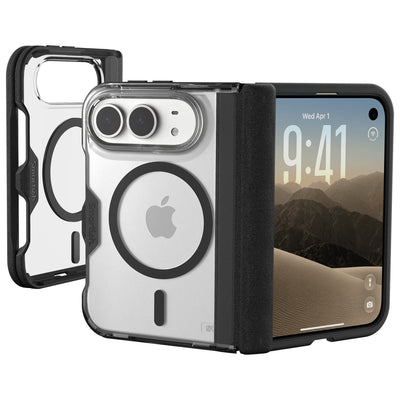
A MagSafe case adds material between the phone and accessory, so its magnet placement and thickness matter. A correctly positioned ring keeps the charger aligned. A case without a dedicated ring may weaken the hold, interrupt charging, or let the puck slide. Thick camera protection can also tilt a larger charger if it reaches the camera island.
Accessory Compatibility Checklist: Chargers, Wallets, Mounts & More
Accessory compatibility is a category-by-category question. A small charger may sit flat while a wallet or battery pack reaches the camera island. Use this checklist to evaluate magnetic attachment, clearance, coil alignment, case fit, and holding strength.
MagSafe Chargers & Docks: What snaps on?
Usually yes. MagSafe pucks and compact docks should attach and charge. Check that the puck rests flat. Desktop cradles need extra inspection because an angle can shift the charging coil.
MagSafe Wallets & Card Holders: Wallet Slayer Vol. 1/2 compatibility note
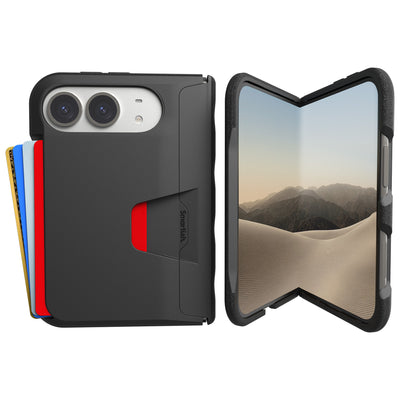
Possibly, with a clearance check. Magnetic wallets may sit lower if their upper edge approaches the camera housing. Wallet Slayer Vol. 1 and Vol. 2 should be evaluated by contact shape, magnet position, and camera clearance on the specific phone and case combination. Keep cards away from heat and confirm that the wallet does not press into lenses or rock on a table.
MagSafe Battery Packs: Power on the go, cleared for takeoff?
Magnetically, likely. Physically, inspect first. Larger housings may contact the camera island before full contact is achieved. Test the pack without a case and with the case installed, checking whether it stays centered while the phone is upright.
Car Mounts & Stands: Keeping your iPhone 18 Pro steady
Yes, if the mount has enough holding strength and a flat contact area. Vehicle vibration exposes weak connections. A mount should keep the phone centered without pressing into the camera island, and its arm should support the phone without sagging. A case with its own magnetic ring is preferable to a bare case shell.
Grips & Rings: Stick or slip?
It depends on the attachment method. Removable MagSafe grips and rings should align with the magnetic array, but ring placement, contact area, and the case surface affect performance. Test with a gentle sideways pull before trusting the grip over a hard floor.
Cases: The essential first layer of MagSafe compatibility
Choose a case made for the exact model. A magnetic ring does not guarantee correct buttons, camera clearance, or corner fit. The Gripmunk with MagSafe® - Slim Case for iPhone 16 Pro is designed specifically for iPhone 16 Pro, so it is not a confirmed fit for iPhone 18 Pro. It has built-in MagSafe magnets, air-pocket corners, raised edges, textured sides, a smooth back, and a microfiber interior. The Gripmunk with MagSafe® - Slim Case for iPhone 16 Pro retails from $19.99 to $24.99 and pairs with MagSafe gear for its intended phone model.
A quick fit reality check
Pros
- Chargers and compact mounts usually connect through the magnetic ring.
- Qi2 and newer MagSafe hardware can support faster wireless charging.
- Exact-model cases help preserve camera, button, and coil alignment.
Cons
- Wide wallets and battery packs may contact the camera island.
- Older accessories may charge at 15W rather than 25W.
- Cases without dedicated magnets can reduce grip and cause sliding.
Smartish Solutions: Practical Tips for Your iPhone 18 Pro Setup
Still asking do magsafe accessories work with iPhone 18 Pro? Check the exact phone model, dedicated magnetic ring, and clearance around the camera island. Start with a case designed for the iPhone 18 Pro, not one that merely says “MagSafe compatible.”
Choosing the right MagSafe case for your iPhone 18 Pro
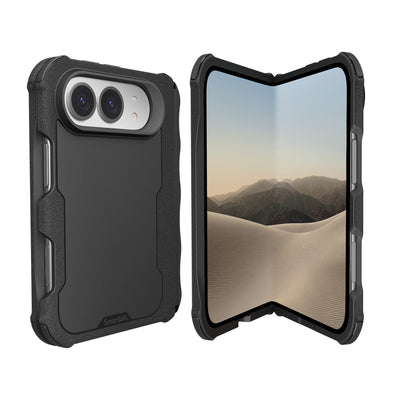
Look for accurate model labeling, raised screen and camera edges, a grippy sidewall, and magnets positioned over the charging coil. A slim profile helps larger accessories avoid the camera island. The Gripmunk with MagSafe® - Slim Case for iPhone 16 Pro is designed specifically for iPhone 16 Pro, so it is not a confirmed iPhone 18 Pro case. Magnetic hardware cannot correct an incorrect phone fit.
When a third-party MagSafe accessory might feel “off”
If an accessory grabs but tilts, slides, or leaves a gap, check the case ring and accessory housing. Remove the case briefly to isolate the problem. A weak hold may come from extra material, an off-center ring, or a broad battery pack contacting the camera plateau.
Maximizing magnetic grip without breaking the bank
Spend first on correct alignment. Keep contact surfaces clean, avoid stacking magnetic plates, and choose accessories with a compact contact area. The Gripmunk with MagSafe® - Slim Case for iPhone 16 Pro includes built-in MagSafe magnets, though its compatibility remains specific to iPhone 16 Pro.
Troubleshooting common MagSafe connection issues
Recenter the accessory, remove thick cards or debris, test without the case, and watch for charging interruptions. If the phone gets unusually warm, disconnect and inspect the charger, cable, and adapter. A stable connection should charge without rocking or slipping.
Frequently Asked Questions
Will an older MagSafe charger work with the iPhone 18 Pro?
Older MagSafe chargers should attach and charge with the iPhone 18 Pro. Thin, round charging pucks usually have enough clearance around the redesigned camera island. Check that the puck sits flat and stays centered, since magnetic connection alone does not guarantee stable physical contact.
Can an iPhone 17 Pro case be used on the iPhone 18 Pro?
An iPhone 17 Pro case is not a dependable fit for the iPhone 18 Pro. Changes to the phone’s dimensions, camera opening, buttons, or corner shape can cause alignment problems. Choose a case labeled specifically for iPhone 18 Pro and confirm that its magnetic ring and camera clearance match the phone.
Why does my MagSafe battery pack wobble on the iPhone 18 Pro?
A MagSafe battery pack can wobble on the iPhone 18 Pro when its upper housing contacts the camera island before the magnetic ring settles flat. The magnets may still hold the pack in place, but the accessory can tilt or leave a gap. A slimmer pack or camera-area cutout may provide a steadier fit.
Do MagSafe wallets fit around the iPhone 18 Pro camera island?
MagSafe wallets can attach to the iPhone 18 Pro, but their shape determines whether they clear the camera island. A wallet with a broad or rigid top edge may sit lower, overlap the camera area, or rock against the phone. Check for even contact, unobstructed lenses, and a centered magnetic ring.
Does the iPhone 18 Pro support Qi2 chargers as well as MagSafe?
The iPhone 18 Pro supports both MagSafe accessories and Qi2 wireless charging. MagSafe uses magnetic alignment to help center the charging coils, while Qi2 accessories may vary in shape and clearance. With compatible hardware and a 30W or higher power adapter, wireless charging can reach up to 25W.
How can I test whether a MagSafe accessory fits the iPhone 18 Pro?
Test the MagSafe accessory on the iPhone 18 Pro without a case, then repeat the test with the case installed. Confirm that the accessory attaches, sits flat, remains centered, and does not press against the camera island. A firm magnetic snap paired with rocking or sliding signals a clearance issue.