








Key Takeaways
- The term "cover charger for iPhone" has multiple meanings.
- There are three different types of cover chargers for iPhone.
- Many people misunderstand the term until they purchase the wrong product.
Table of Contents
- What Is an iPhone Charger Cover, And Why the Confusion?
- How Charging Speed and Compatibility Actually Work With Cases
- Types of iPhone Charger Covers and When You Actually Need Each One
- MagSafe vs. Standard Wireless Charging Cases, Which Solves Your Problem?
- Materials Matter, Silicone, Polycarbonate, TPU, and Why
- Real-World Troubleshooting, Why Your Charger Isn't Working
- Real-World Troubleshooting, Why Your Cover Charger for iPhone Isn't Working
- Choosing the Right Cover Charger for iPhone by Model and Lifestyle
What Is an iPhone Charger Cover, And Why the Confusion?
The term "cover charger for iPhone" is doing a lot of heavy lifting. It can mean three different things, and most people don't realize it until they buy the wrong one. Gripzilla is a great example of a case that addresses multiple needs, offering both protection and charging compatibility.
If you're looking for more insights on how to choose the right accessory, you might find this guide on iPhone case and charger combinations helpful.
Cable Protectors vs. Case Protection
Cable protectors are small sleeves that slide onto Lightning or USB-C cables to prevent fraying and extend cable life by 40-60%, depending on usage. Case protection, however, is what most people actually mean when they say "charger cover", a phone case designed to work seamlessly with wireless or wired charging without creating interference. The distinction matters because one protects your cable, the other protects your phone while it charges. For those interested in screen safety, check out this article on covers for iPhone screen.
Charging-Specific Cases vs. Standard Phone Cases
Not all cases are created equal when it comes to charging. A standard protective case might work with wired charging just fine, but wireless charging introduces a new variable: thickness, material density, and metal components can all reduce charging speed or prevent alignment entirely. Cases specifically engineered for wireless charging factor these variables in from day one.
The Wallet Case Wildcard
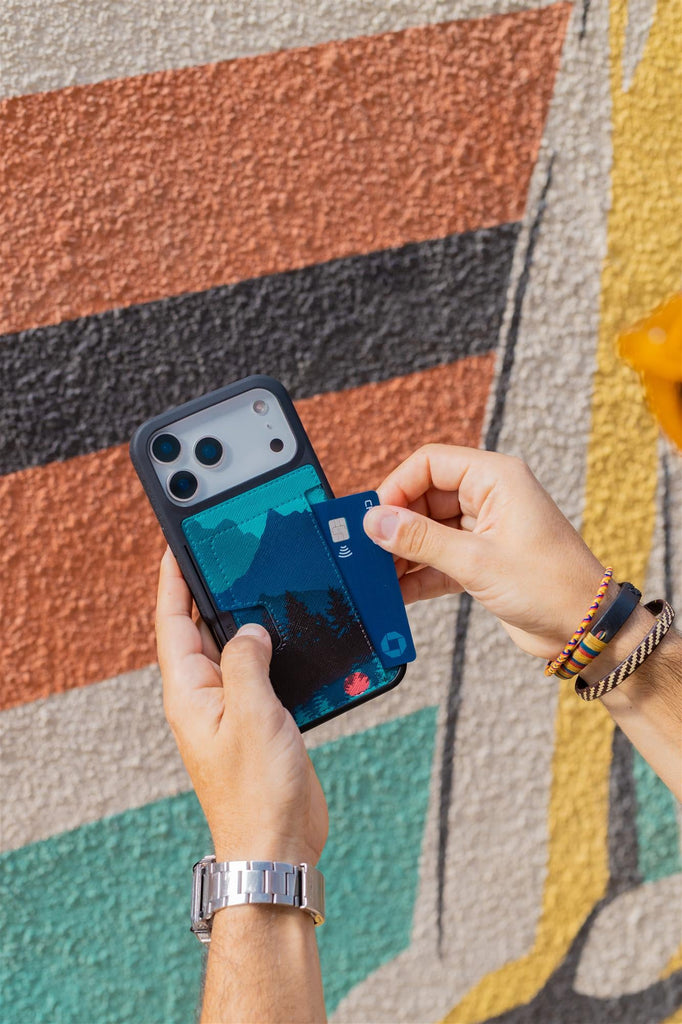
Wallet cases add another layer. They hold your cards or cash, which means they're necessarily thicker than standard cases. But here's the kicker: some wallet cases still support wireless charging, while others completely block it because the built-in card storage interferes with the magnetic alignment. Understanding which is which saves you from buying a case that looks perfect but charges at a crawl.
How Charging Speed and Compatibility Actually Work With Cases

Why Thickness Matters (And When It Doesn't)
Wireless charging works through electromagnetic induction, your charger creates a magnetic field that passes through your case to the coil inside your phone. A case that's 2-3mm thick? Barely registers. A case that's 5-6mm thick? Your charging speed drops noticeably. The sweet spot for most users is 3-4mm of protection without sacrificing charging speed. Wired charging (USB-C or Lightning) doesn't have this problem because the connection is direct, the case doesn't interfere unless it blocks the port entirely.
Metal Components and Magnetic Alignment
Here's where wallet cases run into trouble. Metal card slots, hardware, or reinforced edges can disrupt MagSafe alignment on newer iPhones. If your charger keeps losing connection or your phone gets hot during wireless charging, metal interference is likely the culprit. Solutions? Cases specifically designed with MagSafe compatibility use non-ferrous materials or position metal components away from charging zones.
Material Selection and Heat Dissipation
Silicone cases retain more heat during wireless charging than polycarbonate or TPU blends. If your case feels hot to the touch 10-15 minutes into a wireless charge, that's a sign your phone is working harder to push power through the barrier. Premium charging cases use materials engineered for thermal efficiency, meaning your phone charges faster and stays cooler.
Types of iPhone Charger Covers and When You Actually Need Each One
Gripmunk - Slim Wireless Protection
The Gripmunk hits the sweet spot, 2.5-3.5mm of protection that passes drop tests from 6 feet onto concrete while maintaining full wireless charging compatibility. Air-pocket corners absorb impact; raised screen edges and camera ring keep everything off the table. MagSafe compatible for iPhone 12 and later users who want accessory flexibility without bulk.
Best for: People who prioritize pocket comfort and everyday protection over maximum ruggedness.
Highlights
- Drop-tested protection without wireless charging interference
- Raised edges protect screen and camera when face-down
- MagSafe compatible maintains full 15W charging speed
- Precise cutouts for all ports and buttons
Gripzilla - Maximum Protection
When you need serious protection but refuse to sacrifice wireless charging, Gripzilla delivers both. The rigid backplate and reinforced air-pocket corners handle extreme drops while maintaining MagSafe compatibility. Thicker than Gripmunk but engineered to pass the same wireless charging speeds through superior material selection.
Best for: Construction workers, outdoor enthusiasts, or anyone who needs maximum protection with wireless convenience.
Highlights
- Rigid backplate for extreme drop protection
- MagSafe compatible despite increased thickness
- Superior corner protection with air-pocket design
- Thermal-efficient materials prevent overheating
Wallet Slayer Vol. 1 - Cards, Cash, Phone
If you're someone who used to carry both a phone and a wallet, the Wallet Slayer Vol. 1 cuts your carry items in half. Holds 1-3 cards plus folded cash in a slim profile that still fits comfortably in most pockets. The trade-off? It's thicker than a slim case (around 4-5mm), which means wireless charging isn't an option, but wired USB-C charging works perfectly and charges faster anyway (up to 20W vs. 7.5W wireless). Best for: minimalist travelers who want to ditch the traditional wallet without sacrificing phone protection.
The Wallet Slayer Vol. 2 takes it further with an integrated kickstand for hands-free video calls or streaming. Same card storage, same protection, but now your phone props itself up at the perfect angle. It's still a thick case (5-6mm), so wireless charging remains off the table, but the functionality boost makes sense if you use your phone for work calls or entertainment regularly.
MagSafe vs. Standard Wireless Charging Cases, Which Solves Your Problem?
MagSafe changed the game for iPhone 12 and later users, but it didn't make standard wireless charging obsolete. The choice comes down to whether you want a simple charging solution or a modular system that grows with your needs.
| Feature | Standard Wireless Case | MagSafe Case |
|---|---|---|
| Charging Speed | ~7.5W wireless charging through case | ~15W with MagSafe charger |
| Accessory Compatibility | Generic wireless chargers only | Chargers, wallets, mounts, power banks |
| Case Thickness | 3-4mm (slim profile) | 3-4mm (no bulk difference) |
| iPhone Compatibility | All iPhones with Qi support (8+) | iPhone 12 and later only |
| User Experience | Set-and-forget simplicity | Modular, expandable setup |
When Standard Wireless is Enough
You charge overnight at your nightstand. You charge at your desk during work. You don't need magnetic accessories or car mounts. Standard wireless cases like the Gripmunk deliver reliable protection with air-pocket corners and raised edges for screen and camera protection, all while maintaining wireless charging compatibility. No learning curve, no extra accessories to buy, just solid protection that works with any Qi charger.
When MagSafe Earns Its Cost
You use your phone in landscape mode regularly for video calls or content creation. You want instant car mounting or a magnetic wallet that detaches cleanly. The Gripzilla with MagSafe compatibility gives you the same drop-tested protection as the standard version, but accessories snap on magnetically and align perfectly every time. The 15W charging speed difference is real, about 30-40% faster than standard wireless for quick top-offs.
MagSafe makes sense when you're building a system around your phone, not just protecting it. The magnetic ecosystem grows with your needs, whether that's a car mount today and a power bank next month. For those interested in future charging options, see this article on chargers for iPhone 17.
Materials Matter, Silicone, Polycarbonate, TPU, and Why

The material your cover charger for iPhone is made from directly affects charging speed, heat retention, and long-term durability. Most people focus on protection and forget that material choice impacts how well your case plays with wireless charging.
Silicone Covers: Grip vs. Heat
Silicone feels great in hand, soft, grippy, and comfortable for extended use. But it retains more heat during wireless charging, which can slow charging speed by 10-15% compared to other materials. If your case gets noticeably warm during wireless charging, silicone might be the culprit. Best for: people who prioritize comfort and don't mind slightly slower wireless charging speeds.
TPU Blends: The Sweet Spot
Thermoplastic polyurethane combines shock absorption with thermal efficiency. Smartish cases use TPU formulations that stay grippy without getting sticky in pockets, a common problem with cheaper silicone alternatives. TPU dissipates heat better than silicone while maintaining flexibility for easy installation. It's genuinely the Goldilocks material: protective enough for daily drops, thin enough for wireless charging, and comfortable enough for all-day use.
The Gripmunk and Gripzilla both use TPU blends with finger grooves molded directly into the case sides. This isn't just about grip, the grooves create air channels that help with heat dissipation during charging sessions. For more on customizing your case, check out this post on personalized cover iPhone.
Real-World Troubleshooting, Why Your Charger Isn't Working
When your iPhone case charger setup stops working as expected, the problem usually falls into one of four categories. Here's how to diagnose and fix the most common issues without replacing everything. For a broader look at charging solutions, you can also read about charger station for multiple devices.
Real-World Troubleshooting, Why Your Cover Charger for iPhone Isn't Working
When your charging setup stops cooperating, the fix is usually simpler than you think. Most issues trace back to interference, alignment, or heat buildup.
Charging Speed Drops When Case Is On
A 20-30% speed reduction with a 3-4mm case is normal. A 50% drop isn't. If your thin case is causing dramatic slowdowns, check the material, silicone retains more heat than TPU blends. Switch to a thinner case, use wired charging instead, or upgrade to a MagSafe charger for better power transfer through cases. For more technical details on wireless charging, see this authoritative guide on how wireless charging works.
Alignment Issues with MagSafe Charger
Your MagSafe charger keeps losing connection or only works at specific angles. This usually means metal components in your case are interfering with magnet alignment. Confirm your case is MagSafe-certified, remove any metal rings or attachments, or switch to a standard wireless charger that doesn't rely on magnetic positioning.
Case Gets Hot During Wireless Charging
Heat signals your phone is working harder to push power through a thermal barrier. Causes include thick cases, heat-retaining silicone, or charging coil misalignment. Switch to a thin TPU case, use wired charging for faster power transfer with less heat, or let your phone cool between charging sessions if your case exceeds 5mm thickness. Learn more about safe charging practices from this Consumer Reports article on smartphone battery charging.
Choosing the Right Cover Charger for iPhone by Model and Lifestyle

Your iPhone model determines your charging options, but your daily routine determines which case actually works for you.
For iPhone 15, 15 Pro, and 15 Pro Max Users
USB-C support means 20W wired charging and 7.5W wireless charging. A slim 3-4mm case won't meaningfully impact either method. The A17 Pro chip in Pro models handles charging speed differences efficiently. Choose based on feel and lifestyle, wireless, wired-only, or wallet cases all perform well.
For iPhone 16 and 16 Pro Users
USB-C is standard, eliminating Lightning port concerns. MagSafe compatibility remains the key differentiator between accessory flexibility and simplicity. If magnetic accessories matter, prioritize MagSafe-certified cases. If not, any slim protective case delivers reliable charging performance.
For iPhone 17 and 17 Pro Users
With the latest iPhone 17 lineup, MagSafe and USB-C are both standard. The same rules apply: choose a MagSafe-compatible case like Gripmunk or Gripzilla for maximum accessory flexibility and fast wireless charging. Wallet Slayer Vol. 1 and Vol. 2 remain top picks for those who want to ditch their wallet, but remember, wireless charging isn't supported with these thicker cases. For the most up-to-date recommendations, check out Our Thoughts.
Frequently Asked Questions
What are the different types of cover chargers for iPhone, and how do I know which one I need?
There are three main types: cases compatible with wired charging, standard wireless charging cases, and MagSafe-compatible cases with magnetic alignment. Choose based on your charging method, wired or wireless, and whether you want magnetic convenience. Knowing your iPhone model and charging habits helps pick the right fit.
How do phone case materials and thickness affect wireless charging speed and compatibility?
Thicker cases or those made from dense or metal materials can slow down or block wireless charging by interfering with signal strength and alignment. Cases designed for wireless charging use thinner, non-metallic materials to ensure smooth power transfer without sacrificing protection.
Why do some wallet cases interfere with wireless charging, and how can I choose one that works?
Wallet cases often add thickness and include metal or card materials that disrupt magnetic alignment needed for wireless charging. To avoid this, look for wallet cases specifically designed to support wireless charging or remove cards during charging to maintain proper connection.
What common issues cause a cover charger for iPhone to stop working, and how can I troubleshoot them?
Common issues include case thickness blocking the signal, misaligned charging coils, or debris between the phone and charger. Troubleshoot by removing the case, cleaning surfaces, ensuring proper alignment, and confirming your case is compatible with your charging method.