


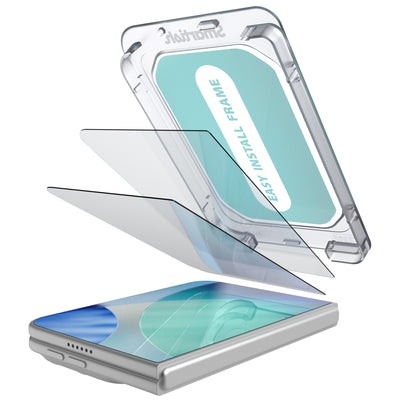


Best screen protector for iPhone
Your iPhone can survive a busy commute, a crowded coffee table, and the occasional butterfingers moment. Its screen still has to deal with keys, grit, countertop shuffles, and gravity doing gravity things. The Best screen protector for iPhone should add a practical layer of defense without making touch response, Face ID, or your case fit feel fussy.
Key Takeaways
- Your iPhone can survive a busy commute, a crowded coffee table, and the occasional butterfingers moment.
- Its screen still has to deal with keys, grit, countertop shuffles, and gravity doing gravity things.
- The Best screen protector for iPhone should add a practical layer of defense without making touch response, Face ID, or your case fit feel fussy.
The smart pick is not always the protector with the biggest number on the package. Clear glass, accurate fit, easy installation, smooth swiping, and case compatibility matter more in daily use. A good protector quietly does its job, then gets out of the way. That is the dream. No bubbles. No weird rainbow effect. No screen that feels like it is wearing a tiny shower door.
What is Best screen protector for iPhone?
The Best screen protector for iPhone is a well-fitted tempered glass protector with a dependable alignment tray, a smooth oleophobic coating, and enough edge clearance for your case. Tempered glass is popular because it feels close to the original display while helping absorb scratches and some impact. Scratch-resistance labels vary across the category, but they do not make a protector an unbreakable force field. Your phone can still lose a fight with a parking lot.
Fit must match the exact iPhone model and screen shape. A protector made for an iPhone 15 may not suit an iPhone 15 Pro, even when the phones look like close cousins. Camera cutouts, speaker openings, display edges, and case dimensions can differ. Newer models also bring their own glass updates. Newer iPhone models use updated display glass, yet a protector can still help preserve the display from everyday wear.
That practical thinking is also why a screen protector works best alongside a case that suits your routine. The Dancing Queen - Crossbody Wallet Case for iPhone 11 Pro Max keeps five cards plus cash inside, adds lipgloss loops, and includes an adjustable crossbody strap plus a removable wristlet. It is designed specifically for iPhone 11 Pro Max, not every iPhone under the sun, and it is not compatible with wireless chargers or MagSafe. Protection is useful. Knowing your model is useful-er.
Benefits of Best screen protector for iPhone
The biggest benefit is scratch control. Fine marks from pocket grit, keys, bags, and everyday handling can weaken the surface of the glass over time. Wirecutter reports that preventing scratches may make cracks less likely because those marks can affect the glass’s structural integrity. A protector can take the abuse instead of your display, turning a replace-the-protector moment into a much smaller wallet event.
Installation is another major separator. Alignment trays help center the protector over the display and reduce the chance of crooked edges, blocked sensors, or a bubble constellation. Alignment trays may reduce installation errors. Clean the screen first, follow the dust-removal steps, and lower the glass gradually. Bubbles can come from dust or uneven placement, not from an iPhone developing a personal grudge.
A quality protector should also preserve the parts you use constantly. Properly fitted glass keeps swipes responsive, leaves Face ID hardware unobstructed, and maintains a clear view for photos, streaming, reading, and gaming. An oleophobic coating helps fingerprints wipe away more easily, though normal use can wear that coating down over time. If the surface starts feeling tacky or collects smudges faster, replacement can restore that fresh-screen glide.
Model-specific fit protects more than the center of the display. Look for edge coverage that stops short of your case lip rather than pressing against it. That small gap helps prevent lifting around the perimeter. Case material matters, too. A snug case, raised bezel, and screen protector should cooperate instead of competing for the same millimeter. The best screen protector for iPhone 17, the best screen protector for iPhone 16, and options for iPhone 15 each require model-specific checking before purchase.
For people carrying a phone, cards, and small essentials all day, the Dancing Queen - Crossbody Wallet Case for iPhone 11 Pro Max adds hands-free convenience with color options including Stiletto Black-Gold, Stiletto Black-Silver, Bath Bomb Blue, Flavor of the Month, and Chefs Special. Listed prices are $29.99 and $34.99, with some iPhone 11 Pro Max color and size variants sold out. Pair the right protector with the right case, and your phone setup has fewer loose parts waiting to vanish into the couch.
How to Choose Best screen protector for iPhone
Start with the phone model, not the sales sticker. Screen size, display edges, speaker openings, camera cutouts, and case dimensions can vary between generations and trim levels. Check whether you have an iPhone 17, 16, 15, 15 Pro, 15 Pro Max, 14, or 13 before ordering. A protector made for the standard iPhone 15 may not align correctly on an iPhone 15 Pro. If you search Reddit for advice, treat enthusiastic comments as personal experience, not a substitute for checking the exact model number in Settings.
Tempered glass is a sensible starting point for many users. Many products use similar basic glass, so installation hardware and fit often matter more than grand claims about hardness. Scratch-resistance labels vary, but they do not mean the protector is indestructible or that your phone has been issued a tiny suit of armor. Look for a clear surface, rounded edges, accurate touch response, and a coating that helps fingerprints wipe away.
| What to compare | What to look for | Why it matters |
|---|---|---|
| Material | Tempered glass with rounded edges | Provides a familiar glass feel and helps absorb everyday scratches |
| Installation | Alignment tray, cleaning kit, dust-removal stickers | Makes centered placement easier and reduces bubbles caused by dust |
| Display coverage | Model-specific shape with sensor and speaker clearance | Protects the usable screen without blocking Face ID hardware |
| Case fit | Small clearance around the protector edge | Prevents a case lip from lifting or pressing against the glass |
| Surface finish | Oleophobic coating and optical clarity | Keeps swiping smooth and reduces visible smudges |
Installation deserves more attention than it usually gets. Wash and dry your hands, work in a low-dust room, and clean the display with the supplied wipe before removing the glass backing. Use the alignment tray if one comes in the box. Alignment trays may reduce installation errors, making them more than a piece of packaging theater. Lower the protector slowly, then push bubbles toward the nearest edge with a soft card or fingertip. A bubble caused by dust may require lifting one corner and removing the particle with a dust sticker.
Test the fit before committing to daily use. Place the phone in its case and check every edge, especially the corners. Open a notes app to test swipes, tap the keyboard near the borders, and confirm Face ID works without obstruction. If you use a magnetic car mount or charging accessories, verify the protector and case combination independently. The phone, case, and screen layer need to cooperate in the same small space. Also plan for maintenance: oleophobic coatings can wear down with normal use, so a replacement may restore the smooth, clean feel.
Frequently Asked Questions
What is the best screen protector for iPhone 17?
Choose a protector made specifically for iPhone 17, with a precise sensor opening and enough room for your case. Newer iPhone models use updated display glass, yet a protector can still take the daily pocket grit, keys, and tabletop scuffs. Prioritize clean installation, optical clarity, responsive touch, and a smooth surface over an oversized hardness claim.
What is the best screen protector for iPhone 16?
For iPhone 16, look for model-specific tempered glass with rounded edges and a reliable alignment tray. Confirm that the protector leaves the speaker and Face ID area clear, then test it inside your case before removing the backing. A premium price can be worthwhile when it includes accurate fit, quality installation tools, and a coating that keeps fingerprints easier to wipe away. You are paying for the whole experience, not just a square of glass.
What is the best screen protector for iPhone 15?
Match the protector to the exact iPhone 15 version. Standard, Pro, and Pro Max models can have different dimensions and cutouts, so a listing that only says “iPhone 15” deserves a closer look. The same check applies to iPhone 14 and iPhone 13. If you are comparing options through Reddit, use user experiences as clues, then verify compatibility through the manufacturer’s fit chart.
How do I install a screen protector without bubbles?
Clean your hands and display first, and work away from dust, lint, and ceiling-fan confetti. Use the included alignment tray, lower the glass slowly, and press from the center toward the edges. Small air pockets may disappear on their own. A bubble with a visible speck underneath usually contains dust, so lift the nearest corner carefully and remove the particle with a dust sticker. Do not press harder and hope physics changes its mind.
Can a wallet case work with a screen protector?
Yes, provided the case and protector leave one another enough edge clearance. The Dancing Queen - Crossbody Wallet Case for iPhone 11 Pro Max is designed specifically for that phone model and stores five cards plus cash, with an adjustable crossbody strap and removable wristlet. The Dancing Queen - Crossbody Wallet Case for iPhone 11 Pro Max is not compatible with wireless chargers or MagSafe, so check the full setup before purchase.