



Where to buy a MagSafe compatible case
Where to buy a MagSafe compatible case depends on whether you want to try it in person, browse a wide selection, or get fit and feature details from the maker. Before shopping, check for a magnetic ring, support for your exact iPhone model, and realistic charging claims.
Key Takeaways
- In-store shopping lets you feel the grip and thickness firsthand, which matters more than any spec sheet.
- Online marketplaces offer the widest selection, but listings can stretch compatibility claims, so read the details.
- Buying straight from the case maker gives you the most accurate fit information for your exact iPhone model.
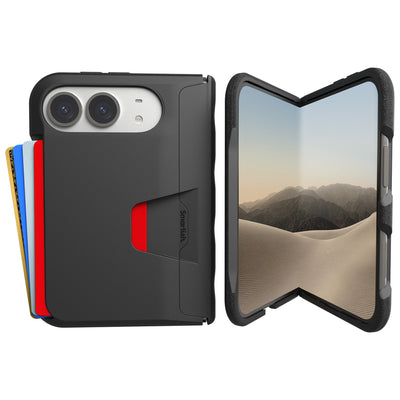
- Only Gripmunk and Gripzilla are MagSafe compatible in the Smartish lineup, so wallet cases stay out of the magnetic conversation.
- Always confirm the case supports your specific model before checkout, since a near fit is still the wrong fit.
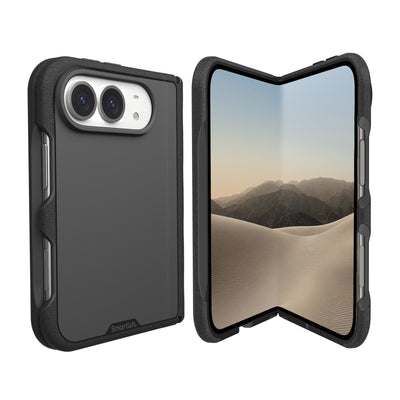
iPhone 12 and later support MagSafe, but cases are model-specific. iPhone 18 Pro, iPhone 18 Pro Max, and iPhone Duo need confirmed-fit cases of their own. A familiar case name or similar-looking phone is not proof of compatibility.
MagSafe Compatible Cases: What the Label Actually Means
MagSafe compatible generally means a case has magnets arranged to align an iPhone with MagSafe chargers and accessories. Check the listing for the exact phone model and supported accessories. The label alone does not tell you how firmly a wallet or mount will hold, or how quickly a phone will charge.
Apple describes MagSafe as a magnetic system for aligning compatible chargers and accessories with an iPhone. Qi2 also uses magnetic alignment, so a MagSafe-compatible case may work with Qi2 accessories when both products support the relevant standard. Check their specifications instead of assuming every magnetic case supports every accessory.
MagSafe Compatible vs. Apple-Certified MagSafe
“MagSafe compatible” describes a product maker’s compatibility claim. “Made for MagSafe” refers to Apple’s certification program. Neither phrase replaces checking the listing for charging support, accessory fit, and your exact iPhone model. A photo of a magnetic ring shows the design, not its strength.
How a MagSafe Case Differs From a Regular Case
A regular case may protect and fit the phone without magnets for reliable MagSafe alignment. A compatible case adds a built-in magnet array, often visible as a ring beneath the case material. This helps align a charger, but magnet hold can vary. Look for clear support details if you plan to use a wallet, car mount, or charging stand.
Charging speed depends on the iPhone, charger, and power conditions, not just the case label. Apple lists MagSafe charging up to 15W for standard MagSafe chargers; newer Pro models support wireless charging up to 25W with compatible equipment. Heat can make a phone slow or pause charging. Check claims that promise one speed for every phone and charger.
Which iPhones Work With MagSafe Cases (12 Through iPhone 18 Pro and Duo)
Apple introduced MagSafe with iPhone 12, and iPhone 12 and later models support it. Their cases are not interchangeable: camera openings, button positions, dimensions, and magnetic alignment can differ. Confirm that the listing names your exact iPhone.
- iPhone 12 and later: Check the specific model and case listing before buying.
- iPhone 18 Pro and iPhone 18 Pro Max: Select a case explicitly listed for the matching model.
- iPhone Duo: Confirm a case is made for iPhone Duo. Do not assume a Pro case fits.
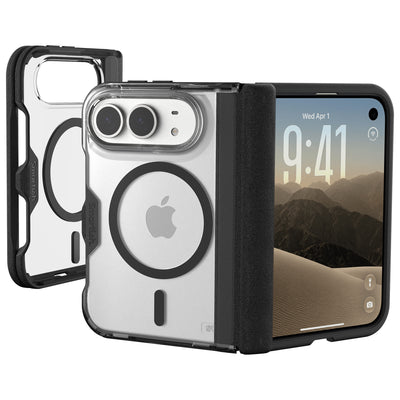
For example, Gripmunk Clear with MagSafe® - Slim Case for iPhone 17 is designed specifically for iPhone 17. Its built-in magnets support MagSafe charging and accessories, and its raised edges guard the screen and camera lenses. Do not treat it as a fit recommendation for another iPhone.
Where to Buy a MagSafe Compatible Case: Channel Comparison

Options include Apple, online marketplaces, big-box or carrier stores, and brand-direct websites. Choose based on whether you value in-person inspection, broad browsing, or detailed product information. Prices, return terms, and stock vary by seller and listing, so check the details before checkout.
| Channel | Best for | Check before paying | Trade-off |
|---|---|---|---|
| Apple | Shoppers who want Apple’s own accessory selection and product details | Exact model fit, current price, and return terms | Selection is limited to items Apple carries |
| Online marketplaces | Browsing many styles and price points in one place | Seller, model name, magnet details, charging claims, and returns | Listings can take more sorting to verify |
| Big-box and carrier stores | Seeing a case in person and asking staff about fit | Whether the package names your model and the store’s return policy | Available styles and in-store stock may be limited |
| Brand-direct sites | Reading product-specific details and contacting the maker | Compatibility, shipping, returns, warranty, and listed price | Fit still depends on selecting the exact model |
Buying Direct From Apple
Apple’s site lets you browse its MagSafe accessories and product descriptions. Check the specific case page for supported iPhone models, current price, and return conditions. Its selection is narrower than a large marketplace, so shoppers seeking a particular style may want to compare channels.
Buying on Amazon: Biggest Selection, Biggest Sorting Job
A marketplace makes it easy to scan many listings, designs, and price points, but puts more verification work on you. Read the full model name, inspect photos for a magnet ring, and check the seller and return terms. Treat “fits most iPhones” as a reason to inspect compatibility details, not as a substitute for them.
Big-Box and Carrier Stores: Try Before You Buy
In a physical store, you can examine the material, button covers, camera opening, and overall feel. Staff may help locate the right model, though stock and advice vary by location. Check the package for your exact iPhone and ask about returns before opening it. Similar-looking cases can have different camera and button layouts.
Brand-Direct Sites: Better Prices, Perks, and Real Answers
A maker’s site may offer product-specific details, customization choices, and direct customer support. Compare the listed price with shipping costs and review return and warranty terms. For iPhone 17 shoppers, Gripmunk Clear with MagSafe® - Slim Case for iPhone 17 is a slim, MagSafe-compatible option with textured sides, finger grooves, and air-pocket corners. Its listing specifies iPhone 17 fit, so choose it only for that model.
The Verify-Before-You-Buy Checklist
Look beyond the word “MagSafe.” An exact iPhone model name, visible magnet ring, realistic charging details, and clear return window help you assess fit and function. If you plan to attach a wallet, car mount, or stand, check accessory support too. A case may align with a charger yet have a weaker accessory hold.
-
Spot a Real Magnet Array in the Product Photos
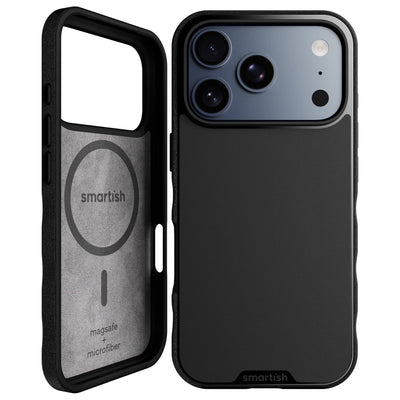
Look for a circular magnet array in the product images, often shown beneath or through the case back. An alignment ring may appear below the main ring. Photos show the design but cannot establish how firmly a wallet or mount will attach. Look for details naming supported MagSafe accessories. If the images show no magnet layout and the listing offers no useful explanation, ask the seller before buying.
-
Check for Model-Specific Fit (Not “Sort of Fits”)
Confirm the full iPhone model name, not just the screen size or phone family. Camera openings, button locations, and magnet position need to match the specific phone. iPhone 18 Pro, iPhone 18 Pro Max, and iPhone Duo each need a case explicitly listed for that model. For a concrete iPhone 17 example, Gripmunk Clear with MagSafe® - Slim Case for iPhone 17 is designed specifically for iPhone 17. Its listing is not evidence of fit for another model.
-
Read Wattage Claims and Honest Charging Expectations: 15W vs. 25W and Heat Throttling
Match charging claims to your phone and charger. Apple lists standard MagSafe chargers at up to 15W, while newer Pro-class iPhones support wireless charging up to 25W with compatible equipment. The phone’s higher capability does not make every MagSafe charger deliver 25W. Temperature can also affect charging, so a warm phone may slow or pause to manage heat. Check the charger’s specifications as well as the case listing.
Setup detail What to check What it means Standard MagSafe charger Apple lists charging up to 15W Actual speed depends on the phone and charging conditions Newer Pro-class iPhone Phone supports up to 25W wireless charging A compatible charger is still needed to reach its supported rate Warm phone or paused charging Check temperature, charger, and alignment Heat management can slow or pause charging; the case alone may not be the cause -
Confirm the Return Window Before Checkout
Read the return deadline, condition requirements, and whether return shipping costs extra. This matters if the case fits but its accessory hold does not suit your wallet or mount, or charging is less convenient than expected. Save the product page and order details to compare the promises with what arrives. Gripmunk Clear with MagSafe® - Slim Case for iPhone 17 lists extra-strong magnets for MagSafe charging and accessories; check the current listing and return terms before ordering.
Price Tiers and Case Types: What Your Money Actually Gets
Case price reflects materials, finish, fit, protection features, and support. Not only the magnet ring. At any price, check model compatibility and product details. At higher prices, look for features you will use, such as a built-in stand or preferred finish, rather than assuming price means stronger magnets or better protection.
Budget, Mid, and Premium: A Price-Tier Breakdown
Prices vary by seller and design, so treat these tiers as comparison points, not fixed price bands. Check magnet details, materials, returns, and warranty terms at every price. Big protection claims should explain the test conditions; clear information beats a dramatic label.
| Case tier or type | What you may get | What to check |
|---|---|---|
| Budget | Basic case design and magnetic attachment | Exact phone fit, magnet details, finish, and return terms |
| Mid-range | More choice in materials, grip, and everyday features | Whether the listed features match your routine |
| Premium | Special finishes or added functions, such as a stand | Whether the added cost buys a feature you will use |
| Slim | A lighter-feeling profile for everyday carry | Magnet support, camera opening, and edge coverage |
| Protective | More substantial edge and corner coverage | Protection details and how the case feels in hand |
| Wallet or kickstand | Card storage or hands-free viewing, depending on design | Magnet hold, screen access, and whether the stand is built in |
Feature Checklist: Strong Magnets, Raised Camera Ring, Grippy Sides, No Front Flap
Check the everyday details. A raised camera ring helps keep lenses off a table when the phone rests on its back. Textured sides can make the phone easier to hold; a front flap may slow quick screen access. For a wallet, mount, or charging stand, look for stated MagSafe support and consider whether the design suits that accessory. Choose for your routine, not a feature count.
Where Smartish Fits: Gripmunk and Gripzilla
For a slim iPhone 17 option, Gripmunk Clear with MagSafe® - Slim Case for iPhone 17 is listed at $19.99 to $24.99, depending on options selected. It has extra-strong magnets for MagSafe charging and accessories, textured sides with finger grooves, air-pocket corners, and raised edges for the screen and camera lenses. The case is drop-tested 50 times from 6 feet. Its fit is specifically for iPhone 17, so do not select it for another model.
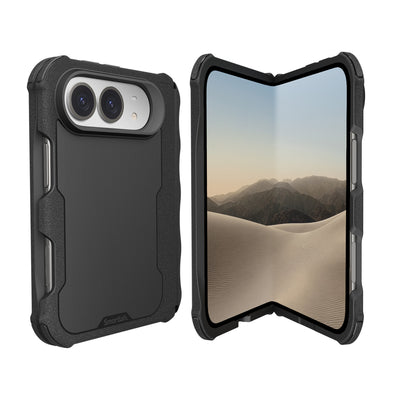
Recommendation: Choose a case by exact phone fit and the features you will use. Gripmunk Clear with MagSafe® - Slim Case for iPhone 17 is the featured slim choice for iPhone 17 shoppers. Gripzilla is the protective MagSafe-compatible option; check its listing for the exact model before ordering.
Buying Confidence: Returns, Warranties, and FAQs

Read the seller’s return window, condition requirements, and shipping terms before checkout. Policies differ by listing, even within the same store. Keep the order confirmation and product description to compare with the delivered case. Warranty coverage is separate from a return, so check what it covers and how to request service.
Can I Return a MagSafe Case if the Magnets Are Weak?
That depends on the seller’s current policy. Check the deadline and whether an opened case can be returned if its accessory hold does not meet your needs.
Will a MagSafe Case Slow Down My Wireless Charging?
A properly fitted MagSafe-compatible case supports alignment, but charging speed also depends on the phone, charger, and conditions. Match the charger’s stated capability to your device.
Why Does My Phone Get Hot or Stop Charging on a MagSafe Case?
Heat can cause charging to slow or pause. Check alignment, charger compatibility, and temperature before deciding the case is the cause.
Are Budget Amazon Cases as Good as Name-Brand Ones?
Price alone cannot establish quality. Check model fit, magnet details, materials, stated protection testing, and return terms on the specific listing.
Shipping, Warranty, and Trying a Case Risk-Free
Review shipping costs, estimated delivery, warranty limits, and return steps before paying. Those details help you choose with fewer surprises.
Frequently Asked Questions
Can you use a MagSafe case on an iPhone 12?
Yes, iPhone 12 and later models support MagSafe, so a MagSafe-compatible case will work. Just make sure the case is made for your exact model, since camera openings, button positions, and magnetic alignment differ between iPhones.
What is a phone case with MagSafe?
A MagSafe case has a built-in ring of magnets that lines up your iPhone with MagSafe chargers and accessories like wallets and car mounts. The label alone doesn't tell you how strong the hold is, so check the listing for your exact model and supported accessories.
Where's the best place to buy a MagSafe compatible case?
The best place depends on what you value: Apple for its own accessories, online marketplaces for wide selection, big-box or carrier stores for trying a case in person, and brand-direct sites for detailed specs and support. Check the exact model fit and return terms before paying, no matter the channel.
What are the downsides of a MagSafe case?
Magnet hold can vary between cases, so a wallet or mount might not grip as firmly as you'd like. Charging speed also depends on your iPhone, charger, and heat conditions, not just the case label, so be wary of claims promising one speed for every setup.
Do I need a MagSafe case for iPhone 18 Pro or iPhone Duo?
Yes, and it needs to be explicitly made for your model. iPhone 18 Pro, iPhone 18 Pro Max, and iPhone Duo each need a confirmed-fit case, so don't assume a case for a similar-looking iPhone will work.
What's the difference between MagSafe compatible and Made for MagSafe?
MagSafe compatible is the maker's own compatibility claim, while Made for MagSafe means Apple certified the product. Neither phrase replaces checking the listing for your exact iPhone model, charging support, and accessory fit.
Which MagSafe case should I buy?
Look for a case that names your exact iPhone model, shows a visible magnet ring, and makes realistic charging claims. For example, Gripmunk Clear with MagSafe is a slim option designed specifically for iPhone 17, with extra-strong magnets, air-pocket corners, and raised edges guarding the screen and camera lenses.