





Key Takeaways
- No iPhone is completely waterproof.
- Recent iPhone models are water-resistant.
- iPhones can withstand everyday splashes, rain, and brief submersion.
- They are not designed for underwater activities or prolonged exposure to water.
Table of Contents
- Quick Answer – Are iPhones Waterproof or Water-Resistant?
- iPhone Water Resistance Ratings Explained: IP67 vs. IP68 in Plain English
- The Science Behind iPhone Water Resistance: How Does Apple Seal Your Device?
- Water-Resistance Isn't Forever: What Voids It and How iPhones Lose Protection Over Time
- Freshwater, Saltwater, Pool Water: Does the Type of Water Matter for iPhones?
- Everyday Scenarios – What's Safe, What's Risky, and What to Never Do With a Water-Resistant iPhone
- What To Do if Your iPhone Gets Wet: Step-by-Step Rescue Guide
- Troubleshooting & Recovery – Solving Common iPhone Water Woes
- Comparing Water Resistance: iPhone 7 vs. iPhone 17 (and What Changed in-Between)
- iPhone vs. True Waterproof Devices: Knowing the Real Limits
- Can I Take My iPhone Underwater (for Photos, Pool Days, Rainy Hikes)? Real-World Results and Risks
- Boosting Your iPhone's Water Protection: Best Cases & Accessories for Extra Peace of Mind
- Summary Table – iPhone Water Protection At-a-Glance
Is the iPhone Waterproof? Everything You Need to Know for Real Life
Your iPhone waterproof question has a straightforward answer: no iPhone is fully waterproof, but all recent models are water-resistant. This means your device can handle everyday splashes, rain, and brief submersion, but it's not built for underwater adventures or long soaks.
Understanding the difference between waterproof and water-resistant could save you hundreds in repair costs. Let's break down what your iPhone can actually handle and how to protect it when life gets messy.
Many people assume that because modern iPhones are water-resistant, water damage is covered under warranty—but that's not the case. Apple's standard warranty doesn't cover liquid damage, even on IP68-rated devices. AppleCare+ may reduce repair costs depending on your coverage, but avoiding unnecessary water exposure is still your best protection.
A quality protective case is a smart investment if you want to help prevent the drops and impacts that often happen around water.
Pairing your case with a screen protector adds another layer of everyday protection against scratches and minor impacts.
iPhone Water Resistance Ratings Explained: IP67 vs. IP68 in Plain English
The "IP" stands for Ingress Protection, with two numbers following: dust resistance (first digit) and water resistance (second digit). Both iPhone IP67 and IP68 ratings offer identical dust protection, the difference lies in water depth limits.
IP67 devices survive submersion up to 1 meter for 30 minutes under controlled lab conditions. IP68 bumps that protection up to 6 meters for the same duration, though real-world performance varies by manufacturer testing standards.
Here's the catch: these ratings assume fresh water, controlled temperature, and zero water pressure. Your kitchen sink or bathtub creates different conditions than laboratory testing chambers. For a deeper dive into what these ratings mean, see the official IP Code explanation.
The Science Behind iPhone Water Resistance: How Does Apple Seal Your Device?

Apple engineers multiple protection layers into every waterproof iPhone design. Adhesive seals ring the display, gaskets protect the SIM tray, and specialized coatings cover internal components.
Key engineering features include:
- Micro-mesh covers over speakers that allow sound while blocking water
- Precision-fitted port covers that maintain charging access
- Internal oleophobic coatings that repel liquids from circuit boards
While no phone case can make your iPhone waterproof, a protective case can help prevent the drops and impacts that often happen around water. Features like raised screen edges, raised camera rings, and air-pocket corners help reduce the risk of damage if your phone slips on a wet countertop, boat dock, or pool deck.
These microscopic barriers work together, but they're not indestructible. Even tiny compromises, like hairline cracks or worn seals, can eliminate water resistance entirely.
Water-Resistance Isn't Forever: What Voids It and How iPhones Lose Protection Over Time
Your iPhone water resistant protection weakens with normal use. Drops create micro-fractures, temperature changes expand and contract seals, and everyday wear gradually compromises barriers.
Common protection killers:
- Screen cracks or back glass damage
- Third-party repairs that don't restore original seals
- Battery swaps that disturb internal adhesives
- Age-related seal degradation (typically 12-18 months)
Quick self-check: inspect your phone's edges for gaps, cracks, or loose components. If you spot damage, assume water resistance is compromised and take extra precautions around liquids. For more on how cases can help, read this guide to iPhone and case compatibility.
Can You Restore Water Resistance After a Repair?
If your iPhone has had a screen replacement, battery replacement, or other repair, its original water-resistant seal may no longer perform exactly as it did from the factory. Even if replacement seals are installed, it's safest to be more cautious around water after a repair.
Freshwater, Saltwater, Pool Water: Does the Type of Water Matter for iPhones?
Not all water threatens your phone equally. Fresh water from sinks or rain poses the least risk, while saltwater and chlorinated pool water create corrosion and residue that can permanently damage components.
| Water Type | Risk Level | Key Precaution |
|---|---|---|
| Fresh (tap, rain) | Low | Dry immediately after exposure |
| Salt water | High | Rinse with fresh water, then dry completely |
| Pool/spa water | High | Avoid submersion; chemicals corrode seals |
Saltwater leaves crystalline deposits that continue damaging electronics long after drying. Pool chemicals like chlorine actively break down rubber seals and metal contacts. Always rinse with fresh water before drying if exposed to either.
Everyday Scenarios – What's Safe, What's Risky, and What to Never Do With a Water-Resistant iPhone

Real life doesn't happen in controlled lab conditions. Your iPhone waterproof protection faces different challenges during workouts, beach trips, and daily activities than manufacturer testing accounts for. If you spend a lot of time near water, consider Beach Day accessories for added convenience and protection.
| Safe-ish | Risky | Absolutely Don't |
|---|---|---|
| Light rain, coffee spills, sink splashes | Heavy rain, shallow pool dips, steam exposure | Showers, hot tubs, pressurized water |
| Quick rinse after beach sand | Brief saltwater contact | Swimming with phone, underwater photos |
| Sweaty workouts in case | Humid environments, saunas | Soap, detergent, or chemical exposure |
Pressurized water from showers or jets exceeds your phone's resistance limits, while soapy water breaks down protective seals faster than pure water. Even "safe" scenarios require immediate drying to prevent long-term damage.
Common Myths About Waterproof iPhones
❌ Myth: IP68 means you can swim with your iPhone.
Reality: Water resistance is designed for accidental exposure, not intentional underwater use.
❌ Myth: Putting a wet phone in rice fixes water damage.
Reality: Air drying is more effective, and rice can leave debris in charging ports.
❌ Myth: Water resistance lasts forever.
Reality: Drops, repairs, and normal wear can reduce water resistance over time.
What To Do if Your iPhone Gets Wet: Step-by-Step Rescue Guide
Speed matters when your phone takes an unexpected swim. Follow these precise steps within the first few minutes to maximize recovery chances.
Critical timing: Remove from liquid immediately, wipe within 60 seconds, wait minimum 5 hours before charging.
Immediate actions:
- Power off immediately (don't wait for prompts)
- Remove case and wipe all surfaces with lint-free cloth
- Gently shake out ports and speakers, avoid tilting motions
- Place in dry, ventilated area with silica gel packets if available
Skip the rice myth, it doesn't actively draw moisture and can leave residue in ports. Instead, position your phone upright with charging port facing down to encourage drainage through gravity.
Troubleshooting & Recovery – Solving Common iPhone Water Woes
Even successful drying can leave lingering issues. Here's how to address the most common post-water problems without immediately heading to a repair shop.
Muffled speakers: Use the Water Eject Siri Shortcut or play low-frequency tones at moderate volume to vibrate remaining moisture loose. Test after 24 hours of drying.
Charging issues: Moisture in Lightning or USB-C ports triggers safety shutoffs. Clean gently with isopropyl alcohol on a cotton swab, then air dry completely before attempting to charge.
Screen responsiveness problems: Often resolve within 48-72 hours as internal moisture evaporates. If touch issues persist beyond a week, professional diagnosis may reveal water damage to digitizer components. For more troubleshooting tips, see this guide from the FTC on water resistance in mobile devices.
Comparing Water Resistance: iPhone 7 vs. iPhone 17 (and What Changed in-Between)

Seven generations of iPhones brought significant water resistance improvements, though the core 30-minute time limit remained constant across all models.
The iPhone 7's IP67 rating marked Apple's first serious water resistance attempt, handling 1-meter submersion adequately for accidental drops. By contrast, the iPhone 17's IP68 protection confidently manages 6-meter depths, making it substantially more resilient during water sports or deeper accidents.
What hasn't changed: temperature sensitivity, chemical vulnerability, and seal degradation over time. An iPhone 17 with cracked glass offers no more water protection than a damaged iPhone 7, regardless of its superior rating. For the latest on Apple's newest device, check out our iPhone 17 blog.
iPhone vs. True Waterproof Devices: Knowing the Real Limits
Understanding where iPhone water resistant protection ends helps set realistic expectations. True waterproof devices like action cameras and dive computers operate under fundamentally different design principles.
| Feature | iPhone (IP68) | Waterproof Action Cam | Dive Computer |
|---|---|---|---|
| Max Depth | 6 meters, 30 minutes | 10+ meters, unlimited | 100+ meters, hours |
| Moving Water | Not recommended | Designed for currents | High-pressure rated |
| Warranty Coverage | Excludes liquid damage | Includes water exposure | Underwater operation guaranteed |
Your iPhone prioritizes everyday functionality over extreme water resistance. Specialized waterproof gear sacrifices features like touchscreens and thin profiles for superior liquid protection that iPhones simply can't match.
Can I Take My iPhone Underwater (for Photos, Pool Days, Rainy Hikes)? Real-World Results and Risks
Sounds tempting, but here's the reality: your iPhone wasn't designed for underwater adventures. Even with IP68 rating, submerging your phone for photos puts it at serious risk.
The pressure from moving water, whether it's pool jets, ocean waves, or waterfall spray, can overwhelm seals that handle still water just fine. Plus, the touchscreen becomes nearly useless underwater, making photo composition a guessing game.
Smart Alternative: Keep your iPhone poolside and use the timer function for group shots, or invest in a proper waterproof case rated for photography if underwater shots are essential.
For rainy hikes and poolside moments, your water-resistant iPhone handles splashes beautifully. Just keep it above the surface and wipe off any droplets quickly. The photos you'll capture of rain-soaked trails or poolside fun will be just as memorable, and your phone will thank you. If you want a case that's both slim and protective, Gripmunk is a great choice for everyday adventures.
Protect Your iPhone Around Water

Choosing the right case comes down to how you use your phone. Whether you want a slim everyday case, a rugged option for outdoor adventures, or a MagSafe wallet that keeps your essentials together, Smartish has an option built for your lifestyle.
Gripmunk: Slim MagSafe-compatible protection for everyday use.
Gripzilla: Maximum drop protection for hiking, boating, and travel.
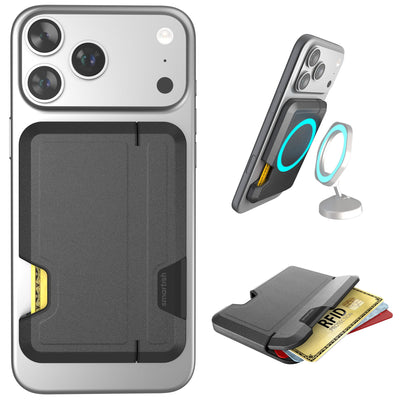
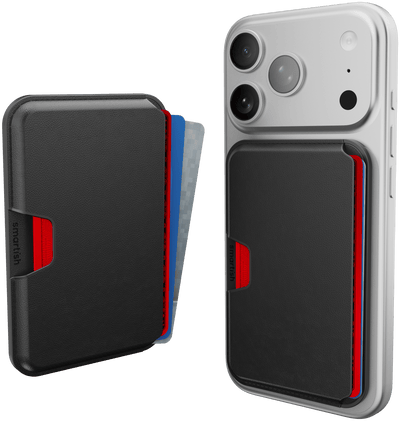
Side Hustle Classic: MagSafe wallet for carrying cards without extra bulk.
Side Hustle Vault: A rugged MagSafe wallet with RFID protection for people who want extra security on the go.
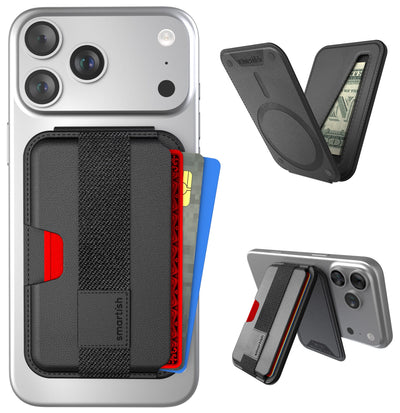
Side Hustle Flip: A MagSafe wallet with a built-in stand that's great for travel, video calls, or watching content hands-free.
Summary Table – iPhone Water Protection At-a-Glance
| iPhone Model | IP Rating | Max Depth | Max Time | Warranty Coverage |
|---|---|---|---|---|
| iPhone 7/8 | IP67 | 1 meter | 30 minutes | No liquid damage coverage |
| iPhone X/XS | IP68 | 2 meters | 30 minutes | No liquid damage coverage |
| iPhone 11 | IP68 | 2 meters | 30 minutes | No liquid damage coverage |
| iPhone 12/13 | IP68 | 6 meters | 30 minutes | No liquid damage coverage |
| iPhone 14/15/16/17 | IP68 | 6 meters | 30 minutes | No liquid damage coverage |
Remember: these ratings apply to fresh water under controlled lab conditions. Real-world protection varies based on water type, phone condition, and environmental factors. If you have an iPhone 14, make sure to check out cases designed specifically for your model.
For deeper insights into iPhone protection and the latest tech trends, check out Our Thoughts for expert analysis and product updates.
Frequently Asked Questions
What is the difference between water-resistant and waterproof when it comes to iPhones?
Water-resistant means your iPhone can handle splashes, rain, and brief submersion, but it’s not built to survive underwater adventures or long exposure to water. Waterproof implies complete protection against water under any condition, which no iPhone offers.
How do the IP67 and IP68 water resistance ratings affect the level of protection my iPhone has?
IP67-rated iPhones can survive submersion up to 1 meter for 30 minutes, while IP68-rated models can handle up to 6 meters for the same time under lab conditions. Both offer the same dust protection, but real-world results vary based on water type and conditions.
What types of water should I avoid exposing my iPhone to in order to maintain its water resistance?
Avoid saltwater, pool water, and any prolonged exposure to liquids. These can degrade seals and reduce water resistance over time, increasing the risk of damage.
What steps should I take if my iPhone gets wet to minimize damage and improve recovery chances?
Turn off your iPhone immediately and dry it with a soft cloth. Avoid charging or using it until fully dry, and keep it in a dry, ventilated place to help moisture evaporate. Resist the urge to use heat or shake it out, as that can cause more harm.
Does a phone case make an iPhone waterproof?
No. A standard phone case can't make your iPhone waterproof, but it can help protect it from the drops and impacts that often happen around water. If you need to intentionally submerge your phone, you'll need a dedicated waterproof case or waterproof phone pouch designed for underwater use.