




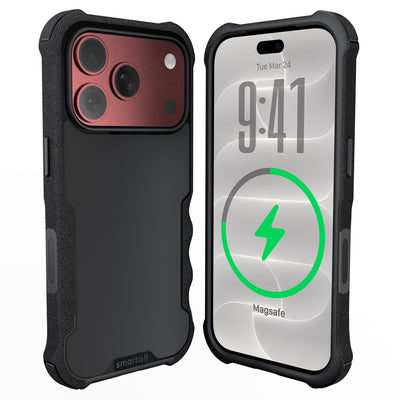




iPhone 18 Pro Max magsafe wallet
A giant phone should not require a giant pocket strategy. The right iPhone 18 Pro Max Magsafe Wallet keeps essential cards close without turning jeans into a storage unit or making the phone feel like a handheld dumbbell. It needs dependable hold, sensible capacity, and a shape that slides into a pocket without peeling away sideways.
Key Takeaways
- A MagSafe wallet for a big phone needs a magnetic hold that won't let go when you pull it out of a pocket or bag.
- Stick to just a few cards to keep the wallet thin enough that your phone still slides into a pocket without bulging.
- Zero bulk means the wallet should match the phone's width so it doesn't catch on fabric or create a lopsided feel.
- A strong grip is the difference between a wallet that stays put all day and one that falls off at the worst moment.
This guide covers magnetic pull, shear resistance, pocket friction, case compatibility, and everyday carry comfort. The focus is practical performance when a phone meets a tight denim pocket.
Ditch the Pocket Bulge: Your Smartish Guide to iPhone 18 Pro Max MagSafe Wallets
Choose a slim magnetic card holder with a textured attachment surface, carefully placed magnets, and room for daily essentials rather than every card you own. A compact setup is easier to grip, more comfortable in a front pocket, and less likely to tug loose during a pocket draw. If you use a protective case, check its thickness and magnetic alignment first. A wallet that works on a bare phone may perform differently through extra layers. For more background, see Smartish’s guide to how MagSafe works.
The Problem with Pocket Clutter and Flop-Woven Wallets
Pocket clutter affects comfort as well as style. A thick card pouch can tilt the phone, press into your leg, and make one-handed use awkward. Soft woven materials may feel pleasant, yet a loose fit can let cards slide, stretch the carrier, or cause the wallet to flop away when it catches on fabric.
Large folio-style carriers hold more cards but add thickness, weight, and resistance during pocket movement. The goal is to keep identification, payment, and perhaps a transit card together in a compact package, not to build a portable filing cabinet.
Why Your iPhone 18 Pro Max Needs a Better Wallet Solution
A Pro Max phone already occupies plenty of space. Add a thick wallet and it can feel awkward during a commute, grocery run, or while sitting. A better setup balances protection with pocket ergonomics: grippy sides help control the phone, a smooth back helps it slide, and a low-profile wallet avoids making the camera bump a pocket obstacle.
For case protection, the Gripmunk Clear with MagSafe® for iPhone 17 Pro Max shows useful design choices for a large Pro Max phone. It has MagSafe compatibility and a slim profile; confirm model fit before pairing any case with a newer phone.
What This Guide Covers: Grip, Glide, and Card Capacity
The practical checkpoints are sideways magnetic force, pocket fabric, useful card capacity, and case details that can affect alignment. Charging pads and magnetic wallets also may not work together without removing the wallet.
Magnet Strength: Will Your iPhone 18 Pro Max Wallet Stay Put?
Beyond the “Snap”: Understanding Real Magnetic Pull vs. Shear Force
The snap only proves that the wallet found the magnetic ring. Pull strength describes resistance when the wallet is lifted straight away from the phone. Shear force is sideways pressure from denim, coat lining, or a tight pocket edge. Research cited by DGMing Case identifies shear resistance as responsible for more than 80% of accidental pocket detachments, making sideways stability the better everyday test. Read the referenced magnetic-wallet findings.
Pocket Glide vs. Pocket Grip: The Balancing Act
A wallet needs enough friction to resist sliding, but excessive grip can make removal feel like tug-of-war. Textured finishes can help alignment, while a smoother exterior usually moves more easily against fabric. Thin athletic material, rigid denim, and a roomy coat pocket each affect movement differently.
Testing for Real-World Security: Sliding into Jeans and Coats
With the screen facing your leg, slide the phone into a snug jeans pocket and remove it repeatedly. Test a jacket pocket, a seated position, and a one-handed draw. Watch for rotation, catching, or movement toward an edge. Repeat with the intended case installed; a flat countertop tug reveals little about keys, fabric, and angled movement.
What to Look For: Magnet Count, Placement, and Case Thickness Compatibility
Magnet count matters less than placement, ring alignment, contact area, and the distance between wallet and phone. N52 neodymium magnets may appear in specifications, but that rating alone cannot predict pocket performance. Misalignment or a thick case can weaken the connection. Check MagSafe compatibility, whether the wallet sits flat, and whether it leaves space around the camera bump.
Pros
- Strong alignment can reduce sideways movement.
- A slim carrier keeps front-pocket carry more comfortable.
- A textured finish may improve attachment without becoming sticky.
Cons
- Thick cases can increase the gap between magnets.
- Extra cards can change the wallet’s balance and contact surface.
- Wireless charging may require wallet removal because magnetic card carriers can block coil proximity.
The Gripmunk with MagSafe® - Slim Case for iPhone 16 Pro offers useful case-side compatibility features: built-in magnets for MagSafe accessories, a smooth back for pocket movement, and textured sides for hand control. Its confirmed fit is iPhone 16 Pro, not every Pro Max model.
The Sweet Spot for Cards: How Many Can Your iPhone 18 Pro Max Wallet Actually Hold?
The “3-Card” Sweet Spot: Why Less Is Often More for Ergonomics
Three cards usually cover identification, a primary payment card, and a backup or transit card. The small stack keeps a magnetic wallet flatter, improving hand comfort, pocket clearance, and fit beside the camera bump. Standard Apple MagSafe card holders top out at three cards, according to Apple’s product information. See Apple’s MagSafe wallet details.
A compact load also makes access easier. You can remove one card without wrestling the others from a tight sleeve, and the holder has less material to stretch. A few millimeters of extra thickness can change how a large phone sits in a front pocket, especially while driving or sitting at a desk.
Beyond 3 Cards: When Wallets Become Bulky and Unwieldy
Five to eight cards may sound convenient, but high-capacity folio pouches trade capacity for thickness. More cards create a deeper pressure point against your leg and a heavier combination in your hand. The wallet may tilt away from the phone instead of sitting flat, making the magnetic connection less predictable during pocket movement.
Carry extra cards only if they earn their place every day. Occasional cards belong in a separate wallet or bag rather than in a phone-mounted carrier.
Card Retention: Avoiding Dropped Cards and Stretched Wallets
Look for a defined slot, consistent interior friction, and an opening that does not gape when full. Cards should require deliberate pressure, not fall out when the phone lands on a table. Overloading can relax the material and reduce retention.
Test the loaded wallet upside down over a soft surface, then remove and replace each card repeatedly. Check for shifting, seam catching, and a flat outer layer. The Gripmunk with MagSafe® - Slim Case for iPhone 16 Pro combines a smooth back for pocket movement with strong built-in magnets for MagSafe accessories. It is confirmed for iPhone 16 Pro, so verify phone model compatibility.
RFID Shielding and Card Safety: What You Need to Know
RFID shielding can help limit unwanted radio-frequency reads from compatible contactless cards, but it is not a substitute for sensible card security. Check whether the wallet states that it includes an RFID-blocking layer, and remember that the feature may affect every card inside. Magnetic attachment is not the same as a magnetic stripe reader, so consider the wallet’s construction, card type, and manufacturer guidance.
Snap-On vs. Built-In: The Great iPhone 18 Pro Max Wallet Debate
Snap-On MagSafe Wallets: Flexibility for Charging and Swapping
A snap-on wallet is modular. Remove it for wireless charging, leave it behind for a quick errand, or swap to another magnetic accessory. It also lets you choose a slim protective case separately from the card holder.
The trade-off is another attachment point to monitor. Case thickness, magnet alignment, surface texture, and wallet weight affect pocket behavior. A carrier secure on a bare phone may move differently through a protective case.
Built-In Wallet Cases: All-in-One Convenience and Protection
A built-in wallet case keeps phone and cards together without relying on a separate magnetic connection. It may reduce the chance of leaving the wallet behind and can feel stable during pocket removal. Its downside is reduced flexibility: you cannot separate the cards for a lighter setup, and the case may be thicker around the back or hinge.
The Trade-Offs: Which Style Fits Your Everyday Carry?
A snap-on wallet is usually best for flexible carry and quick charging removal, while a built-in wallet case favors an all-in-one setup. Either can work when capacity stays modest and the case, wallet, and phone align properly.
Wireless Charging and MagSafe or Qi2 Alignment with Wallets Attached
MagSafe and Qi2 charging depend on close alignment between the phone’s charging coil and the charger’s magnetic array. A card carrier adds material and distance, so thick magnetic wallets commonly need removal. Review Apple’s MagSafe wallet guidance.
Check the case, wallet, and charging pad as one system. Watch for intermittent charging, excess warmth, or a connection that stops when the phone shifts.
Finding Your Perfect iPhone 18 Pro Max MagSafe Wallet: Smartish Picks & What to Avoid
Material Matters: Durability, Feel, and Pocket Glide
Material affects durability and movement. Full-grain leather can develop character but may feel thicker and need more care. FineWoven fabric has a soft hand feel, though buyers concerned about scuffs and long-term wear should inspect it closely. Textured synthetic finishes offer friction for alignment with a smoother exterior for pocket movement. Look for clean stitching, a firm opening, and a surface that does not catch on denim.
Prioritize a secure magnetic array, accurate alignment, a defined card slot, a slim shape, and compatibility with your protective case. Check charging requirements, stated RFID shielding, and realistic capacity. Ignore inflated card counts that stretch the holder, decorative bulk near the camera, and magnet claims without testing details.
Your Action Plan: Making the Right Choice for Your Pocket
Start with daily cards, load the carrier, attach it to the intended case, and test a seated draw, tight jeans pocket, and jacket pocket. Check rotation, slipping, card movement, and pressure against your leg. Remove the wallet before MagSafe or Qi2 charging unless the maker confirms attached charging. Choose snap-on for flexible carry or built-in storage for one fixed unit.
Frequently Asked Questions
Will the iPhone 18 Pro Max still have MagSafe?
The iPhone 18 Pro Max should only be paired with a MagSafe wallet after Apple confirms its magnetic accessory support. Until specifications are official, choose a wallet based on verified alignment, sideways hold, and case compatibility rather than assuming future hardware details. A slim three-card setup remains the practical target for pocket comfort.
Is an iPhone 18 Pro Max MagSafe wallet worth getting?
An iPhone 18 Pro Max MagSafe wallet is worth getting if you carry only a few daily cards and want a slimmer pocket setup. A compact magnetic card holder can keep identification, payment, and transit cards together, but tight-pocket testing matters more than the initial snap. Check performance with your case installed.
What is the best MagSafe wallet for an iPhone 18 Pro Max?
The best iPhone 18 Pro Max MagSafe wallet is a slim card holder with accurate magnetic alignment, good sideways resistance, and space for about three cards. Textured contact areas can help the wallet stay aligned, while a smoother exterior can slide through denim more comfortably. Confirm phone and case compatibility before buying.
Does an iPhone 18 Pro Max MagSafe wallet drain the battery?
An iPhone 18 Pro Max MagSafe wallet does not normally drain the phone battery because the wallet is a passive card holder, not a powered accessory. Magnetic cards can block wireless charging or require wallet removal, so test your charging pad with the wallet attached. Extra cards may also affect fit and balance.
Why was MagSafe discontinued?
MagSafe has not been confirmed as discontinued for the iPhone 18 Pro Max, so claims about its removal should wait for Apple’s official specifications. Apple has continued using magnetic accessory support across recent iPhone generations, while wallet performance still depends on alignment, case thickness, and sideways pocket pressure.
Can an iPhone 18 Pro Max MagSafe wallet work through a case?
An iPhone 18 Pro Max MagSafe wallet can work through a case when the case supports MagSafe and keeps the magnetic ring properly aligned. A thicker or non-MagSafe case may reduce the connection, especially during a tight-pocket draw. Test the wallet with the exact case you plan to use, not only on a bare phone.