






Key Takeaways
- The best iPhone 17 Pro MagSafe case features built-in magnetic alignment for easy attachment.
- It offers drop-tested protection with air-pocket corners to absorb impacts.
- Raised screen edges provide additional defense against scratches and drops.
- The case sides are grippy but not sticky, ensuring a secure hold.
- It works seamlessly with MagSafe chargers and accessories.
Table of Contents
- What Makes a MagSafe Case "Best" for iPhone 17 Pro?
- MagSafe Technology Decoded, How It Works in iPhone 17 Pro Cases
- Essential Features to Look For in iPhone 17 Pro MagSafe Cases
- Smartish MagSafe Case Lineup for iPhone 17 Pro, Function Meets Fun
- Comparing MagSafe: Smartish vs. Other Brands
- Types of iPhone 17 Pro MagSafe Cases, Your Needs, Your Fit
- How to Use MagSafe Accessories with Your iPhone 17 Pro Case
- Case Care, Cleaning and Maintaining Your MagSafe Case
- Troubleshooting & Common Issues, Smart Solutions for Your MagSafe Case
What Makes a MagSafe Case "Best" for iPhone 17 Pro?
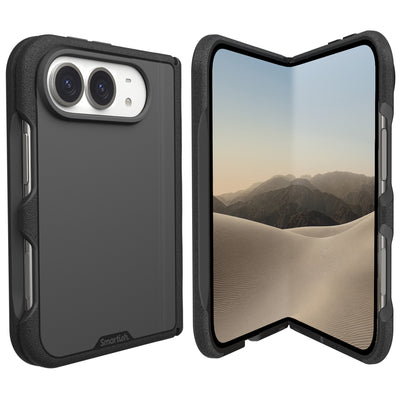
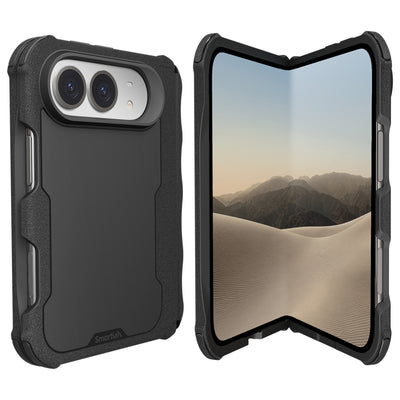
When searching for the best iPhone 17 Pro MagSafe case, it's crucial to consider not just magnetic alignment, but also drop-tested protection and ergonomic design. For those prioritizing slimness without sacrificing MagSafe compatibility, Gripmunk with MagSafe® offers a sleek solution. If you need maximum defense, the Gripzilla with MagSafe® provides robust armor and enhanced corner protection.
Both options feature built-in magnetic rings for secure attachment and are engineered for the iPhone 17 Pro's updated dimensions. These cases are designed to work seamlessly with MagSafe chargers and accessories, ensuring you get the most out of your device's wireless charging capabilities. For those who want to explore the full range of protective and stylish options, you can browse all MagSafe cases tailored for the latest iPhones.
MagSafe Technology Decoded, How It Works in iPhone 17 Pro Cases

MagSafe works through a ring of precisely arranged magnets embedded in your case that align with matching magnets in your iPhone 17 Pro. This magnetic handshake creates two benefits: secure accessory attachment and optimized wireless charging up to 15W (compared to 7.5W for standard Qi chargers).
| Feature | MagSafe Cases | Standard Qi Cases |
|---|---|---|
| Magnetic Alignment | Built-in magnet ring | No magnets |
| Charging Speed | Up to 15W | Up to 7.5W |
| Accessory Support | Wallets, stands, mounts | None |
| Qi2 Compatible | Yes | Limited |
The magic happens in milliseconds, your iPhone 17 Pro detects the magnetic field, activates MagSafe charging protocols, and begins power transfer. Proper cases prevent interference through strategic material placement and precise magnet positioning that won't block wireless signals or cause overheating during extended charging sessions.
Modern MagSafe cases solve early adoption problems like weak magnetic hold and charging interruptions. Quality cases maintain strong attachment even with thick MagSafe wallets, while integrated heat dissipation keeps your phone cool during fast wireless charging or intensive FaceTime calls.
Essential Features to Look For in iPhone 17 Pro MagSafe Cases
Protection starts with air-pocket corner technology, specialized cushioning zones that compress on impact, absorbing shock from drops up to 6 feet. Your case should feature a ~1mm raised screen edge that creates a protective barrier when placed face-down, plus a raised camera ring that shields your lens array from scratches and cracks.
MagSafe-specific design elements separate functional cases from marketing gimmicks. Look for direct magnet integration (not adhesive add-ons), MagSafe certification marks, and precision cutouts that keep the new camera control button accessible while covering other buttons for protection. The iPhone 17 Pro's updated dimensions require cases built specifically for this model.
Feature Checklist for Top MagSafe Cases
- Drop Protection: Air-pocket corners, 6ft+ drop tested
- Screen Safety: Raised edges front and back
- MagSafe Ready: Built-in magnetic ring, 15W charging support
- Button Access: Camera control cutout, covered volume/power buttons
- Grip Quality: Textured sides that are grippy, not sticky
- Material Grade: Impact-resistant polycarbonate with flexible TPU
Ergonomics matter for daily use. The best cases balance protection with usability through finger grooves, optimal weight distribution, and sides that provide secure grip without attracting lint or feeling tacky. Quality materials like impact-resistant polycarbonate and flexible TPU create durability without unnecessary bulk.
Smartish MagSafe Case Lineup for iPhone 17 Pro, Function Meets Fun
Smartish offers two MagSafe-compatible options for iPhone 17 Pro: Gripmunk for slim protection and Gripzilla for maximum defense. Both pass identical 50-drop tests from 6 feet, feature air-pocket corner technology, and maintain the signature "grippy not sticky" sides that made Smartish a Wirecutter favorite for 8 consecutive years.
| Feature | Gripmunk (Slim) | Gripzilla (Protective) |
|---|---|---|
| Protection Level | Drop tested 50x from 6ft | Drop tested 50x from 6ft |
| Profile | Minimal bulk | Enhanced corners |
| Backplate | Flexible | Rigid/hard |
| MagSafe Strength | Full 15W charging | Full 15W charging |
| Finger Grooves | Yes | Yes |
Both cases feature raised screen edges, camera ring protection, and precise cutouts for the iPhone 17 Pro's camera control button. The key difference: Gripzilla's rigid backplate provides extra structure for active lifestyles, while Gripmunk maintains pocket-friendly dimensions without sacrificing drop protection.
Why Smartish Stands Out
- 8-Year Wirecutter Winner: "Best case for most people" recognition
- Customization Options: All cases available in multiple colors and patterns
- Sustainable Packaging: Minimalist, mostly recyclable materials
- Proven Performance: Real drop test data, not marketing claims
The signature finger grooves and grippy texture make one-handed use confident and secure. Whether you're switching between MagSafe wallets during your commute or mounting your phone for hands-free video calls, both Gripmunk and Gripzilla maintain strong magnetic alignment while protecting your investment.
Comparing MagSafe: Smartish vs. Other Brands

The best iPhone 17 Pro MagSafe case market includes several solid options, but specific features separate everyday protection from reliable, long-term performance. Smartish cases consistently deliver on four key criteria: verified drop protection, precise MagSafe alignment, ergonomic design, and customization options.
| Criteria | Smartish | Premium Alternatives | Budget Options |
|---|---|---|---|
| Drop Testing | 50x from 6ft verified | Limited test data | Basic claims only |
| MagSafe Alignment | Built-in magnetic ring | Usually integrated | Often adhesive add-on |
| Button Cutouts | Camera control accessible | Mixed compatibility | Generic cutouts |
| Customization | Multiple colors/patterns | Limited options | Basic colors only |
Air-pocket corner technology sets Smartish apart from standard shock-absorption methods. While other brands rely on basic TPU bumpers, Smartish cases feature engineered air chambers that compress and distribute impact force across the entire corner structure. This creates measurable protection advantages during real-world drops.
The "grippy not sticky" texture philosophy addresses a common complaint with protective cases, sides that attract lint or feel tacky after extended use. Smartish achieves secure grip through micro-textured surfaces that maintain their feel over months of daily handling, while many alternatives develop slippery wear patterns or sticky residue.
Types of iPhone 17 Pro MagSafe Cases, Your Needs, Your Fit
MagSafe cases fall into three primary categories, each optimized for specific use patterns. Protective cases like Gripzilla feature rigid backplates and enhanced corner protection for active lifestyles, ideal for outdoor adventures, construction sites, or parents managing busy schedules with kids.
Slim cases such as Gripmunk balance MagSafe functionality with minimal bulk, perfect for office professionals who need wireless charging and accessory compatibility without pocket-stretching thickness. Clear cases showcase your iPhone 17 Pro's design while providing anti-yellowing protection and full MagSafe support.
| Case Type | Best For | Key Features | Smartish Option |
|---|---|---|---|
| Protective | Active lifestyles, parents | Rigid backplate, enhanced corners | Gripzilla |
| Slim | Office, daily commute | Minimal bulk, full protection | Gripmunk |
| Clear | Design showcase | Anti-yellowing, MagSafe compatible | Gripmunk Clear |
How to Use MagSafe Accessories with Your iPhone 17 Pro Case
MagSafe attachment requires proper alignment for optimal performance. Position your MagSafe accessory over the case's magnetic ring, you'll feel the magnetic pull guide the final connection. A properly aligned MagSafe wallet or charger should center automatically and hold firmly with gentle resistance when removed.
For those looking to upgrade their charging setup, the Charge Dinghy - Wireless Magnetic Charger offers fast, reliable MagSafe-compatible charging for your iPhone 17 Pro.
MagSafe Efficiency Tips
- 2-Second Rule: Proper alignment happens within 2 seconds of contact
- Clean Monthly: Wipe magnetic surfaces with microfiber cloth
- Swap Technique: Slide accessories off at an angle to preserve magnetic strength
Car mounting works best when you attach the MagSafe mount to your dashboard first, then align your cased phone. The magnetic connection should engage with a satisfying click, if you need to force the attachment, check that your case's magnetic ring aligns with the mount's center point.
For desk setups, MagSafe stands provide hands-free video calling and charging simultaneously. Position your iPhone 17 Pro in landscape mode for optimal camera angles during Zoom meetings, or portrait mode for monitoring notifications while working. The magnetic connection maintains stability during typing or gesturing without sliding or tilting.
MagSafe wallets attach most securely when you place them against the case's center, then slide slightly toward the bottom edge. This positioning prevents interference with wireless charging when you remove the wallet for payment. Always detach wallets before wireless charging to avoid overheating and ensure full charging speed.
Case Care, Cleaning and Maintaining Your MagSafe Case

Clean MagSafe cases weekly using mild soap and warm water, focusing on the magnetic ring area where dust accumulates. Remove your iPhone 17 Pro from the case, then use a soft-bristled toothbrush to gently scrub around button cutouts and charging port areas where debris collects.
Clear cases maintain their anti-yellowing properties when cleaned with microfiber cloths and alcohol-free cleaners. Avoid harsh chemicals like bleach or ammonia, which can cloud the transparent material and weaken the case structure. For stubborn stains, create a paste using baking soda and water, apply gently, then rinse thoroughly.
The grippy texture on Smartish cases responds well to gentle scrubbing with a damp cloth. If the grip feels less secure over time, clean with degreasing dish soap to remove skin oils and pocket lint that can create slippery surfaces. Dry completely before reinstalling your phone to prevent moisture damage.
Magnetic ring maintenance involves monthly cleaning with a dry microfiber cloth to remove metal particles that can interfere with MagSafe alignment. Never use magnetic cleaners or strong solvents near the ring area, as these can weaken the magnetic field and reduce accessory compatibility.
Troubleshooting & Common Issues, Smart Solutions for Your MagSafe Case
Weak MagSafe connections usually result from misaligned magnetic rings or debris between the case and accessory. Remove your case, clean both the phone's MagSafe ring and the case's magnetic area with a dry cloth, then reinstall ensuring proper alignment. The case should sit flush against your iPhone 17 Pro without gaps or raised edges.
Top 3 MagSafe Issues, Fast Fixes
- Charging Stops Mid-Session: Remove metal cards from MagSafe wallets
- Accessories Won't Stick: Clean magnetic surfaces, check case alignment
- Overheating During Charging: Remove wallet before charging and ensure case is dry
For more in-depth tips on choosing the right case, you can read our guide on the best iPhone 17 Pro Max case. If you're interested in learning about the evolution of MagSafe technology, check out the official MagSafe entry on Wikipedia.
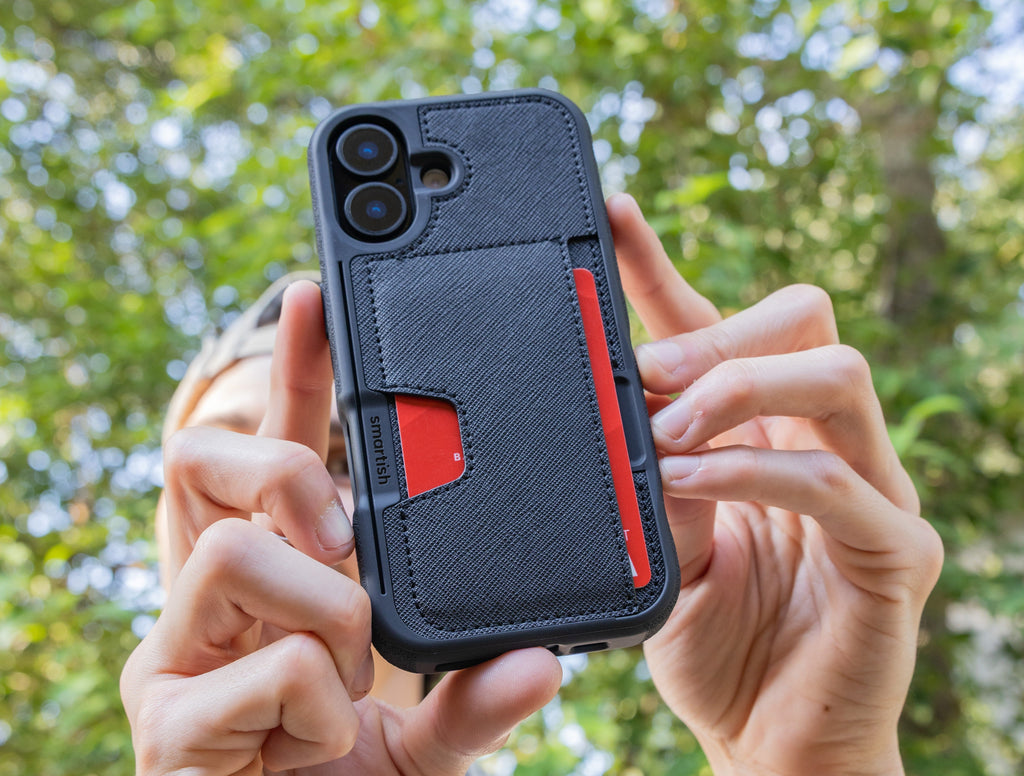
To further protect your device, consider pairing your MagSafe case with one of the screen protectors designed for the iPhone 17 series. For wallet-style options, see our recommendations for the best iPhone 17 Pro wallet case. And for a broader look at iPhone 17 Pro features and news, visit our iPhone 17 Pro blog.
For additional information on wireless device accessories and safety, refer to the FCC's consumer guide on wireless device accessories and RF safety.
Frequently Asked Questions
What features make a MagSafe case the best choice for the iPhone 17 Pro?
The best MagSafe case for the iPhone 17 Pro includes built-in magnetic alignment for secure attachment, drop-tested protection with air-pocket corners, and raised screen edges for added defense. It also offers a grippy but not sticky feel and works seamlessly with MagSafe chargers and accessories.
How does MagSafe technology improve wireless charging and accessory attachment on the iPhone 17 Pro?
MagSafe uses a ring of magnets in the case that perfectly align with those in the iPhone 17 Pro, ensuring a secure connection. This alignment enables faster wireless charging up to 15W and supports a range of accessories like wallets and mounts without interfering with charging.
What protective elements should I look for in a MagSafe case to ensure drop and scratch resistance?
Look for cases with air-pocket corners to absorb impacts, raised screen edges to protect the display, and a raised camera ring to shield the lens when placed face down. Precise cutouts and grippy sides also help maintain secure handling and overall durability.
How do MagSafe cases for the iPhone 17 Pro handle heat dissipation during fast wireless charging?
High-quality MagSafe cases use materials and designs that allow heat to escape efficiently, preventing overheating during fast wireless charging. This ensures your iPhone 17 Pro stays cool and performs optimally while charging wirelessly.