




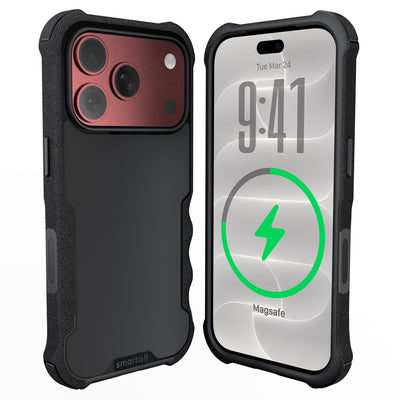




apple store charger
Your iPhone may recognize a face in a dark room, but choosing the right apple store charger shouldn’t feel like an electronics exam. Check your iPhone model and port first, then match the cable with a suitable USB-C power adapter from a seller you trust.
Key Takeaways
- Before buying a charger, confirm your specific iPhone model and its port type.
- Select a charging cable that correctly matches your iPhone's port.
- Pair your chosen cable with a compatible USB-C power adapter.
- Always purchase your charging accessories from a reliable seller.
Here’s the short version: identify the port, choose the cable, pick an adapter that fits your setup, and skip listings that leave out basic product details.
What is an apple store charger?
An apple store charger isn’t one universal product. It can mean a power adapter, a charging cable, or both. The cable connects to the phone; the adapter connects to the outlet and supplies power.
For iPhone 17 and other recent USB-C models, choose a USB-C cable that fits the phone and a USB-C power adapter suited to the devices you plan to charge. The phone controls how much power it receives.
An iphone charger original setup should have clear model information, identifiable packaging, and a dependable seller. Blurry photos, missing specifications, and suspiciously low pricing merit a raised eyebrow.
What are the benefits of an apple store charger?

The biggest benefit of a clearly identified charging setup is easier compatibility. You can match the connector, cable, adapter, and iPhone without guessing at the checkout screen.
Charging speed varies with the iPhone model, temperature, battery condition, settings, and activity. Charging usually slows as the battery gets closer to full.
A USB-C adapter can also charge other compatible devices, which makes it useful at a desk, in a travel bag, or beside the family charging pileup.
Wireless charging works well for routine top-ups at a desk, nightstand, or kitchen counter. Charge Island - Universal Wireless Charger gives you a cable-free place to park your phone.
For wired charging, a well-made cable should fit cleanly, hold a stable connection, and support the phone’s charging and data needs. That’s the practical value of an apple iphone charger cable original or a properly identified Lightning cable: fewer compatibility mysteries.
How to choose an apple store charger
Start with the iPhone model and port. Then choose a cable with the matching connector and a USB-C power adapter that fits your charging routine. You don’t need a wall of specs. Just the right pieces.
- Check the phone port. iPhone 17 and other USB-C models need a USB-C connector at the phone end. Older models may use Lightning.
- Choose the adapter. Pick a USB-C adapter based on the devices you’ll charge and the manufacturer’s guidance.
- Check the cable. Confirm the connector, charging support, data capability, and fit.
- Review the seller. Look for complete product details, identifiable packaging, and clear return terms.
A USB-C cable may have USB-C connectors at both ends, while a Lightning cable needs a Lightning connector at the phone end. If you’re replacing an older cord, look for an apple charger usb-c fast setup that clearly states the connector type and supported devices.
If you prefer wireless charging, check the manufacturer’s guidance and place the phone correctly on the charger. Charge Island - Universal Wireless Charger is a universal wireless charger.
For an apple store charger replacement, inspect the adapter for a readable model number, consistent markings, clean molding, and an even finish. A cable should have secure connectors, even seams, and a snug fit. Replace hardware that disconnects repeatedly or shows physical damage.
References
- Inductive charging: https://en.wikipedia.org/wiki/Inductive_charging
- Lightning connector: https://en.wikipedia.org/wiki/Lightning_(connector)
Frequently Asked Questions
What type of charger does my iPhone need?
Check the port on the iPhone before buying a cable. Use the connector that matches your phone. The wall adapter and cable are separate pieces, so a USB-C power adapter does not automatically mean you need a USB-C phone cable.
Is an Apple USB-C adapter worth the price?
It can be a sensible purchase if you want a compact adapter with clear compatibility information and a straightforward setup. Check Apple’s current product information for adapter details and guidance.
How does fast charging work on an iPhone?
Charging time varies with the model, temperature, battery condition, settings, and phone activity. Consult the manufacturer’s current guidance for your device.
How can I tell if an Apple charger is genuine?
Purchase through Apple or a seller that provides clear product details, a return policy, and traceable order information. Examine the adapter’s model number, markings, font, molding, and finish.
Can wireless charging replace a cable?
Wireless charging can replace routine cable use, though a wired setup remains useful for travel and charging from a power bank.
Can a counterfeit charger damage an iPhone?
Product quality can vary. Use a cable with the correct connector and replace hardware that disconnects repeatedly or shows physical damage.