




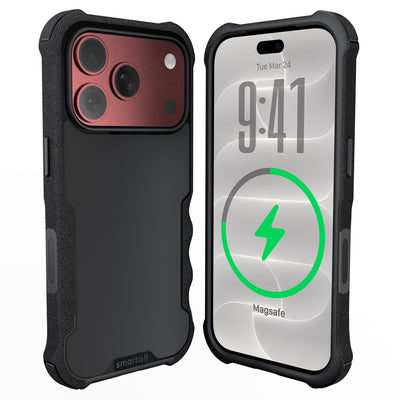




apple smart battery case
An apple smart battery case adds a rechargeable battery to an iPhone case, so older iPhone users can carry backup power without a separate cable. The tradeoff is straightforward: more battery life means more weight, more bulk, and model-specific compatibility.
Key Takeaways
- This case integrates a rechargeable battery directly into the design to eliminate the need for carrying extra charging cables.
- Users must accept increased weight and bulk in exchange for the convenience of extended battery life.
- The product is only compatible with specific iPhone models, so you must verify fitment before purchasing.
What is an apple smart battery case?
An apple smart battery case is an iPhone case with a built-in rechargeable battery. It connects through the phone’s charging port, supplies power as needed, and charges with a cable. Versions were made for select older models, including the iPhone 11 lineup.
The case was discontinued in September 2020, around the arrival of the iPhone 12 and MagSafe. There isn’t an official version for newer generations, including iPhone 17. For a different way to keep devices powered, consider the Charge Island universal wireless charger.
What are the benefits of an apple smart battery case?

The biggest benefit is convenience. Attached power can keep a phone running during navigation, photography, messaging, or music playback without adding a separate battery pack and cable to your bag.
That convenience comes with a physical tradeoff: the case is heavier and thicker than a standard case, and its built-in lithium-ion battery will age over time. If you prefer a slimmer everyday setup, a slim iPhone case paired with a separate power accessory may fit better.
For iPhone 11 Pro Max owners who’d rather solve pocket clutter, Dancing Queen - Crossbody Wallet Case for iPhone 11 Pro Max holds cards and cash and includes an adjustable crossbody strap plus a removable wristlet.
How should you choose an apple smart battery case?
Begin with the exact iPhone model. Battery capacity matters, but a case that doesn’t fit the phone, camera opening, buttons, or charging connection isn’t much help.
- Confirm the phone model. Match the model name and generation with the seller’s compatibility list.
- Check the battery’s condition. Ask about testing, runtime, storage history, and charging behavior.
- Inspect the shell. Look for covered corners, a raised screen rim, secure seams, and clear openings.
- Watch for warning signs. Skip any unit with swelling, cracks, frayed wiring, unusual heat, or chemical smells.
- Match the setup to your routine. A separate power accessory keeps your everyday case slimmer, while a battery case keeps backup power attached.
For guidance on wireless power and compatibility, read the Qi wireless charging guide.
References
- National Library of Medicine research on wireless power and charging technology.
Frequently Asked Questions
What happened to Apple’s battery case?
Apple discontinued its Smart Battery Case in September 2020, around the launch of the iPhone 12 and MagSafe. Remaining listings are generally old inventory, used units, or third-party accessories.
Should I choose a battery case or a MagSafe battery pack?
Choose a battery case if attached backup power matters most. Choose a MagSafe battery pack if you prefer a slimmer everyday case and want to attach power only when needed.