








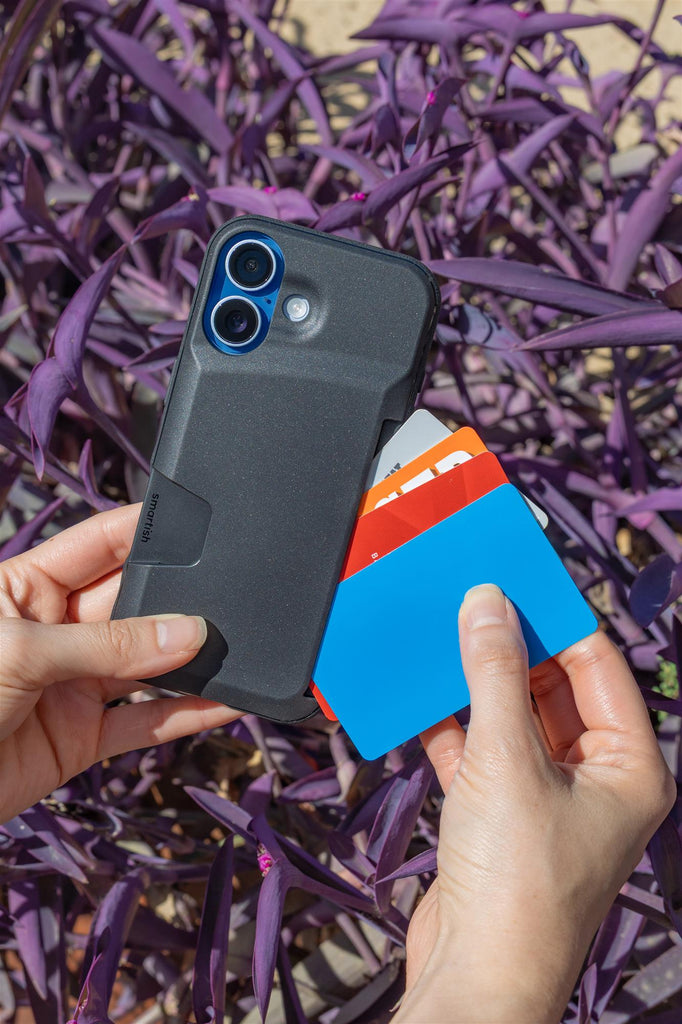
Which phone cases work best with wireless chargers?
Do All Phone Cases Play Nice with Wireless Chargers?
Not even close. Which phone cases work best with wireless chargers? Slim cases under 3 mm thick, made from TPU, silicone, or polycarbonate. Anything thicker than 5 mm or packed with metal kills the connection. Your charger uses electromagnetic induction to power your phone--thick or metal-heavy cases block that energy transfer.
Thickness: The Make-or-Break Factor
Wireless chargers follow the Qi standard, which works best with about 3 mm or less between the charging coil and your device. Push past that and charging slows or stops. Bulky armor cases become dealbreakers unless you're cool with nightly case removal.
Materials That Block the Charge
Metal plates, magnetic mounts stuck to your case, and thick leather folios disrupt the electromagnetic field. TPU, silicone, and rigid polycarbonate let the charge pass. Metal kickstands or card slots with metal shields? Expect problems.
Qi, Qi2, and MagSafe Basics
Qi's the universal wireless standard. Qi2 adds magnetic alignment for faster, more consistent charging. MagSafe is the iPhone accessory system with built-in magnets that snap everything into place. All three can work with compatible cases, but MagSafe demands precision--magnets in the case must align with your phone's magnetic ring, or accessories slip.
| Case Feature | Wireless-Friendly | Charging Killer |
|---|---|---|
| Thickness | Under 3 mm | Over 5 mm |
| Material | TPU, silicone, polycarbonate | Metal plates, thick leather |
| MagSafe Magnets | Aligned ring in case | No magnets or misaligned |
| Add-Ons | Raised edges, air-pocket corners | Magnetic mounts, metal kickstands |
Top Case Types That Charge Without a Fuss
Slim TPU and silicone cases perform best on wireless chargers. Protective hardshells and wallet hybrids can work too--as long as they stay lean and skip the metal.
Slim TPU and Silicone Winners
Flexible TPU and grippy silicone often stay under 2 mm thick, hugging your phone without blocking the charge. Gripmunk nails it: slim profile, MagSafe-compatible magnets, drop-tested protection. It's our Wirecutter-recognized case that works reliably on Qi pads.
Protective Hardshells That Still Snap In
Rigid polycarbonate backs with TPU bumpers deliver strong protection while staying chargeable. Gripzilla pairs a hard backplate with finger grooves and MagSafe magnets. It's thicker than Gripmunk but still charges on most Qi pads. Both cases pass the same drop test, so extra bulk doesn't mean better protection.
Wallet Cases and Everyday Heroes
Wallet Slayer cases skip metal plates to keep charging consistent. They're thicker, so expect slightly slower speeds. The trade-off? Leaving your wallet at home. Avoid thick leather folios and most battery cases--they're rough on wireless charging.
Pro Tip: If your case has a card slot, remove metal cards before charging. Even a small amount of metal interrupts the connection.
Pros
- Slim TPU and silicone cases support wireless charging without removal
- Protective hardshells with air-pocket corners work on most Qi pads
- MagSafe-compatible cases hold accessories securely while charging
Cons
- Thick leather folios and battery cases break wireless connections
- Metal kickstands and magnetic mounts disrupt the electromagnetic field
- Wallet cases over 5 mm slow charging speeds noticeably
Match Your Case to Real-Life Charging Spots
Your charging setup changes based on where you are. Nightstand pads prefer slim, no-drama cases. Car mounts benefit from MagSafe grip. Outdoor adventures call for drop-tested protection that still powers up.
Nightstand and Desk Daily Drivers
Flat Qi pads at home work best with thin cases. Gripmunk's slim build means you set your phone down and wake up charged. No removal. No fuss.
Car and Commute Quick Top-Ups
MagSafe cases work best with magnetic car chargers that hold tight on bumpy roads. Gripzilla's finger grooves help it stay put on magnetic mounts, and the raised camera ring protects your lens when it lands in a cup holder.
On-the-Go Adventures
Portable wireless chargers need drop-tested protection. Both Gripmunk and Gripzilla pass the same drop test and work with Qi2 and MagSafe chargers, so you can hike, bike, or commute without babying your phone.
Real Talk: If you're constantly removing your case to charge, the case is the problem. Smartish cases stay on.
Smartish Cases: Wireless Wins with Everyday Smarts
Smartish builds cases to eliminate wireless-charging headaches without sacrificing protection or style. Drop-tested durability, MagSafe alignment, and pricing that doesn't rely on hype.
Gripmunk and Gripzilla MagSafe Alignment
Both cases use aligned magnets so MagSafe chargers, wallets, and mounts attach cleanly. Gripmunk stays slim for pockets. Gripzilla adds a rigid backplate and finger grooves for extra grip. Which phone cases work best with wireless chargers? Ones that stay thin, skip metal plates, and keep magnetic alignment where it belongs.
Drop-Tested Protection That Supports Wireless Charging
Air-pocket corners absorb impact. Raised screen edges and camera rings guard glass. Precise cutouts keep buttons and ports accessible. We're frequently recommended by Wirecutter and other reviewers because wireless charging works as expected--including on newer iPhone models like the iPhone 17.
Why Fair Pricing Beats the Bulk
Smartish cases cost less because we skip glossy marketing and focus on clever, functional design. Grippy sides (not sticky) keep your phone in hand. Color options let you pick a look you'll actually carry. Minimal, mostly recyclable packaging means less waste.
Quick Fixes for Charging Glitches
Slow or failed charging usually comes down to alignment, charger quality, or hidden metal. Try these checks before blaming your case.
Alignment Tips and Charger Picks
Center your phone on the charging pad. MagSafe cases snap into place; non-magnetic Qi pads need manual positioning. Low-quality chargers output weak power--stick with certified Qi or Qi2 models at 7.5 watts or higher.
When to Remove the Case (Rarely)
Remove your case only if it's over 5 mm thick or includes metal components. Smartish cases stay on. If charging fails, check for debris on the back of your phone and case, or test with a different pad.
Test It Yourself: Simple Steps
Place your cased phone on a known-good wireless charger. If it starts charging within a couple seconds, you're set. If not, remove metal cards, wipe the case back, and try again. A wireless-friendly case shouldn't require constant troubleshooting.
Wireless charging and radio frequency safety guidelines are set by regulators to ensure safe use; learn more at the FCC on wireless charging and radio frequency exposure.
Future-Proof Your Charging Setup
Wireless charging keeps evolving. Qi2 brings magnetic alignment to more phones. MagSafe accessories keep multiplying. Your case choice today shapes your charging experience tomorrow.
Qi2 Expands Beyond iPhone
Qi2 brings magnetic alignment to the Qi ecosystem, and more Android models are adding support. Smartish Gripmunk and Gripzilla already include magnets, so you're ready when your next phone arrives.
Faster Watts, Thinner Cases
Charging speeds keep climbing as coil efficiency improves. Thinner cases support faster wireless charging, but protection still matters. The sweet spot stays the same: thin enough to charge, protective enough to survive real drops.
Accessories That Multiply Function
Magnetic wallets, battery packs, and car mounts attach to MagSafe-style cases. Wallet Slayer Vol. 1 and Vol. 2 carry cards while supporting wireless charging in most setups. Gripmunk and Gripzilla work with MagSafe accessories while charging, depending on your charger and accessory stack.
Bottom Line: Choose a MagSafe-compatible case for easier alignment and cleaner attachment with magnetic accessories as Qi2 becomes more common.
Pick Your Case, Charge Your Way
Which phone cases work best with wireless chargers? Slim TPU, silicone, and polycarbonate cases under 3 mm thick, ideally with well-aligned MagSafe magnets. Gripmunk fits that formula for everyday carry. Gripzilla adds more protection. Wallet Slayer Vol. 1 and Vol. 2 trade some speed for card storage while still supporting wireless charging.
Test your case on a certified Qi or Qi2 charger. If it starts charging quickly, you're in good shape. If not, check thickness, remove metal cards, and confirm alignment.
Wireless charging should simplify your life, not complicate it. Pick a case that stays on, protects your phone during commutes and trips, and supports MagSafe accessories when you want them. That's the same problem Matt sketched on a napkin years ago: one case that does the job without the extra baggage.