




Best cases compatible with MagSafe mounts
The Best cases compatible with MagSafe mounts need more than a magnetic ring: they should align reliably, stay attached during everyday travel, and support wireless charging. Smartish Cases include the MagSafe-compatible Gripmunk and Gripzilla, with different profiles for different routines.
Key Takeaways
- A strong magnet alone doesn't cut it: a good mount-friendly case needs to snap into alignment fast and hold position over bumpy commutes and long drives.
- Gripmunk is the slim pick for everyday riders who want a low profile that still locks onto a MagSafe mount without wobbling.
- Gripzilla brings a thicker build and a rigid backplate for folks who want extra drop protection without giving up wireless charging on the go.
- Both cases pass the same drop test, so choosing between them comes down to how much bulk you're willing to carry.
- Shop only cases built for your exact iPhone model, since compatibility with mounts and chargers depends on the precise magnetic placement.
No measured pull-off forces, charging times, or drop results were supplied for this article. Rather than invent numbers, I’ll separate verified product features from practical checks you can make with your own mount.
The Best MagSafe Cases for Mounts, at a Glance
Gripmunk is the slim, everyday option. Gripzilla suits people who want a more protective case, while Wallet Slayer Vol. 2 carries cards and has a kickstand for hands-free viewing. Choose based on your mount, charging routine, and carry preferences.
Only Gripmunk and Gripzilla are marketed as MagSafe compatible. Wallet Slayer Vol. 2 is included as a desk-and-kitchen option, not a MagSafe mount recommendation. Check the exact case and mount combination before driving or relying on its magnetic hold.
| Pick | Best for | Useful details | Mount note |
|---|---|---|---|
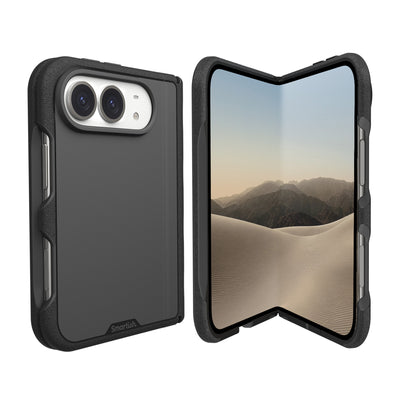
| Smartish Gripmunk | Everyday use and slimmer carry | Slim profile, grippy sides, air-pocket corners, raised screen edge and camera ring | Marketed as MagSafe compatible |
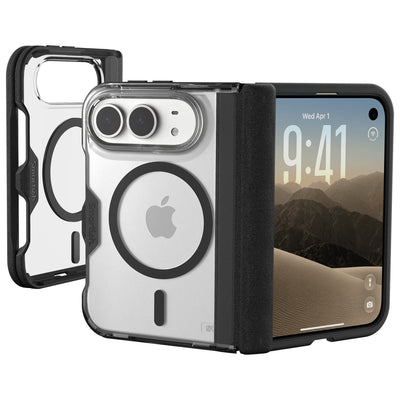
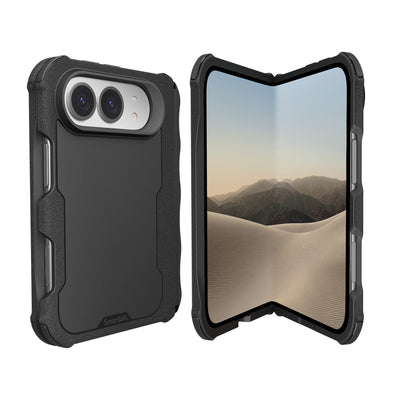
| Smartish Gripzilla | More protective everyday handling | Thicker build, rigid backplate, air-pocket corners, raised screen edge and camera ring | Marketed as MagSafe compatible |
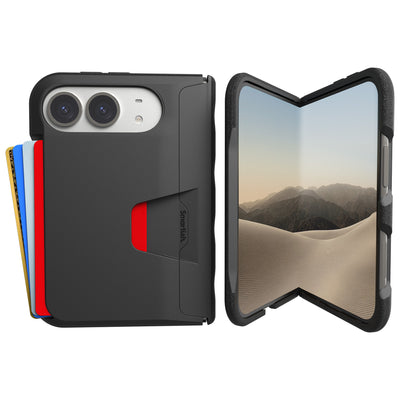
| Smartish Wallet Slayer Vol. 2 | Desk or kitchen viewing with cards | Wallet case with a built-in kickstand | Not marketed as MagSafe compatible |
| Slim budget pick | Light mount use when verified for your phone | Compare its fit, magnetic alignment and charging support before buying | No specific model or tested result supplied |
Smartish Gripmunk: Best overall for MagSafe mounts
Best for: daily driving, desk charging, and anyone who wants a slim case. Gripmunk is MagSafe compatible and slimmer than Gripzilla. Textured sides help with grip, while the raised camera ring and screen edge lift the phone’s contact points from flat surfaces.
Smartish Gripzilla: Best for bumpy roads and rough handling
Best for: active days when extra case structure matters. Gripzilla has a rigid backplate, a thicker profile, air-pocket corners, and raised edges. It is MagSafe compatible. Since thickness can affect magnetic coupling, check that your particular mount holds the cased phone securely before setting off.
Smartish Wallet Slayer Vol. 2: Best for desk and kitchen mounts
Best for: hands-free viewing with cards close by. Its kickstand works well on a counter or desk, but Wallet Slayer Vol. 2 is not marketed as MagSafe compatible. Treat it as a stand-friendly wallet case, not a magnetic mount pick.
Slim budget pick: Best value for light mount use
Best for: occasional mounting when a specific slim case is confirmed compatible with your phone and mount. No named model, price, or test result was provided, so compare verified magnetic support and return terms rather than assuming a thin case will attach securely.
How We Tested: Magnet Grip, Charging, and Drop Protection
The research provided for this article contains no case-by-case force-gauge readings, charging times, or drop-test outcomes. I can’t claim that a case passed a mount test, held a specific weight, or charged at a measured rate.
Smartish’s product details confirm that Gripmunk and Gripzilla are marketed as MagSafe compatible, and both are drop tested. That confirms their stated compatibility and testing status, not a ranking against other cases or a guarantee that every third-party mount will hold them.
What makes a case MagSafe-compatible in the first place?
A MagSafe-compatible case is designed to work with magnetic accessories and charging alignment. The label is a useful first check, but mount design, phone model, case fit, and accessory placement can affect the result. Wireless charging speed depends on the phone, charger, power source, and alignment.
Our mount lineup: car vent, dash, desk, kitchen, and bike
The brief names five mount settings: vent, dashboard, desk, kitchen, and bike. A car mount needs a steady hold during motion; a desk stand prioritizes placement and viewing angle; a bike mount adds vibration and movement. No specific mounts or recorded sessions were provided, so these are evaluation contexts, not completed test claims.
The metrics: pull-off force in grams, charge speed, and drop results
A repeatable test would measure pull-off force with a force gauge, record charging under the same phone, charger, and power conditions, and document each drop-test setup. Results should identify the phone model, case, mount, charging gear, and method. Without those records, grams of holding force, charging times, and drop outcomes would be false precision.
How we evaluated each case
For this comparison, the defensible criteria are confirmed MagSafe marketing, case design, stated protective features, and intended use. Gripmunk and Gripzilla both include air-pocket corners and raised screen edges; both are drop tested and support MagSafe. Their practical difference is slim carry versus a thicker case with a rigid backplate.
Before using a case on a moving mount, check alignment and attachment with the phone stationary, then follow the mount maker’s instructions. A product label narrows the field; your actual phone-and-mount fit still needs a check.
The Full Testing Results, by Mount Type
No case-by-case pull-off force readings, charging times, or completed drop-test results were supplied. There are no honest grams-force scores to rank. This comparison sticks to verified product details and what each mount setup asks of a case, without presenting missing measurements as hands-on results.
Gripmunk and Gripzilla are both marketed as MagSafe compatible and both are drop tested. Gripmunk has a slimmer profile; Gripzilla adds a rigid backplate and a thicker build. Those differences help with choosing a case, but they do not show which holds more firmly on a particular mount.
| Mount setting | What matters most | Verified case details | What still needs checking |
|---|---|---|---|
| Car vent or dashboard | Secure attachment during everyday driving | Gripmunk and Gripzilla are marketed as MagSafe compatible | Hold with your exact phone, case, and mount |
| Desk or kitchen stand | Magnetic alignment and charging position | Both cases support MagSafe; charging speed was not measured | Alignment and charging with your charger and phone |
| Bike or gym mount | Attachment stability in a moving setup | Both cases are drop tested; no mount-specific result was supplied | Fit and hold under the mount maker’s directions |
Car vent and dash mounts: which cases hold through potholes?
A car mount needs to keep the phone attached through ordinary road movement, including bumps and turns. There is no measured pull-off force or recorded drive comparison here, so the evidence cannot show whether either case stayed attached through a pothole. MagSafe compatibility signals intended use, not a guaranteed hold with every mount.
Gripmunk is slimmer; Gripzilla has a thicker build and rigid backplate. If you’re comparing the Cases, test your exact phone-and-mount combination while parked, then follow the mount maker’s instructions before driving.
Desk and kitchen stands: charging alignment matters most
For a stationary stand, resting position and charging alignment matter more than road vibration. Gripmunk and Gripzilla are marketed as MagSafe compatible, but no charging-speed measurements were supplied. Charging performance depends on the phone, charger, power source, and placement.
Set the phone on the stand and check that it sits in the intended position. If charging is part of the setup, confirm that charging begins and remains aligned during normal use. Smartish Cases offer a slimmer profile or a thicker protective design, not a published charging-speed ranking.
Bike and gym mounts: grip and shock absorption count double
Bike and gym setups can involve movement and vibration. No bike-mount sessions, vibration tests, or mount-specific drop results were provided. Smartish states that Gripmunk and Gripzilla are drop tested, but that does not establish how either performs on a particular moving mount.
Use a mount intended for the activity, check that the case and phone are seated correctly, and follow the mount maker’s safety guidance. Gripzilla’s rigid backplate distinguishes its build from the slimmer Gripmunk, but neither feature proves greater magnetic holding force without comparable measurements.
Does case thickness actually weaken the magnetic hold?
Case thickness can affect the distance between a phone’s magnetic system and a mount, but no measurements here establish how much strength these cases gain or lose. Gripzilla is thicker than Gripmunk; that difference alone cannot show how either will hold on your specific mount.
To compare them, use the same phone and mount, check placement, and assess attachment while stationary. Do not rely on an assumed pull-off force. The Best cases compatible with MagSafe mounts are the ones whose fit you can verify with your exact setup.
Will a MagSafe case work with a non-magnetic mount?
Not necessarily. MagSafe compatibility describes support for magnetic accessories; it does not make a non-magnetic mount attach to the case. A mount without magnets needs its own holding method, such as a clamp or cradle, and the case must fit that mount as intended.
For a magnetic mount, confirm that the case is marketed as MagSafe compatible and check the physical hold with your phone in place. The Best cases compatible with MagSafe mounts still need a suitable mount and correct alignment. If charging matters, test it separately; mount compatibility does not confirm a charging rate.
How to Match a Case to Your Mount (and Your Life)
The right setup depends on how you use your phone: commuting, charging at a desk, or keeping it handy while you cook. Check that the case is made for your exact phone and marketed as MagSafe compatible. Smartish Cases include MagSafe-compatible options, but you still need to check fit with your particular mount.
The 5-minute DIY test for any case-and-mount combo
Before relying on a mount during a drive or activity, check the setup while stationary. Use the phone, case, and mount together, since changing any one of them can affect fit or alignment. This check can reveal a poor match, but it does not measure holding force or charging speed.
- Confirm that the case is designed for your phone model and supports MagSafe if the mount uses magnets.
- Attach the phone as directed by the mount maker. Check that it sits flat and stays in the intended position.
- Gently check that the phone remains attached during ordinary handling. Do not treat a stationary check as proof of safety during driving or sports.
- If the mount charges, confirm that charging begins and continues while the phone is correctly aligned.
Buying guide: slim, protective, and wallet picks by budget
Choose by the trade-off you care about. A slim case can be easier to handle and fit into a tight mount, while a thicker case adds structure that may change how the phone sits. Check a wallet case’s shape and features separately instead of assuming it works with a magnetic mount. Gripmunk is a slim MagSafe-compatible choice; Gripzilla is thicker, MagSafe compatible, and has a rigid backplate. Compare current prices and exact model fit before ordering; no price comparison or mount-force results were supplied here.
Fit checks for iPhone Duo, iPhone 18, iPhone 17, and Qi2 Android phones
Case compatibility is model-specific. Apple announced iPhone 18 Pro, iPhone 18 Pro Max, and iPhone Duo, but those announcements do not establish that a particular case fits any of them. Check the case listing for the exact phone name. Do not assume an iPhone 17 case fits a newer model, or that an iPhone 18 Pro case fits iPhone Duo.
Qi2 is a wireless charging standard, not proof that every Qi2 Android phone fits an iPhone case or works with every magnetic mount. Check the phone, case, charger, and mount specifications as a set. A case marketed for MagSafe is not universally compatible with other devices.
MagSafe Case and Mount FAQs
Do all MagSafe cases work with all MagSafe mounts?
No. A MagSafe compatibility label means the case is designed for magnetic accessories, not that it fits every mount. Mount shape, phone model, case placement, and charging alignment can affect the setup. Check the accessory maker’s guidance and test while stationary.
How strong do the magnets need to be for a secure hold?
No single holding-force number proves a setup is secure in every situation. Phone and case weight, mount design, and activity all matter. Choose a mount intended for your use, follow its instructions, and check the assembled setup before relying on it.
Will a thick case mess with wireless charging?
It can affect magnetic alignment or charging, depending on the case, phone, and charger. Confirm that the case supports your charging method, then check that charging starts and continues with the phone positioned correctly. A MagSafe label does not state a measured charging speed.
Do MagSafe cases protect as well as regular cases?
MagSafe compatibility does not determine a case’s protection. Check its build and features, such as air-pocket corners and raised screen edges, and whether it is drop tested. Choose for your expected daily handling, while confirming that its magnetic features suit your mount.
Frequently Asked Questions
Do all MagSafe cases work with all MagSafe mounts?
No, MagSafe-compatible cases are designed to align with magnetic accessories, but real-world hold depends on the mount design, phone model, and case fit. Before driving or relying on a mount, check the exact case-and-mount combination with the phone stationary first.
Will a thick case reduce magnetic strength?
Yes, extra thickness can weaken magnetic coupling between a case and a mount. That is why Gripzilla, which is thicker with a rigid backplate, is worth testing on your specific mount before setting off, even though it is marketed as MagSafe compatible.
Can I use a MagSafe case with a non-MagSafe mount?
Usually yes, but the magnetic ring does nothing for a mount that lacks magnets, so hold depends entirely on the mount's own grip design. A MagSafe-compatible case like Gripmunk or Gripzilla works fine on clamping-style mounts that grip the case physically.
Are MagSafe cases compatible with wireless charging?
Yes, MagSafe-compatible cases are designed to support wireless charging alignment, and Gripmunk and Gripzilla are both marketed as MagSafe compatible. Charging speed depends on your phone, charger, power source, and alignment rather than the case alone.
Which Smartish case is best for MagSafe car mounts?
Gripmunk and Gripzilla are the two Smartish cases marketed as MagSafe compatible, so either is a fit for magnetic mounts. Pick Gripmunk for slimmer everyday carry or Gripzilla for a more protective build with a rigid backplate. Always verify the hold with your actual mount before driving.
Is the Wallet Slayer Vol. 2 compatible with MagSafe mounts?
No, Wallet Slayer Vol. 2 is not marketed as MagSafe compatible, so we do not recommend it for magnetic mounts. It shines as a desk-and-kitchen pick instead, with a built-in kickstand for hands-free viewing and room for your cards.
How strong should the magnets be for a secure hold?
There is no single number, and we will not invent grams-force figures we have not measured. The practical check is simple: attach your cased phone to the mount while stationary and make sure it stays put with a light tug before you trust it on the road.