






does tempered glass affect Face ID iPhone 17
Face ID and Your iPhone 17: A Match Made in Sensor Heaven?
Your phone unlocks with a glance, and you've probably wondered whether adding a layer of glass over that fancy camera might break the magic. Spoiler alert: it usually doesn't.
Most tempered glass screen protectors under 0.5 mm thick work perfectly with Face ID on your iPhone 17. The real troublemaker behind unlock failures? Poor alignment or a protector that covers the sensors.
How Face ID Actually Works (The Super-Short Version)
Face ID projects thousands of invisible infrared dots onto your face, then reads the pattern to build a 3D map. That map lives locally in the Secure Enclave on your iPhone 17, never floating around in the cloud. The TrueDepth camera system handles all this in milliseconds.
The TrueDepth Camera System: It's Not Just for Selfies
Tucked into that notch (or Dynamic Island on newer models), TrueDepth houses the flood illuminator, infrared camera, and dot projector. Together, they see you in ways the regular camera can't. Block this infrared conversation and you'll get recognition hiccups.
Does Tempered Glass Mess with Face ID on the iPhone 17?
Short answer: rarely. Good news for your screen and your face-unlocking habits.
The success depends less on the glass and more on the protector's sensor cutouts and how well you stick it on.
Thickness: How Much Actually Matters
Tempered glass usually ranges from 0.2 mm to 0.5 mm. Most iPhone 17 owners never notice a difference with standard thickness protectors. Ultra-thin options exist if you want maximum sensor clarity, but they're not required.
When Coverage Goes Wrong
Some protectors extend coverage over the TrueDepth sensors to protect the entire front glass. When the edge sits directly over the dot projector or infrared camera, it scatters or blocks the infrared light. Not a thickness problem. A coverage problem.
Myth-Busting Time
- Myth: All tempered glass breaks Face ID. Reality: Only poorly designed or wonky installs cause issues.
- Myth: You need expensive "Face ID compatible" protectors. Reality: Many budget options work great with proper installation.
- Myth: Thinner is always better. Reality: Moderate thickness with correct sensor cutouts beats paper-thin protectors that cover sensors.
When Other Protectors Crash the Party
Standard tempered glass isn't always the troublemaker. Privacy screens and matte finishes bring their own quirks, and bad alignment causes more failures than material choice ever will.
The Privacy Screen Predicament
Privacy protectors limit viewing angles so strangers can't peek at your screen. They filter light direction, which can also filter the infrared light Face ID needs. Test before committing to daily use.
Matte Protectors: A Different Challenge
That silky matte finish resists fingerprints but can diffuse infrared dots. When the dot pattern gets scattered before reaching your face, the iPhone 17 struggles to build an accurate map.
When Face ID Goes Sideways
Face ID acting up after installing a protector? Start simple. Clean the protector surface, realign it if bubbles exist, and confirm nothing covers the sensor area. Many issues disappear after careful repositioning.
Installing Your iPhone 17 Screen Protector Like a Pro
Perfect application keeps Face ID happy and your display pristine. Here's how to get results that rival professional installation.
Clean Like Your Screen's Life Depends on It
Wash your hands, then clean your screen with the alcohol wipe included in most kits. Use the microfiber cloth to remove residue. Any dust or oils underneath become permanent bubbles once the protector lands.
The "Hinge" Method: Your Secret Weapon
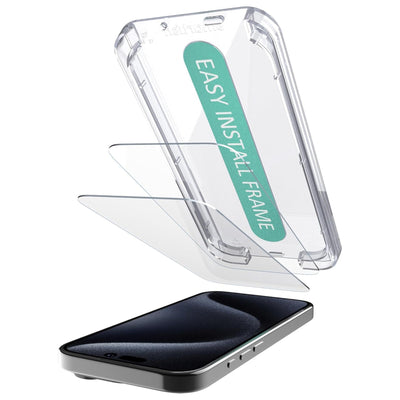
Align the protector using the hole cutouts as guides, but don't let it touch the glass yet. Hold it like a hinge at the top edge, then lower it slowly. Gravity helps the protector settle evenly across the surface.
Test Drive Your Installation
After you smooth out bubbles (they usually escape toward the edges), test Face ID immediately. Works right away? You're golden. Any delay usually means a tiny bubble is pressing against a sensor area.
The Smartish Difference: Clever Design for Uninterrupted Tech Life
At Smartish, we build accessories to solve everyday frustrations without creating new ones. Everything goes through real-world testing because protection should make your day easier, not more complicated.
Our Screen Protectors: Built to Solve, Not Create Problems
Smartish designs protectors with sensor cutouts that match iPhone dimensions precisely. No guessing, no sensor blockage, no headaches. The focus stays on keeping your display safe while your iPhone 17 does everything it was built to do.
Complete Your Seamless iPhone 17 Experience
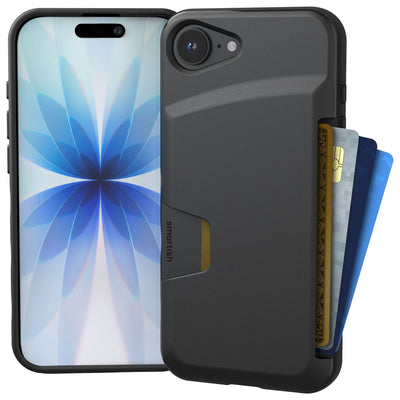
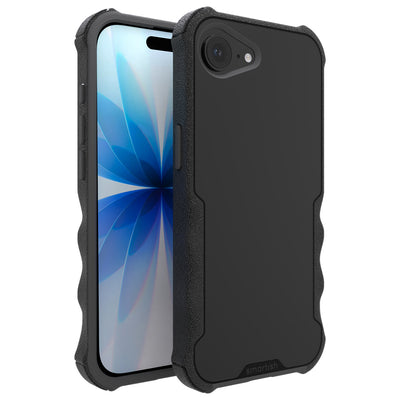
Need everyday carry that actually works? Check out our cases designed to protect your phone without interfering with Face ID or other features. Practical design that keeps daily use smooth while preserving full device functionality.
Bottom line: good tempered glass with precise TrueDepth cutouts and careful installation won't mess with your Face ID game.
Frequently Asked Questions
Can tempered glass affect Face ID on my iPhone 17?
This is the million-dollar question, right? The short answer is usually no, good tempered glass won't affect your iPhone 17's Face ID. The real troublemakers are protectors that cover the TrueDepth sensors or are just slapped on crooked, not the glass material itself.
Why might my iPhone 17 Face ID not be working after installing a screen protector?
If your iPhone 17's Face ID is giving you the cold shoulder, it's usually not the tempered glass itself. More often than not, it's a screen protector that's either poorly aligned or accidentally covering the TrueDepth sensors. Give your screen a good clean and check that nothing's blocking those tiny, magic dots.
Is it a good idea to use a privacy tempered glass for iPhone 17?
You know, privacy is great, but sometimes it's a bit of a party pooper for your iPhone 17's Face ID. Those privacy protectors can mess with the infrared light Face ID needs to see your beautiful face, causing some unlock delays. If you're going for one, make sure to test it out before you commit.
Will a screen protector cause damage to my iPhone 17?
Nah, a screen protector won't damage your iPhone 17. It's actually there to take the hit so your actual screen doesn't have to. The worst a poorly chosen or installed protector can do is mess with Face ID's recognition, which is more annoying than damaging.
Does my iPhone 17 truly need a screen protector?
Need is a strong word, but let's be real, life happens. While your iPhone 17 is tough, a screen protector is like a little insurance policy for that gorgeous display. It's a smart move to keep scratches and scuffs at bay, because who wants a dinged-up screen?
How can I ensure my screen protector works correctly with Face ID on iPhone 17?
Getting Face ID to play nice with your screen protector is all about the install. First, make sure your screen is squeaky clean, then align that protector perfectly so it doesn't cover any of the TrueDepth sensors. A little precision goes a long way to keep that Face ID magic flowing.