


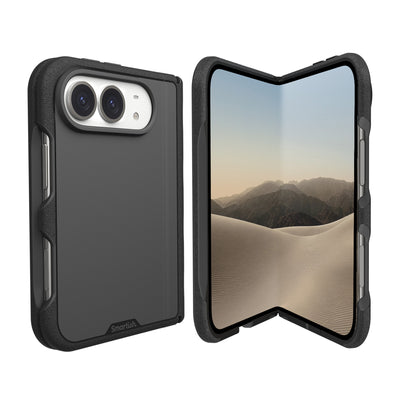
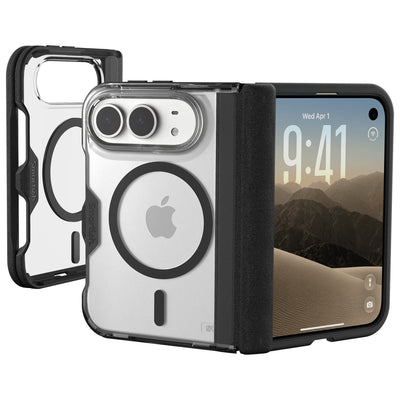
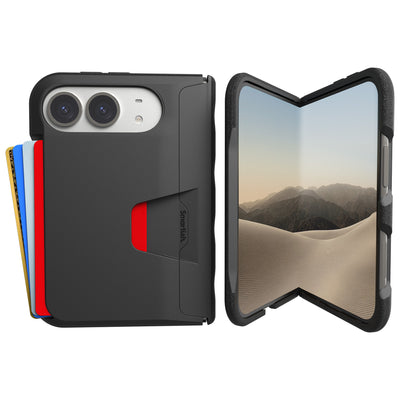
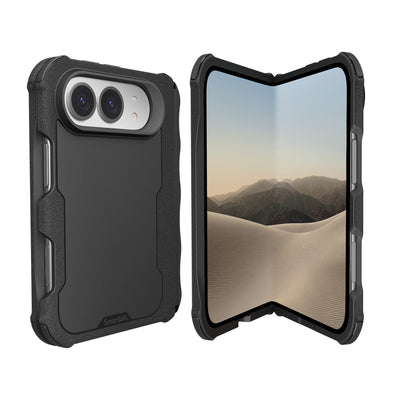


iPhone 18 Pro magsafe case
Your next case should solve more than one problem. An iPhone 18 Pro magsafe case needs to protect a phone from countertop slips and sidewalk surprises while still working with the accessories that make daily life easier. That means checking fit, magnet alignment, charging behavior, grip, pocket feel, and camera clearance, not just admiring a color swatch.
Key Takeaways
- A good MagSafe case for the iPhone 18 Pro is about more than looks, it needs to hold a magnet strong enough for mounts and chargers while keeping a slim profile.
- Protection from drops and everyday bumps means the case should cover the corners and raise the edges without making the phone feel like a brick in your pocket.
- Skinny charging pads and wireless car mounts rely on precise magnet alignment, so a reliable case lines up the ring without shifting or splitting the connection.
- Grip matters more than you think, a case that skids off a table or slips out of a sweaty hand defeats the whole point of having a case at all.
- Camera bumps are getting bigger, so the case needs a raised lip around the lenses to keep them from scraping when you set the phone down on a rough surface.
One small wrinkle: Apple has not published official iPhone 18 Pro specifications. Dimensions, button placement, camera geometry, finishes, and accessory details remain unconfirmed. Treat claims about iPhone 17 Pro and iPhone 18 Pro interchangeability as provisional until the phone and case are tested together. A case that is “close enough” can leave a button awkward, a lens exposed, or a charging coil slightly out of position. Close enough is a fine standard for guessing a song title. Less so for protecting an expensive phone.
What is iPhone 18 Pro magsafe case?
An iPhone 18 Pro magsafe case is a protective phone cover designed around Apple’s magnetic accessory system. It should include a properly positioned magnet array, openings that match the phone’s controls and cameras, raised edges for screen and lens clearance, and materials that help absorb everyday impacts. The magnetic ring lets compatible chargers, wallets, stands, car mounts, and battery packs attach to the back without requiring a separate adhesive plate.
Compatibility has two parts: physical fit and magnetic function. A case can attract a charger yet still fit poorly if its camera opening, side buttons, USB-C port, or action controls do not match the final phone. Wireless charging also depends on alignment between the charger and the phone’s charging coil. Apple’s current MagSafe guidance should be treated as the reference for compatible chargers and accessories. Until official iPhone 18 Pro measurements exist, shoppers should look for a clear model designation, return policy, and testing performed on the actual device rather than a supplier assumption. For a deeper explanation of the magnetic system, see how MagSafe works.
The Gripmunk with MagSafe® - Slim Case for iPhone 16 Pro shows the design principles to look for, though it is specifically made for iPhone 16 Pro and should not be treated as an iPhone 18 Pro case. It features built-in strong magnets compatible with MagSafe, allowing secure attachment to MagSafe accessories and high-speed wireless charging. The case has protective air-pocket corners that act like small airbags to cushion and protect the phone from drops.
Benefits of iPhone 18 Pro magsafe case
The main benefit is fewer accessories competing for space in your pockets and bag. A compatible magnetic case can hold a wallet, connect to a car mount, support a stand, or align with a charger without a separate ring stuck to the phone. Good magnet placement also helps keep the charging puck centered. Attachment should feel secure during ordinary handling, not like a tiny metal frisbee waiting for its big escape.
Protection comes from several small design choices working together. Raised edges keep the display and camera glass from resting directly on a table. Textured sides can improve grip without feeling tacky, while a smooth back slides into a pocket more easily. Air-pocket corners provide cushioning around common impact zones, and a soft microfiber interior helps protect the phone from scratches and dings. These features address drops, desk scuffs, pocket friction, and the classic one-handed butterfingers event.
The Gripmunk with MagSafe® - Slim Case for iPhone 16 Pro has raised edges on the case that protect the screen and camera from damage. Its sides have a textured grip that prevents slipping without being sticky and the back is smooth for easy pocket use. The interior has a soft microfiber lining to protect the phone from scratches and dings. It also provides complete access to iPhone 16’s new Camera Control button with precise cutouts and reinforced edges. Those details show why model-specific fit matters more than a generic promise of compatibility.
One Smartish-Sized Reality Check
MagSafe convenience does not erase charging limits. A phone, magnetic charger, power bank, and case can build up heat during extended charging, especially while the phone is working hard. If charging pauses and the phone says it will continue after the temperature lowers, that is a thermal protection message, not a case failure by itself. Remove the phone from demanding tasks, keep the charger and device uncovered, and follow Apple’s charging guidance. Any claim about cooler charging should come from documented testing that names the charger, power source, room temperature, case condition, phone workload, and test duration.
Drop testing can add useful evidence when the method is disclosed. The Gripmunk with MagSafe case has been drop-tested 50 times from 6 feet with successful protection results. That result does not guarantee protection from every impact, since surfaces, angles, and phone condition can change the outcome. A sensible buying decision still checks camera clearance, screen lip height, button response, magnet attachment, charger alignment, car-mount stability, and pocketability before treating any case as ready for real life. For heavier protection, compare the Gripzilla with MagSafe armor case.
How to Choose iPhone 18 Pro magsafe case
Start with fit, not color. An iPhone 18 Pro magsafe case should be labeled for the exact model and checked against the final phone, especially while iPhone 18 Pro specifications remain unconfirmed. Compare the case’s camera opening, side-button position, action control, charging port, speaker cutouts, and screen lip. Claims that an iPhone 17 Pro case also fits an iPhone 18 Pro deserve a raised eyebrow until both devices are measured together. A small mismatch can affect button response, lens clearance, wireless charging alignment, or access to the phone’s controls.
Next, inspect the protection without getting hypnotized by dramatic adjectives. Look for raised edges around the display and camera, impact cushioning at the corners, a scratch-resistant interior, and a grip that helps prevent slips. The case should feel secure in your hand but still slide into a pocket without turning every outfit into cargo pants. Check the material, seam quality, button covers, camera opening, and screen clearance. If a brand cites drop testing, look for the full method: drop height, surface, number of impacts, device condition, and whether the testing was internal or independently verified.
The Gripmunk with MagSafe® - Slim Case for iPhone 16 Pro is a useful example of the feature set to seek, although it is designed specifically for iPhone 16 Pro and is not confirmed for any other model. The case's sides have a textured grip that prevents slipping without being sticky and the back is smooth for easy pocket use. The interior has a soft microfiber lining to protect the phone from scratches and dings. The Gripmunk with MagSafe® - Slim Case for iPhone 16 Pro has also been drop-tested 50 times from 6 feet with successful protection results. That testing supports the stated design, not a promise against every possible drop.
Check the Magnetic Connection Before You Commit
A useful MagSafe case should align with Apple MagSafe chargers and attach securely to compatible wallets, car mounts, stands, and battery packs. That does not mean every accessory will behave identically. Test the charger flat against the case, confirm that the charging indicator appears, and watch for interruptions during a longer session. Heat can build when the phone is charging inside a case while running navigation, games, video calls, or other demanding tasks. Keep the device uncovered, avoid heavy use during charging, and follow Apple’s guidance if the phone pauses with a temperature message. Any promise about cooling or charging speed should include the charger model, power source, ambient temperature, phone workload, case condition, and test duration.
Finally, choose a seller with clear returns and model-specific support. That matters even more before Apple publishes official dimensions, colors, and accessory details. Treat descriptions of finishes such as Dark Cherry as unconfirmed if they swing from magenta to burgundy, purple, or red. A dependable listing should identify the phone model plainly, show precise cutouts, explain MagSafe compatibility, and state what testing was performed. For an iPhone 18 Pro magsafe case, confidence comes from documented fit and useful details, not from a color name doing all the heavy lifting.
Frequently Asked Questions
Does a MagSafe case work with Apple MagSafe chargers?
It should, provided the case has a correctly positioned magnetic ring and the phone model matches the case design. Place the charger flat against the back and confirm that the charging indicator appears. A magnetic connection alone does not guarantee reliable charging. Case thickness, coil alignment, charger condition, phone software, and debris between surfaces can all affect performance. Apple’s current charging guidance remains the best reference for accessory compatibility.
Will it work with wallets, car mounts, stands, and battery packs?
A properly designed case can attach to compatible MagSafe wallets, car mounts, stands, and battery packs. Check attachment before driving or carrying the phone by the case, since accessory magnets and mount designs vary. The Gripmunk with MagSafe® - Slim Case for iPhone 16 Pro illustrates the idea with built-in strong magnets compatible with MagSafe accessories. It is made specifically for iPhone 16 Pro, so do not treat it as confirmation of fit for an unreleased model.
Can magnetic charging make my phone heat up?
Charging can produce heat, especially when the phone is running navigation, games, video calls, or other demanding apps. A slim battery pack or magnetic charger may add to that warmth. Keep the phone and charger uncovered, reduce heavy use during charging, and follow the phone’s temperature warnings. If charging pauses, the device may display a message saying charging will continue after its temperature lowers. That pause is a protective response. A trustworthy cooling claim should include the charger, power source, room temperature, workload, case condition, and test duration.
What should I do if the phone will not charge?
Remove the case briefly and inspect the charger, cable, power adapter, and phone port. Recenter the charging puck, restart the phone, and try a known-compatible power source. Metal cards, camera accessories, dust, or a misaligned magnet ring can interrupt charging. If the problem occurs only with one case, accessory, or charging position, record those details before contacting the seller.
Are rumored case colors and dimensions confirmed?
Not until Apple publishes official specifications. Reports about dimensions, camera placement, button locations, materials, and Dark Cherry color vary, so treat them as provisional. The Gripmunk with MagSafe® - Slim Case for iPhone 16 Pro is a confirmed example for that model only. For an unreleased phone, buy from a seller with a clear return policy and wait for tested, model-specific fit.