


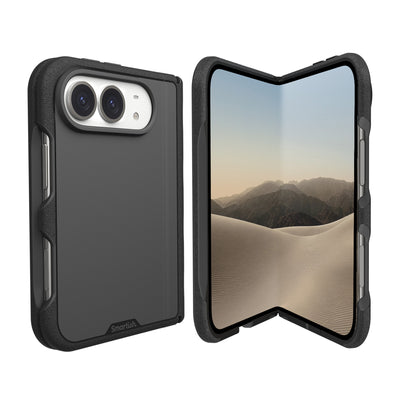
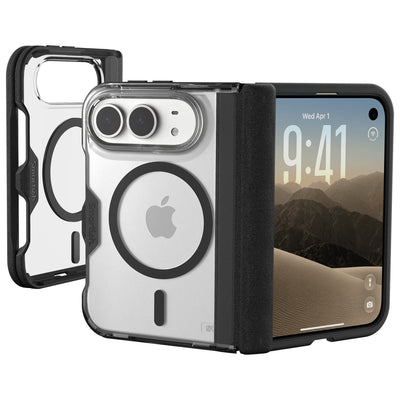
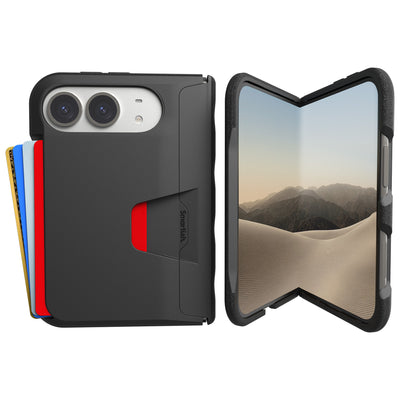
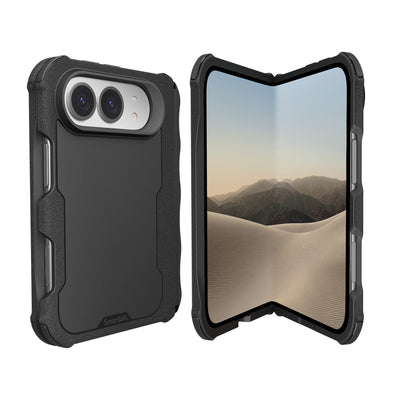
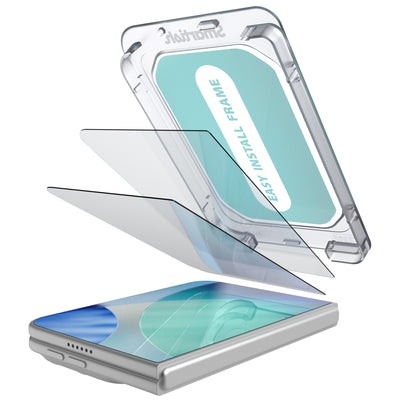


iphone 18 pro accessories
Your phone can handle 4K video, directions, boarding passes, and a truly unreasonable number of notifications. It still cannot survive every meeting with the sidewalk. The right iPhone 18 pro accessories setup focuses on protection, charging, grip, storage, and daily convenience without turning your pocket into a junk drawer.
Key Takeaways
- Investing in a comprehensive accessory setup protects your device from accidental drops while maintaining a slim profile.
- Efficient charging solutions and improved grips ensure your phone remains functional throughout a busy day.
- Smart storage options help you carry essentials like cards and cash without adding unnecessary bulk to your pockets.
- Selecting the right add ons balances durability with daily convenience to keep your gear organized and accessible.
This guide breaks down what to look for, why each accessory matters, and where a well-designed case fits into the plan. The goal is practical gear that helps your phone work harder while asking less from you.
What is iphone 18 pro accessories?
“Iphone 18 pro accessories” refers to the add-ons that support, protect, charge, carry, or personalize an iPhone 18 Pro. That category can include a protective case, screen protector, wireless charger, charging cable, power bank, car mount, wallet attachment, camera grip, stand, and protective sleeve. Each item solves a different pocket-sized problem, from slippery hands to a battery warning at the worst possible moment.
Compatibility deserves attention before checkout. A case must match the phone’s exact dimensions, camera layout, button placement, and charging system. A case made for another generation may look close enough online and still miss the mark in real life. MagSafe compatibility also involves more than a magnetic ring. Alignment, magnet strength, charging behavior, accessory clearance, and case thickness all affect daily use.
For a confirmed iPhone 16 Pro option, the Gripmunk with MagSafe® - Slim Case for iPhone 16 Pro shows the kind of thoughtful design worth seeking. It is a slim case designed specifically for iPhone 16 Pro. Built-in strong magnets support MagSafe accessories and high-speed wireless charging, while air-pocket corners cushion the phone during drops. It is not an iPhone 18 Pro case, so check the model name before ordering. Tiny detail, large avoidance of buyer’s remorse.
Benefits of iPhone 18 Pro accessories
A sensible accessory setup protects the phone from common daily hazards: concrete, countertops, keys, pocket lint, coffee-shop tables, and the classic one-handed fumble. A case with raised screen and camera edges helps keep those surfaces away from delicate glass. Textured side panels can improve grip without feeling sticky, while a soft interior lining helps prevent scratches and dings caused by grit trapped between the case and phone.
Charging gear adds convenience in a different way. A compatible wireless charger reduces cable juggling at a desk or nightstand, while a wired cable remains useful for fast top-ups, travel, and backup power. A portable battery can rescue a long day of navigation, video recording, or hotspot use. A car mount keeps directions visible and hands available for driving, which is a much better arrangement than steering with one hand and holding a phone with the other.
Key insight: The best setup solves your actual habits first. Choose stronger grip support if your phone spends time in one hand, a stand if you make frequent video calls, a power bank if outlets are scarce, and a wallet attachment if pocket clutter is the recurring villain.
Personalization counts, too. Color, pattern, texture, and form can make protective gear easier to identify in a crowded bag while giving the phone a little personality. The Gripmunk with MagSafe® - Slim Case for iPhone 16 Pro comes in options including Solid Black, Black Tie Affair, Clearly Clear, Clearly Black, Blues on the Green, So Jaded, Moving Mountains, Striped Up, and Wildflower Fields. It retails for $19.99 to $24.99 and pairs nicely with MagSafe gear. Its sides are textured for a secure hold, while the smooth back slides into a pocket without a wrestling match.
How to Choose iphone 18 pro accessories
Start with compatibility, then work outward. Confirm the exact phone model before buying a case, screen protector, camera cover, mount, wallet, or charging accessory. Check dimensions, button placement, camera openings, port access, wireless charging support, and magnetic alignment. A product that looks close in a listing may still block a control or leave the lens exposed. For shoppers considering iphone 18 pro accessories, the model name is not a tiny footnote. It is the difference between a proper fit and an expensive pocket ornament.
Next, match protection to your routine. Raised edges help keep the display and camera away from desks and countertops, while textured sides can reduce slips during one-handed use. Look for a soft microfiber interior if scratches and trapped grit worry you. Air-pocket corners offer another layer of impact cushioning without requiring a bulky design. The Gripmunk with MagSafe® - Slim Case for iPhone 16 Pro is a useful example of these criteria. It is a slim case designed specifically for iPhone 16 Pro. It features built-in strong magnets compatible with MagSafe, allowing secure attachment to MagSafe accessories and high-speed wireless charging. The case has protective air-pocket corners that act like small airbags to cushion and protect the phone from drops.
Key insight: Choose features based on the nuisance you meet most often. Frequent drops call for impact cushioning and a raised bezel. Slippery hands point toward textured side grips. Desk use favors a stand or charging pad. Long commutes may justify a power bank, car mount, or spare cable. The best setup is not the one with the longest feature list. It is the one that solves your regular annoyances without adding pocket clutter.
Pay attention to everyday handling, not just drop protection. A smooth back should slide into a pocket without catching on fabric, while precise cutouts should keep speakers, microphones, ports, and controls easy to reach. The case's sides have a textured grip that prevents slipping without being sticky and the back is smooth for easy pocket use. Raised edges on the case protect the screen and camera from damage. The interior has a soft microfiber lining to protect the phone from scratches and dings. It provides complete access to iPhone 16’s new Camera Control button with precise cutouts and reinforced edges.
Charging accessories deserve their own compatibility check. Confirm that a case works with the magnetic charger, car mount, wallet, or stand you plan to use, and leave room for practical cable access. Wireless charging can be convenient at a nightstand, but wired charging remains handy for travel and quick power boosts. The Gripmunk with MagSafe® - Slim Case for iPhone 16 Pro has been drop-tested 50 times from 6 feet with successful protection results, but no case guarantees protection from every drop. It retails for $19.99 to $24.99 and pairs nicely with MagSafe gear. Check the exact model before ordering, especially if you are shopping for the newer phone and its accessories.
Frequently Asked Questions
Are iphone 18 pro accessories compatible with older iPhones?
Some accessories may work across generations, especially standard USB-C cables, power banks, and certain wireless chargers. Cases, screen protectors, camera covers, and mounts are less forgiving because they depend on exact dimensions, button placement, lens position, and magnetic alignment. Check the product listing for confirmed model compatibility before ordering. A case made for another phone can look almost right and still interfere with controls or leave important areas exposed.
Does a MagSafe case work with wireless charging?
A MagSafe-compatible case is designed to align with magnetic chargers and accessories, but charging performance can vary by charger, placement, power source, and accessory combination. Keep the phone centered on the charging surface, remove thick objects between the phone and charger, and check for excess heat during longer sessions. Wired charging remains a useful backup for travel, car rides, and quick power boosts when wireless charging is inconvenient.
Which case features matter most for daily use?
Look for a dependable grip, raised screen and camera edges, reinforced corners, precise openings, and a lining that keeps the phone’s finish away from trapped grit. The Gripmunk with MagSafe® - Slim Case for iPhone 16 Pro is a confirmed iPhone 16 Pro example. It has textured sides, a smooth pocket-friendly back, air-pocket corners, a soft microfiber interior, and cutouts for the Camera Control button. The Gripmunk with MagSafe® - Slim Case for iPhone 16 Pro was drop-tested 50 times from 6 feet, though no case can promise protection from every possible impact.
How should I plan for future accessory upgrades?
Choose gear around standards likely to remain useful, such as USB-C charging, magnetic attachment, adjustable mounts, and replaceable cables. Keep receipts and packaging until fit and charging behavior are confirmed. If you upgrade your phone later, reassess the case, screen protector, camera opening, and mount rather than assuming every piece will transfer. That small compatibility check can save a surprising amount of pocket clutter.