



iPhone 18 MagSafe case
If your phone feels slippery, a case’s grip matters as much as its drop protection. Before buying an iPhone 18 MagSafe case, check the exact model fit, how it handles in your hand, and whether its magnets line up with the accessories you use.
Key Takeaways
- Confirm your exact model first, because a case made for one iPhone 18 model will not fit another.
- Textured sides and finger grooves do more for daily grip than any marketing label ever will.
- MagSafe alignment matters, so pick a case that keeps your charger and accessories snapping on cleanly.
- Raised edges around the screen and camera ring protect the glass without adding bulk.
- A slim case that survives real life beats a chunky one you leave in a drawer.
Choose by the annoyance you want to solve: textured sides for a slippery phone, verified MagSafe compatibility for mounts and chargers, anti-yellowing material for a clear finish, and a model-specific fit for easier removal. Smartish’s Gripmunk Clear with MagSafe® - Slim Case for iPhone 17 shows what those features can look like, but it is designed for iPhone 17, not the iPhone 18 lineup. Check the case listing for your exact model before ordering.
Start With Your Actual Problem, Then Pick the Case
Start with the moment you want a case to improve, not a long feature list. A phone that slips during one-handed scrolling needs a different priority than one that spends the day on a car mount. For a clear case, check how the material resists discoloration. If removal has cracked a case before, give fit and flexibility a closer look. These details make a better buying checklist than a dramatic protection claim.
Slippery phone? Prioritize grip over bulk
If the phone feels slick in your palm, look for textured sides and finger grooves to help with calls, errands, and one-handed use. A grippy surface can help without turning a slim case into a bulky one. The Gripmunk Clear with MagSafe® - Slim Case for iPhone 17 has textured sides, finger grooves, air-pocket corners, and raised edges. Those features belong to its iPhone 17 design, so they are not proof of iPhone 18 compatibility.
Weak magnet on your mount? Check alignment, not magnet count
A mount needs the case’s magnetic ring to meet its attachment point in the right position. A high magnet count alone does not show whether an accessory will sit securely or align well. Look for clear MagSafe compatibility for the exact case and phone model, then check that your mount is intended for MagSafe use. If the case or accessory maker does not confirm the pairing, do not assume the label alone means a strong hold.
Yellowing clear cases? What to look for instead
Clear materials can discolor with exposure to sunlight, sweat, and pocket grit. Look for an explicit anti-yellowing material claim; resistance does not mean a case can never change appearance. Gripmunk Clear with MagSafe® - Slim Case for iPhone 17 uses anti-yellowing material to resist discoloration and is offered in several finishes. That information applies to the iPhone 17 case only; check the specific iPhone 18 product details for its materials and finish.
Cracked during removal? Fit matters as much as material
A case should match the phone’s shape and openings. If the fit is too tight or you bend one corner sharply during removal, the case can take unnecessary strain. Check that the listing names your exact model, and ease the case off gradually instead of pulling one edge away all at once. Camera placement, buttons, and dimensions can differ between phones.
Quick picks: our problem-to-product shortcut
- Phone slips in your hand: Look for textured sides and finger grooves.
- Mount feels unreliable: Confirm MagSafe compatibility and accessory alignment for your model.
- You want a clear finish: Check for an anti-yellowing material claim.
- Removal has cracked a case: Choose an exact-model fit and ease the case off gradually.
iPhone 18 MagSafe Fit Notes by Model

Apple announced iPhone 18 Pro, iPhone 18 Pro Max, and iPhone Duo on September 9, 2026. The announcement confirms the Pro models and Duo; it does not establish a base iPhone 18 model in the lineup. Fit is model-specific, not a family-wide promise. A case listed for one phone is not automatically right for another, even if both support MagSafe.
| Model | Fit consideration | Buying check |
|---|---|---|
| iPhone 18 Pro | Apple announced the Pro model; its dimensions are specific to that phone. | Look for an exact iPhone 18 Pro case listing. |
| iPhone 18 Pro Max | It is a separate model with different dimensions from Pro. | Choose a listing that names iPhone 18 Pro Max. |
| iPhone Duo | Apple’s first foldable iPhone has a 7.6-inch inner display and 5.4-inch outer display. | Confirm the case is made for iPhone Duo and its foldable design. |
iPhone 18 Pro and Pro Max: shared MagSafe basics, different dimensions
MagSafe is the shared accessory system, not a shared case shape. Pro and Pro Max cases need to match their own dimensions, camera layouts, and button positions. Apple’s model-specific technical specifications are the place to verify phone dimensions; the product listing should confirm the matching case model. Do not rely on a case labeled only for “iPhone 18 series” unless its compatibility details name your exact phone.
iPhone Duo: why a foldable changes case design
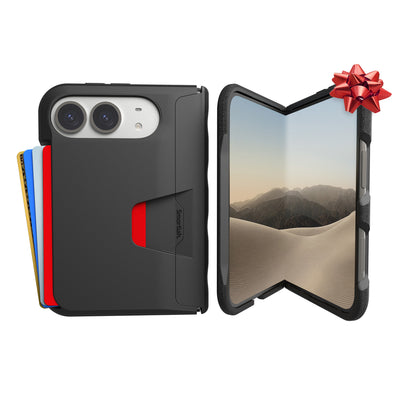
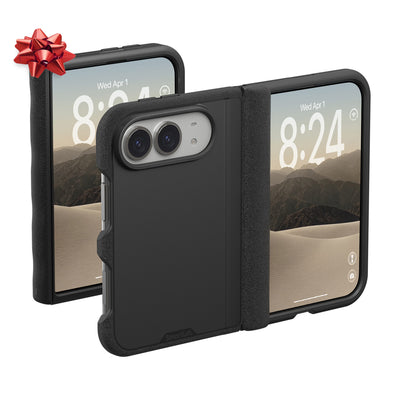
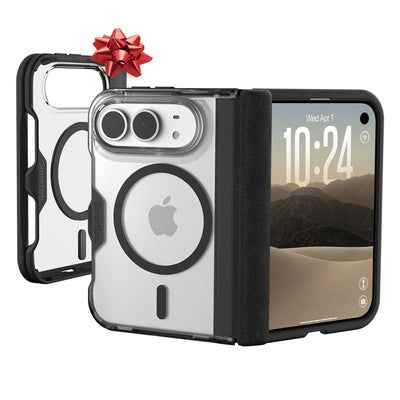
iPhone Duo’s folding body and two displays make a generic Pro-style case a poor fit assumption. Its case must suit the foldable form, including how the phone opens and closes. Apple confirms a 7.6-inch inner display and a 5.4-inch outer display, but those screen sizes do not establish compatibility for any Smartish case. Wait for a product listing that explicitly names iPhone Duo before choosing a case or magnetic accessory.
How MagSafe works (and how case thickness affects charging and mounts)
MagSafe uses magnets to align compatible accessories with the phone. A compatible case is designed to let that connection work through the case, though construction and accessory placement can affect how neatly a charger or mount attaches. For wireless charging, check the phone, case, and charger specifications together; not every charger delivers the same speed through every case. If a mount feels poorly aligned, verify the case and mount’s stated compatibility rather than blaming magnet count.
What the Specs Actually Mean: Grip, Magnets, Protection, Materials
An iPhone 18 MagSafe case should make everyday handling easier while letting compatible chargers and accessories attach as intended. Check how the sides feel in your hand, whether the case aligns with your accessories, and what its edges cover. A long spec list cannot tell you how a case feels or whether it fits your exact phone. Treat material names and magnet claims as clues, then check the product details and model fit.
Grip vs. protection is not a binary
Grip describes how securely a case sits in your hand; protection describes features designed to help guard the phone from impacts and scratches. One does not rule out the other. Textured sides and finger grooves can help with handling, while air-pocket corners and raised edges address other needs. If a phone feels slippery, prioritize a surface and shape you can hold comfortably. For a busy commute or outdoor day, check the corner and edge design too. A case’s drop-test claim applies to its stated test conditions, not every possible impact.
Magnet strength, holding force, and rust risk in third-party cases
Magnet count alone does not show how well a case will work with a mount. Alignment matters: the case’s magnetic ring needs to meet the accessory’s attachment area in the intended position. Holding force is the pull that keeps the accessory attached, but a product description may not provide a standard test or comparable measurement. Look for explicit MagSafe compatibility for your phone and accessory type, then confirm that your mount is designed for that system. Do not infer rust risk from magnet count; check product materials and care information rather than guessing.
Raised edges: screen lip and camera ring coverage
A raised screen edge helps keep the display from resting directly on a flat surface when the phone is face-down. A raised camera ring lifts the lenses when the phone rests on its back. Check that both features are present in the case description, and remember that raised edges help guard against scratches and contact, not every kind of damage. Precise openings matter too: ports, speakers, and controls should remain accessible on the exact phone model.
Materials compared: silicone, clear polycarbonate, textured TPU, and aramid fiber
Material names describe broad categories, not a full performance promise. Silicone often feels soft; clear polycarbonate is used for transparent panels; textured TPU can add a flexible, grippy feel; aramid fiber is a thin material used in some case designs. Actual feel, flexibility, clarity, and edge coverage depend on construction. Use this table as a starting point, then verify the maker’s details for the exact case.
| Material | What to check | Practical trade-off |
|---|---|---|
| Silicone | Surface feel and care guidance | Soft feel; handling varies by finish |
| Clear polycarbonate | Anti-yellowing claims and edge construction | Shows the phone; clarity may change with use |
| Textured TPU | Grip pattern and flexibility | Can offer a grippy feel; construction varies |
| Aramid fiber | Coverage, fit, and stated protection features | Thin material; it does not describe the whole case |
Wireless charging speed with a case on
A MagSafe-compatible case is designed to work with compatible charging accessories, but charging speed depends on the phone, charger, power source, and case setup. Check the specifications for all three parts rather than assuming every wireless charger performs alike. If charging seems slow, confirm alignment and use a compatible power adapter. Keep the charging surface clear of objects that could interfere with contact.
Where Cases Fail (and How to Avoid the Failure Modes)
Case complaints often point to a mismatch between expectations and what the case was designed to do. Community discussions include reports of clear materials discoloring, surfaces peeling, and cases cracking during removal. One forum comment sums up a common priority: “I use a case because the phone is slippery. Not for protection.” Judge grip, finish, fit, and coverage separately. Smartish makes the product examples below; their details are not proof of fit for every phone.
Real customer complaints: discoloration, peeling, and cracks on removal
Discoloration can change the look of a clear case, peeling affects its surface, and a removal crack may point to stress during handling or a poor fit. For a transparent case, look for a specific anti-yellowing claim and care instructions. Smartish’s Gripmunk Clear with MagSafe® - Slim Case for iPhone 17 uses anti-yellowing material to resist discoloration from sun, sweat, or pocket grit. It is made specifically for iPhone 17, not the iPhone 18 lineup, so its features do not establish compatibility with those models.
Clear case buyer’s checklist
- Confirm the listing names your exact iPhone model.
- Look for a clear statement about resistance to discoloration.
- Check that screen and camera edges are raised.
- Review the fit, removal, and care guidance.
- Confirm MagSafe compatibility if you use magnetic chargers or mounts.
Install and remove your case without cracking it: step by step
Before fitting a case, check that its openings line up with your phone. To remove one, take off magnetic accessories first, then ease the case away gradually instead of sharply pulling a single corner.
- Match the case label to the phone’s exact model.
- Follow the maker’s fitting directions and seat the phone evenly.
- For removal, release one edge gently, then work around the case.
- Stop if the case resists; check its instructions instead of forcing it.
For a product-specific example, the Gripmunk Clear with MagSafe® - Slim Case for iPhone 17 has textured sides, finger grooves, air-pocket corners, and raised edges. It is drop-tested 50 times from 6 feet. Those details describe that iPhone 17 case only; check the listing for any iPhone 18 case separately.
Kickstand, wallet, and car mount compatibility with MagSafe
MagSafe accessories can include wallets, mounts, and charging accessories, but check a case’s compatibility statement for each use. Confirm that a wallet attaches where you prefer, a car mount is intended for MagSafe, and a kickstand does not obstruct charging or handling. Accessories can add thickness or affect pocket comfort, so consider how you carry the phone. Confirm support for the exact case and phone rather than assuming compatibility from appearance.
Our Picks for iPhone 18 MagSafe Cases

For an iPhone 18 lineup purchase, choose a case only after its listing confirms your exact model. Smartish’s Gripmunk Clear with MagSafe® - Slim Case for iPhone 17 is a useful example of features to assess: textured sides, finger grooves, MagSafe support, and a clear finish made with anti-yellowing material. It is designed for iPhone 17, so it is not a recommendation for iPhone 18, iPhone 18 Pro, iPhone 18 Pro Max, or iPhone Duo.
As Smartish’s founder, I’d rather leave a model-specific pick open than guess at fit. The exact case listing should confirm the phone, magnetic accessory support, and features you care about. The Gripmunk Clear with MagSafe® - Slim Case for iPhone 17 cannot stand in for a verified case listing for a newer model.
Best slim pick: Gripmunk for iPhone 18
For a slim case, look for a comfortable grip that works for daily handling. Textured sides and finger grooves are useful if the phone feels slick. Before choosing Gripmunk for an iPhone 18 model, confirm that a current product listing names that exact model. A case made for iPhone 17 does not establish a fit for any iPhone 18 phone.
Best protective pick: Gripzilla for iPhone 18
If added structure is your priority, check the exact model listing for Gripzilla and its stated protection features. Do not assume a case fits because the phone belongs to the same lineup. The right choice should match your phone’s dimensions and camera layout while supporting the MagSafe accessories you use. Confirm each detail before ordering.
Skip MagSafe? When a wallet case makes more sense
If carrying cards with your phone matters more than attaching magnetic accessories, a wallet case may suit your routine better. Smartish Wallet Slayer Vol. 1 and Wallet Slayer Vol. 2 are wallet-case options, not MagSafe cases. Both add thickness compared with a slim case, and only Vol. 2 has a kickstand. Check the listing for your exact phone model before buying.
FAQ: Your iPhone 18 MagSafe case questions, answered
Does a MagSafe case slow wireless charging? Charging speed depends on the phone, charger, power source, alignment, and case setup. Check compatibility across those parts.
Are Apple’s cases worth the price? That depends on your priorities and budget. Compare the specific case’s fit, materials, coverage, and accessory support with what you need; no case suits everyone.
Frequently Asked Questions
Does the iPhone Duo need a special MagSafe case because it folds?
Yes. iPhone Duo is Apple's first foldable iPhone with a 7.6-inch inner display and 5.4-inch outer display, so a generic Pro-style case is a poor fit assumption. Wait for a product listing that explicitly names iPhone Duo and suits the foldable form before buying.