


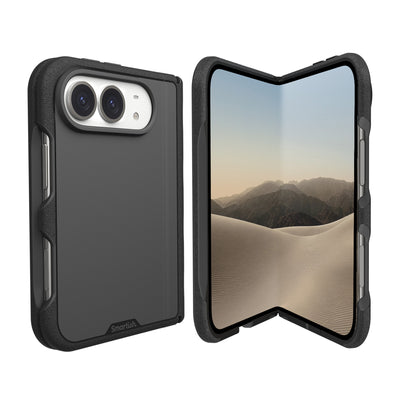
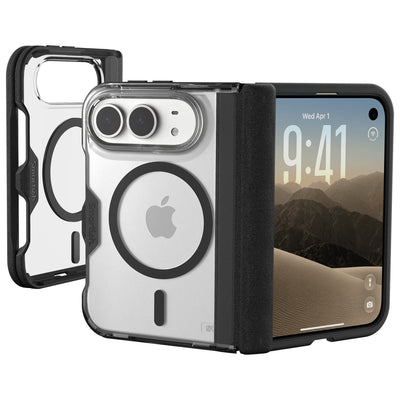
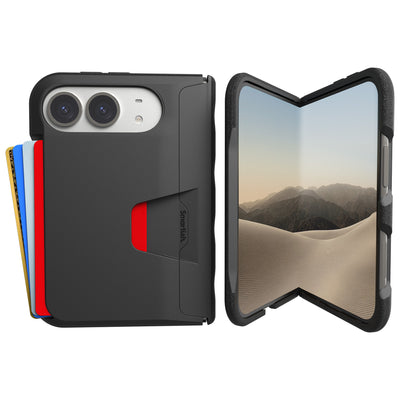
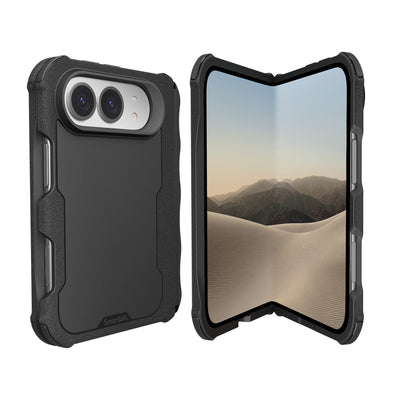


Wallet for iPhone
Matt here, founder and CEO of Smartish. I am a design nerd obsessed with solving unexpected needs. After years of being bogged down with a wallet and a phone at all times, I took matters into my own hands. I sat down and sketched a wallet-phone-case hybrid, handed over my design to a friend, which was drawn on a napkin, and remarked, “That’s smart.” The immediate response was, “-ish.” The first Smartish product, the Wallet Slayer, became a hit and solidified my desire to make products that actually help people.
Key Takeaways
- Carrying a phone and a wallet everywhere is a daily hassle worth solving through smarter design.
- The Smartish name came from a casual exchange that captured both cleverness and a touch of modesty.
- The Wallet Slayer proved that people genuinely want a combined phone case and wallet solution.
- Good product design means solving real everyday problems rather than just looking clever on paper.
Choosing the right wallet for your iPhone can stir up some confusion. Are we talking about the digital wallet app that lives inside your phone, or the physical wallet case that hugs your device? Both serve the same purpose: carrying essentials, but they do it in very different ways. This article clears the fog, giving you the lowdown on digital wallets versus physical wallet cases for iPhone users.
Whether you are ready to download the wallet app or considering a minimalist carry solution like a crossbody case, we cover the essentials. Expect clever insights, practical tips, and a peek at a standout physical option designed for the iPhone 11 Pro Max.
The Two Types of Wallet for iPhone: Digital vs. Physical
What is the Built-in iPhone Wallet App?
The pre-installed wallet app on iPhones is a digital catch-all for your payment cards, boarding passes, tickets, and even IDs. It is like carrying a mini vault that is always in your pocket. This app supports contactless payments and stores all kinds of passes, making it a convenient go-to for quick access. Perfect for the iPhone 17 Pro and earlier models alike, it is designed to keep your essentials just a tap away without bulking up your pockets.
Installing this wallet app is usually a non-issue since it is baked into iOS. For those wondering about access on other devices, the app is exclusive to iOS. There is no equivalent wallet app available on Android, and logging in via a computer offers limited functionality focused mostly on viewing stored passes and cards rather than managing them. This exclusivity keeps security tight but means if you switch ecosystems, your digital wallet does not come along for the ride.
Physical Wallet Cases: Old-School Storage Meets New Tech
Physical wallet cases are a throwback to the traditional wallet, but with a tech twist. They combine card slots and cash compartments with phone protection, all wrapped into a single slim package. These cases eliminate the need to juggle a bulky wallet and a phone separately, streamlining what you carry.
Take the Dancing Queen - Crossbody Wallet Case for iPhone 11 Pro Max, for example. It secures five cards plus cash inside, features lipgloss loops for quick access, and includes an adjustable crossbody strap and a removable wristlet. While it is not compatible with wireless chargers or MagSafe accessories, it shines as a hands-free, minimalist carry option. Perfect for anyone who wants immediate card access without digging through a separate wallet or purse.
| Feature | Digital Wallet App | Physical Wallet Case |
|---|---|---|
| Storage Type | Virtual cards, passes, IDs | Physical cards, cash, phone |
| Device Compatibility | iPhone only | iPhone 11 Pro Max (specific case) |
| Security | Encrypted, biometric protection | Physical protection, no encryption |
| Convenience | Tap to pay, always with phone | Immediate physical access, hands-free options |
| Charging Compatibility | Uninterrupted wireless charging | May block wireless charging |
How to Use Your Digital Wallet for iPhone

Adding Cards, Boarding Passes, and IDs
Getting started with the digital wallet app is straightforward. To add a credit or debit card, open the Wallet app and tap the plus sign. You can scan your card or enter details manually. The system then verifies your card with your bank before activation, usually within minutes. This process supports most major banks and credit card issuers, keeping your payment options flexible and ready to tap.
Beyond cards, you can add boarding passes, event tickets, transit cards, and even some state IDs or driver’s licenses where supported. These items appear as digital passes that update in real time. Like a gate change notification or a ticket barcode. Streamlining your travel and outings. The app is compatible with the latest iPhone models, including the iPhone 17 series, ensuring smooth performance and quick access.
Understanding Digital Wallet Security
Security in the digital wallet app is layered and designed to keep your information locked down. Payments require biometric authentication, such as Face ID or Touch ID, or a secure passcode. Your actual card numbers are never stored on the device or shared with merchants; instead, the app uses unique transaction codes for each purchase, adding a layer of protection against fraud.
Beyond authentication, the app encrypts all stored data and requires your iCloud account to sync across devices, protected by two-factor authentication. Lost or stolen iPhones can be remotely locked or wiped via Find My iPhone, preventing unauthorized use. While no system is entirely foolproof, this combination of hardware and software security makes the digital wallet app a safe and convenient way to carry your essentials.
Can You Use an iPhone Wallet on Android?
The Digital Dilemma: Ecosystem Lock-In
The digital wallet app built into iPhones is famously convenient. Storing cards, tickets, and IDs all in one spot. But this convenience comes with a catch: it is locked firmly within the iOS ecosystem. If you switch to an Android device, you cannot simply transfer your digital wallet contents. That means your carefully curated collection of cards and passes will not follow you to the other side. The app does not have an official counterpart on Android, nor can you fully manage or access it from a computer, limiting your flexibility.
This ecosystem lock-in is by design, prioritizing security and smooth integration with Apple’s hardware features like Face ID and Touch ID. While it is great for iPhone users who plan to stay in the Apple universe, it can be a headache for those who jump between platforms or share devices with Android users. The result is a digital wallet that is as exclusive as it is handy.
The Physical Solution: Cases That Jump Ship
This is where the physical side of the wallet for iPhone shines. Unlike digital wallets, physical wallet cases do not care about operating systems. Whether you are rocking the latest iPhone 17 Pro or switching back to Android, your physical cards and cash travel with you without fuss. One standout example is the Dancing Queen - Crossbody Wallet Case for iPhone 11 Pro Max. It is designed to hold up to five cards plus cash, featuring lipgloss loops for quick access and an adjustable crossbody strap for hands-free carry.
Since the case is a tangible product, it works independently of any phone software or platform. This means you are never stuck if you decide to switch devices or carriers. The Dancing Queen case keeps your essentials organized and within reach, no matter what phone you pair it with. In this way, physical wallet cases provide a practical alternative to the limits of digital wallets, allowing you to maintain your minimalist carry without sacrificing compatibility.
Pros and Cons of Digital vs. Physical Wallets
Pros
- Digital Wallet: Instant access to cards and passes via phone
- Digital Wallet: Secure with biometric authentication
- Physical Wallet Case: Works across all devices, no platform restrictions
- Physical Wallet Case: Holds physical cards, cash, and phone together
- Physical Wallet Case: Offers hands-free carry and quick card access
Cons
- Digital Wallet: Locked to iOS, no Android support
- Digital Wallet: Limited access from non-iPhone devices
- Physical Wallet Case: Bulkier than digital, can block wireless charging
- Physical Wallet Case: Designed for specific phone models (e.g., iPhone 11 Pro Max)
Why You Still Need a Physical Wallet for Your iPhone
The Limits of Going 100% Digital
Going fully digital with your wallet sounds like a dream: no bulk, no lost cards, no fumbling at checkout. But reality checks in fast. Phones run out of battery, and when they do, your digital wallet becomes a fancy paperweight. Not every store or venue accepts contactless payments either. Some places still demand the physical swipe or tap of a card, and not every ID is accepted in digital form yet.
There is also the question of emergencies. A dead battery, forgotten passcode, or a glitch can leave you stranded without your essentials. This is why most people keep some physical backup, and why a physical wallet case remains practical. It is your insurance policy against digital failure and the quirks of everyday life.
Meet the Wallet Slayer: Your Phone’s New Best Friend
If you want to ditch the bulky wallet but cannot commit to 100% digital, the Dancing Queen - Crossbody Wallet Case for iPhone 11 Pro Max is a perfect middle ground. This case is designed specifically for the iPhone 11 Pro Max and keeps your essentials close. Five cards, cash, and your phone all in one secure package.
It includes clever features like lipgloss loops for quick access to your favorite items, an adjustable crossbody strap for hands-free convenience, and a removable wristlet for versatility. While it is not compatible with wireless chargers or MagSafe accessories, it more than compensates by letting you move freely without juggling multiple items.
This case is for people who want to streamline their carry without losing functionality. It is built tough for daily use, with a slim profile that will not weigh down your pockets or bags. Whether you are running errands, commuting, or just living your daily chaos, it is designed to keep you organized and ready. No digital hiccups required.
- Holds 5 cards plus cash securely
- Quick access lipgloss loops for essentials
- Adjustable crossbody strap keeps hands free
- Removable wristlet for versatile carry
- Designed specifically for iPhone 11 Pro Max
- Not compatible with wireless chargers or MagSafe
MagSafe Wallets vs. Built-In Wallet Cases

The MagSafe Route: Gripmunk and Gripzilla
MagSafe wallets have carved out a niche for those who want to combine convenience with flexibility. These accessories snap magnetically onto the back of your iPhone, allowing quick attachment and removal without adding bulk or fuss. Options like the Gripmunk and Gripzilla offer “grippy, not sticky” textures that help keep your phone secure in hand, minimizing slips and drops during daily use.
Both models feature air-pocket corners designed to absorb shocks, plus raised screen edges that protect your display when placed face-down. Raised camera rings shield the camera lenses from scratches, a thoughtful touch for people who take their photography seriously. These wallets hold a modest number of cards. Usually two to three. Making them ideal for minimalist carry without the commitment of a full wallet case.
Another plus is their compatibility with wireless charging. Because the wallet attaches externally and can be removed easily, you can charge your iPhone wirelessly by simply detaching the wallet. This flexibility appeals to users who want to keep their phone slim and light but still have quick access to cards when needed.
That said, MagSafe wallets have their trade-offs. The magnetic connection means the wallet can occasionally shift or detach accidentally if snagged. Also, the card capacity is limited, which might not suit those who carry several cards or cash regularly. For people who prefer a dedicated, all-in-one carry solution, this route may feel a bit light on storage.
The Built-In Route: Wallet Slayer Vol. 1 vs. Vol. 2
For those who want a genuinely integrated solution, built-in wallet cases take center stage. Unlike MagSafe wallets, these cases combine phone protection and card storage into a single package that does not detach or compromise carrying capacity. The Wallet Slayer series exemplifies this approach with smart design that meets real-world needs.
The Wallet Slayer Vol. 1 offers a slim profile that holds up to three cards plus cash, balancing minimal bulk with solid storage. Its design includes raised edges for screen and camera protection, grippy sides for better hold, and durable materials to withstand everyday wear. This case is for users who want to ditch their bulky wallet but do not want to sacrifice protection or card capacity.
Wallet Slayer Vol. 2 builds on this with a few clever upgrades. It adds a built-in kickstand for hands-free viewing, perfect for streaming or video calls. The card capacity remains similar, but the case’s design tweaks improve grip and drop protection. Notably, neither Wallet Slayer version uses MagSafe technology, a deliberate choice to focus on durability and integrated function over magnetic convenience.
One standout physical wallet option that fits this built-in wallet case category is the Dancing Queen - Crossbody Wallet Case for iPhone 11 Pro Max. Designed specifically for the iPhone 11 Pro Max, it holds five cards plus cash inside a secure compartment. It offers lipgloss loops for quick access to favorite items, an adjustable crossbody strap for hands-free carry, and a removable wristlet for versatility. While it is not MagSafe compatible and blocks wireless charging, it shines as a minimalist, hands-free carry solution that keeps your essentials organized and close.
The Dancing Queen case is available in multiple colors, including Stiletto Black-Gold and Bath Bomb Blue. Its design emphasizes function and style without fuss, perfect for users who want a physical wallet for iPhone that is more than a cardholder stuck to the back of their device.
| Feature | MagSafe Wallets (Gripmunk, Gripzilla) | Built-In Wallet Cases (Wallet Slayer, Dancing Queen) |
|---|---|---|
| Attachment | Magnetic snap-on, removable | Integrated case, fixed to phone |
| Card Capacity | 2-3 cards | 3-5 cards plus cash |
| Phone Protection | Raised edges, shock-absorbing corners | Full case protection with raised edges and camera rings |
| Wireless Charging | Compatible when wallet removed | Not compatible, case blocks charging |
| Special Features | Lightweight, slim, easy on/off | Built-in kickstand (Vol. 2), crossbody strap (Dancing Queen) |
| Device Compatibility | Works with MagSafe-enabled iPhones | Model-specific, e.g., iPhone 11 Pro Max for Dancing Queen |
References
Frequently Asked Questions
How do I get a Wallet on my iPhone?
The Wallet app comes preinstalled on every iPhone, so you already have it. To add credit or debit cards, open the Wallet app and tap the plus sign to scan or enter your card details. You can also add boarding passes, tickets, and IDs by tapping the add button on supported passes in emails or apps.
What is the best Wallet for iPhone?
The best Wallet for iPhone depends on whether you prefer digital or physical storage. The built-in Apple Wallet app is great for contactless payments and storing passes securely on your phone. If you want to carry physical cards and cash without a separate wallet, a physical wallet case like the Dancing Queen Crossbody Wallet Case for iPhone 11 Pro Max holds up to 5 cards plus cash and includes an adjustable crossbody strap and removable wristlet.
Which Wallet app is best for iPhone?
The Apple Wallet app built into every iPhone is the best option because it works seamlessly with Apple Pay and stores your boarding passes, tickets, and IDs. It uses Face ID or Touch ID for security and never shares your actual card numbers with merchants. There is no monthly fee, and it is the only digital wallet fully integrated into iOS.
Is there a monthly fee for Apple Wallet?
No, there is no monthly fee to use the Apple Wallet app on your iPhone. It is free to add cards, store passes, and make payments. The only costs come from your bank or card issuer, not from Apple or the Wallet app itself.
Can you use an iPhone Wallet on Android?
No, the Apple Wallet app is exclusive to iOS and cannot be used on Android devices. If you switch to an Android phone, your stored cards and passes will not transfer with you. For digital payments on Android, you would need to use a different wallet app like Google Wallet.
What is a physical wallet case for iPhone?
A physical wallet case for iPhone combines phone protection with slots for cards and cash, so you can carry everything in one slim package. The Dancing Queen Crossbody Wallet Case for iPhone 11 Pro Max is a great example: it secures up to 5 cards and cash, features lipgloss loops for quick access, and comes with an adjustable crossbody strap and a removable wristlet for handsfree carry.