


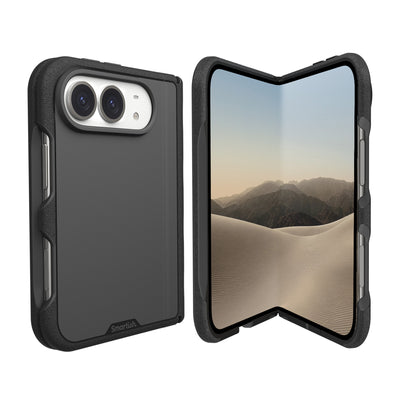
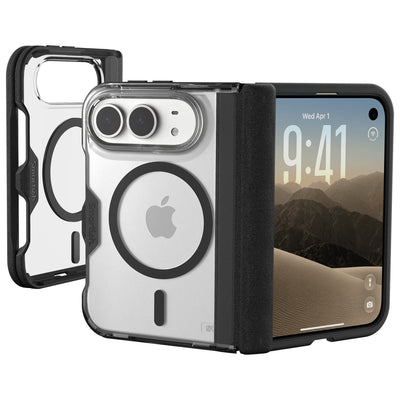
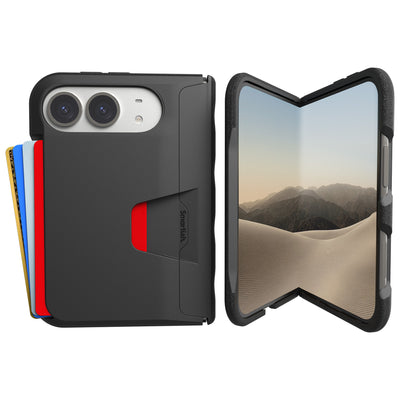
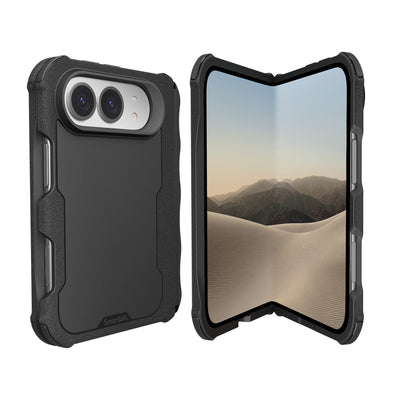


iPhone 18 Pro grip case
Your phone can survive a busy calendar, a pocket full of receipts, and 47 tabs open at once. The sidewalk is less forgiving. A good iPhone 18 Pro grip case should help your hand hold on before a drop, then protect the phone without turning your pocket into a wrestling match.
Key Takeaways
- Grip texture matters more than drop ratings because the cheapest repair is the drop that never happens in the first place.
- The best cases feel tacky in your hand but still slide out of a pocket cleanly, and that balance is where most designs fall apart.
- Raised lips around the screen and camera give you a fighting chance when a drop actually does happen.
- Buttons, ports, and the camera control should stay easy to reach, since a case you fight with daily is a case that ends up in a drawer.
- slim profiles protect just as well as chunky ones when the materials and corner design are doing the real work.
Look for tactile side texture, a smooth back that slides through fabric, and corner protection that cushions impact without making the phone bulky. The goal is less slipping, fewer pocket tugs, and comfortable daily carry.
Stop the Slips: Why Your iPhone 18 Pro Needs a Seriously Grippy Case
The Butterfinger Blues: Dropping Your Expensive iPhone 18 Pro
Titanium edges and glass backs look great, yet they can feel slippery during one-handed texting, photography, or couch scrolling. Research cited in the brief found that smartphones slip from hands an average of four to six times per week during activities such as transit, bed scrolling, and taking pictures. Cold fingers, sweaty palms, and a quick reach for the camera can turn a calm moment into a drop.
A case cannot prevent every accident, but it can improve the first point of contact. Textured rails give fingers something to register, while raised bezels help keep the display and camera from meeting the table first. That combination matters more than simply adding thickness.
Beyond Basic Protection: What “Grip” Really Means
Grip is not the same as stickiness. A secure case creates controlled friction, so fingers resist sliding while the phone still moves across a desk, into a bag, or through a pocket. Look for fine ribs, a matte finish, shaped edges, and enough texture to work with less-than-dry hands.
Protection should support that grip. Perimeter air-pocket crumple zones give case material room to compress during impact. Research cited in the brief found that these zones absorb up to 90% of direct corner drop impacts without adding back-panel thickness.
The Smartish Philosophy: Grip That Works, Not Sticks
The Gripmunk with MagSafe® - Slim Case for iPhone 16 Pro puts the idea into practice with textured sides, a smooth back, raised edges, and air-pocket corners. Its microfiber interior helps protect against scratches and dings, while built-in magnets support MagSafe accessories and wireless charging.
That case is designed specifically for iPhone 16 Pro, not iPhone 18 Pro. Check model compatibility before ordering, since camera openings and button layouts must match. Its design still offers useful guidance for choosing an iPhone 18 Pro grip case: favor practical traction, measured protection, and a profile suited to daily use.
The “Pocket Test” Standard: Grippy Edges vs. Pocket Lint Nightmares
Why Textured Sides Beat Sticky Silicone Every Time
Pure silicone can feel soft in your hand, then grab jeans and collect lint. Research cited in the brief found that pure silicone covers generate three times more pocket friction than textured TPU composites, with visible lint gathering within 48 hours. Extra drag makes one-handed retrieval awkward and can pull pocket fabric inside out.
Textured TPU uses micro-ribbing to create small contact points for fingers while staying less tacky against cotton, denim, and jacket linings. A matte surface can also reduce the slick feeling of smooth plastic. Good grip should guide your hand, not create a tug-of-war.
The Pocket Pull-Through: When Grip Becomes a Nuisance
Test a case with the phone empty and the pocket occupied. Slide it in, pull it out, sit down, and repeat from different angles. Watch for fabric bunching, lint transfer, and a rim that catches on seams. A grippy edge helps because your palm contacts it; a sticky back causes your whole pocket to make contact.
The smooth-back, textured-side layout keeps traction where fingers need it and low friction where clothing needs cooperation. That matters during commutes, errands, car rides, and one-handed phone use while carrying groceries.
Material Matters: TPU Ribs, Aramid Weaves, and What They Feel Like
TPU, or thermoplastic polyurethane, is valued for its flexible feel and impact response. Textured TPU ribs add fingertip traction without a gummy surface. Aramid weaves are often thin, firm, and fabric-like, with a flatter texture that favors a clean profile. Neither material automatically makes a case better; finish, edge shape, corner design, and pocket behavior matter too.
Run your thumb along the rails before buying. Texture should feel defined rather than sharp, the back should not feel rubbery, and screen and camera edges should be raised. These details reveal more about daily usability than a dramatic protection label.
Tactile Ridges That Stay Put
The Gripmunk with MagSafe® - Slim Case for iPhone 16 Pro uses textured sides and a smooth back to separate hand traction from pocket movement. Its tactile ridges provide control without the lint-loving feel of soft rubber. Built-in magnets support MagSafe wallets, mounts, and charging accessories, while the slim construction keeps the case manageable in everyday carry.
Pocket Test: What to Look For
Pros
- Textured rails support a steadier handhold.
- Smooth back panels slide through fabric more easily.
- TPU ribs add traction without a gummy surface.
- Air-pocket corners cushion impact around vulnerable edges.
Cons
- Very soft silicone may collect lint and resist pocket movement.
- Flat, slick sides can feel insecure with cold or damp hands.
- Texture that is too sharp can become uncomfortable during long holds.
- Model-specific openings must match the phone exactly.
Ergonomics for Everyday: How Finger Grooves and Button Access Make Life Easier
The Single-Handed Struggle: Texting, Swiping, and Holding
One-handed use is where an iPhone 18 Pro grip case earns its keep. A slippery phone asks fingers to do too much during texting, swiping, photography, or reaching for the display’s top corner. Cold hands, damp palms, and a moving bus can make that grip disappear. A case should provide a stable edge without requiring a tight squeeze.
Good ergonomics come from shaped side rails, predictable texture, comfortable edges, and enough control for thumb gestures. The phone should stay balanced while your thumb handles the screen, making scrolling less tense and photography easier.
Finger Grooves: Comfort and Control Where You Need It Most
Finger grooves or gentle indentations give fingertips a natural resting place. They can reduce squeezing and help you reposition the phone without losing contact. Look for rounded grooves and texture that remains comfortable during reading sessions or quick replies.
The Gripmunk with MagSafe® - Slim Case for iPhone 16 Pro illustrates this approach with textured sides, a smooth back, raised edges, and precise openings around the controls. It is designed for iPhone 16 Pro, not confirmed for iPhone 18 Pro. Its layout shows what to inspect: traction beneath your fingers, with a back that remains friendly to pockets and tabletops.
Camera Control Button: Swiping vs. Recessed Cutouts
A camera button is useful only if your fingertip can reach it naturally. A deep recess may protect it but make tapping, pressing, and swiping awkward. A narrow opening can force your finger to search for the correct spot.
Look for a precise cutout with reinforced edges and room for directional gestures. Your finger should approach from the side, press without excess force, and swipe without catching. The Gripmunk with MagSafe® - Slim Case for iPhone 16 Pro provides complete access to iPhone 16 Pro’s Camera Control button through precise cutouts. For any newer model, confirm support for the full control layout.
The 5-Point Daily Carry Checklist: Hands-On Usability
Test the features that affect actual hand use. Your thumb remains a better judge than marketing copy.
- Thumb reach: Can you scroll and tap without shifting your palm every few seconds?
- Side traction: Do the rails feel secure with dry, sweaty, or cold hands?
- Finger comfort: Are grooves and edges rounded enough for longer holds?
- Camera access: Can you press and swipe the Camera Control button without searching?
- Pocket release: Does the phone come out cleanly without dragging fabric along with it?
A case that passes these checks reduces more than drop anxiety. It cuts the small daily annoyances that make a phone awkward to hold: squeezing, fingertip gymnastics, and repeated repositioning.
Smart Grip Case Comparison: Protection, MagSafe, and Value Without the Sticker Shock
Drop Defense: Air Pockets vs. Bulky Armor
Drop protection does not require turning a slim phone into a padded equipment case. Perimeter air-pocket corners give material room to compress during a corner impact. Research cited in the brief found that these crumple zones absorb up to 90% of direct corner drop impacts without adding back-panel thickness. Raised lips around the display and camera add separation when the phone lands flat.
This design suits people who want everyday defense without an oversized frame. A thick shell may offer more material, yet it can make the phone harder to grip, carry, and store. Check for corner cushioning, screen clearance, camera protection, and a flexible structure.
MagSafe Compatibility: Magnetic Strength and Accessory Play
MagSafe support lets a compatible wallet, charging puck, or car mount stay attached while the case remains on the phone. Textured side rails do not typically interfere because the magnet array sits across the back. The rear surface still needs to remain clean and stable so accessories sit flat.
The Gripmunk with MagSafe® - Slim Case for iPhone 16 Pro includes built-in strong magnets for MagSafe accessories and high-speed wireless charging. It is made for iPhone 16 Pro, so confirm phone model and accessory alignment. Wireless charging performance can vary by charger, placement, and accessory combination.
Slim vs. Protective: Finding Your Balance
Your priorities depend on how you carry the phone. A commuter may prefer a smooth back and low profile; an outdoor photographer may want corner cushioning and rail traction. Car-mount and wallet users should inspect magnetic compatibility and accessory clearance.
Use this comparison as a quick buying filter:
| Case approach | What it does well | What to inspect |
|---|---|---|
| Slim grip design | Comfortable handling, easy pocket storage, lower visual bulk | Corner cushioning, raised edges, side texture |
| Air-pocket protection | Cushions direct corner impacts without thickening the back panel | Coverage around all corners and a secure fit |
| MagSafe case | Works with compatible wallets, mounts, and charging accessories | Magnet alignment, accessory clearance, charger compatibility |
| Heavy-duty armor | Uses thicker layers and reinforced framing for a more fortified build | Hand comfort, pocket access, button feel, and daily carry size |
The Smartish Value Proposition: Premium Features, Fair Price
The case worth buying is the one that addresses your actual problems: slippery handling, corner drops, awkward buttons, pocket friction, and accessory compatibility. The Gripmunk with MagSafe® - Slim Case for iPhone 16 Pro combines a microfiber interior, raised screen and camera edges, air-pocket corners, textured sides, and a smooth back. It retails from $19.99 to $24.99, depending on the selected color or pattern.
That range keeps practical design within reach without charging for theatrical armor. Choose tactile control, measured drop defense, and useful MagSafe access so the phone is better prepared for everyday mishaps.
Choosing Your Perfect iPhone 18 Pro Grip Case: A Smartish Buyer's Guide
Your Daily Habits: Matching Case Features to Your Lifestyle
The right iPhone 18 Pro grip case should match actual use. If you text while walking, prioritize tactile side rails and comfortable finger placement. If you take photos on the go, check that the camera control area allows natural pressing and swiping. Commuters may prefer a smooth back and reliable magnetic connection for pockets, car mounts, and charging accessories.
Consider your drop patterns. Frequent corner impacts call for cushioned air pockets and raised edges. Long reading sessions reward rounded borders. A microfiber lining can reduce scuffs inside the shell when dust or grit is present. Color also matters: the case should protect the phone while fitting your everyday carry.
Common Grip Case Questions Answered
Can textured rails work with MagSafe accessories? Yes, when the magnetic array is built into the back. Side texture helps your hand while the rear supports compatible wallets, mounts, and charging accessories. Confirm alignment with your accessory.
Do air-pocket corners replace a bulky protective shell? Not for every impact, but they can cushion corners without thickening the back panel. Raised screen and camera edges add another layer.
How should Camera Control access feel? Your finger should reach the control without searching, excess pressure, or catching on a deep recess. Precise openings and reinforced edges indicate a careful fit.
Final Thoughts: Grip Smarter, Not Harder
The Gripmunk with MagSafe® - Slim Case for iPhone 16 Pro demonstrates the formula: textured sides, a smooth pocket-friendly back, air-pocket corners, raised protection, MagSafe magnets, and a microfiber interior. It is made for iPhone 16 Pro, so verify the model before ordering. For another purchase, judge any case by hand comfort, pocket release, control access, corner defense, and accessory fit.
Frequently Asked Questions
What is the best grippy iPhone case?
The best grippy iPhone case combines textured side rails, a smooth pocket-friendly back, raised edges, and cushioned corners. Smartish Gripmunk with MagSafe is designed specifically for iPhone 16 Pro and uses this layout to support daily handling without a sticky feel. Check the model selection before ordering, since fit depends on exact camera and button placement.
Is the iPhone 18 Pro going to be heavy?
The iPhone 18 Pro's final weight cannot be confirmed from this article. An iPhone 18 Pro grip case should still favor a slim profile, comfortable edges, and practical corner protection, so daily carry feels manageable. Check Apple's official specifications after launch before choosing a case or comparing total phone-and-case weight.
What are the best phone cases with a loop grip?
The best phone cases with a loop grip provide a secure handhold while keeping buttons, cameras, and charging access usable. A loop can help during photos, transit, and one-handed use, but the case must fit the phone correctly and support the intended accessory. A textured-side case is another option for people who prefer no loop.
How can I make my phone case more grippy?
A phone case becomes more grippy with textured side rails, defined ridges, or a matte finish that adds controlled friction without feeling sticky. Choose a case with a smooth back for easier pocket movement, and avoid soft surfaces that collect lint or tug at fabric. Grip tape may change comfort and appearance, so test the case first.
Are phone grips worth buying?
Phone grips are worth buying for people who frequently use one hand, take photos while moving, or worry about slips. A grip can give fingers a steadier hold, while a case with raised edges and cushioned corners adds protection around the phone. A textured case may be enough if you want a slimmer setup without an added grip.
What should I look for in an iPhone 18 Pro grip case?
An iPhone 18 Pro grip case should have defined side texture, a smooth back, raised screen and camera edges, and corner cushioning that supports drop protection. Material feel matters as much as the label, so look for traction that is comfortable rather than sharp or gummy. Confirm exact iPhone 18 Pro compatibility before purchasing, since model openings must match.