





apple event 2026
The apple event 2026 will likely land in early or mid-September, with a Tuesday keynote and invitations arriving about a week before it. Apple has not announced a date, so treat every calendar prediction as an educated guess, not a reservation with the universe.
Key Takeaways
- Apple typically schedules its fall keynote for a Tuesday in early or mid-September, and 2026 should follow that familiar pattern.
- Press invitations usually go out about a week before the event, so expect a short window between the official announcement and the show itself.
- The iPhone 18 Pro lineup is expected to be the headline attraction when Apple takes the stage in 2026.
- Every date floating around right now is pure speculation, since Apple has not confirmed anything on its official calendar.
- Keep an eye on Apple's newsroom for the invitation drop, which is the only true signal that a locked-in date is coming.
Here’s the useful part: the recent fall schedule gives us a solid pattern for planning. We’ll cover the likely keynote date, invite timing, and the products rumored to make an appearance, while keeping speculation in its proper lane.
When Is the Apple Event 2026? The Quick Answer
The predicted date for the apple event 2026 keynote is Tuesday, September 8, 2026. That date follows the familiar “Tuesday after Labor Day” pattern in the United States. Apple has not confirmed the schedule, so September 8 is a forecast based on recent timing, not an official announcement.
The Predicted Date (and the Pattern Behind It)
Labor Day falls on Monday, September 7, in 2026. A Tuesday keynote immediately afterward would match Apple’s recent preference for opening its fall hardware cycle during that week. If the company shifts by one week, Tuesday, September 15 becomes the next sensible candidate. That gives the apple event 2026 schedule two practical dates to watch: September 8 first, September 15 second.
When Invites Usually Go Out
Event invitations commonly arrive in late August or roughly seven to ten days before the presentation. The invite is the moment speculation turns into something you can actually add to your calendar. It typically confirms the date, start time, event format, and sometimes a visual clue about the theme. Until that message appears, product names, launch timing, and keynote details remain unconfirmed.
Six Years of Fall Event Dates at a Glance
The recent record shows a strong September habit, though the weekday has not been perfectly consistent. The 2022 event moved to Wednesday, while 2024 opened on a Monday. Patterns help with planning, but Apple has never signed a contract with Tuesday.
| Year | Fall keynote date | Weekday | Timing note |
|---|---|---|---|
| 2020 | September 15 | Tuesday | Mid-September |
| 2021 | September 14 | Tuesday | Week after Labor Day |
| 2022 | September 7 | Wednesday | Early September |
| 2023 | September 12 | Tuesday | Mid-September |
| 2024 | September 9 | Monday | Early September |
| 2025 | September 9 | Tuesday | Week after Labor Day |
What to Expect at the September 2026 Keynote

iPhone 18 and the Ultra Question
The main attraction is expected to be the iPhone 18 family, though the exact lineup and launch sequence are still rumor territory. Some reports and online chatter point toward a higher-end iPhone Ultra, while foldable iPhone talk continues to circulate. Neither idea should be treated as confirmed. A product appearing in a report, render, or supply-chain discussion does not mean it is ready for a keynote spotlight.
- iPhone 18 lineup: Expected to be the center of the fall hardware presentation.
- iPhone Ultra: A rumored premium model with no confirmed name, design, or release plan.
- Foldable iPhone: An ongoing possibility, not a dependable launch prediction.
- Camera and chip updates: Plausible areas for improvement, with specifications still unverified.
Beyond the Phone: Watches, Earbuds, and Software
The keynote may also include a new Apple Watch generation, updated AirPods, or smaller hardware revisions that share the stage with the phone. The next major iOS release is a safer expectation, since Apple typically uses the fall event to explain software features before the public rollout. WatchOS, iPadOS, and macOS updates could receive time as well, though keynote minutes are a finite resource and presenters spend them like prized parking spots.
Already on iPhone 17? What Actually Changes
For current iPhone 17 owners, the rumored value will likely come from a practical mix of camera processing, battery efficiency, performance, display behavior, and new software tools. A new model may look familiar while still changing the daily experience in small ways. Wait for confirmed specifications before judging battery capacity, camera hardware, screen refresh details, or artificial intelligence features. Rumors are useful for spotting direction. They are not a reliable spec sheet.
How to Watch the Event Live (or Catch Up in 5 Minutes)
Where and When to Stream It
Once Apple confirms the event, the keynote should be available through the company’s events website, the Apple TV app, and its official YouTube channel. The stream is typically free, with no account or special hardware required. Check the start time against your own time zone because a morning presentation in California can land around lunchtime on the East Coast and during the evening for viewers in Europe.
- Check the official events page for the confirmed date and start time.
- Set a calendar alert with your local time zone, not Pacific Time.
- Choose the website, Apple TV app, or YouTube stream a few minutes early.
No Time for a Two-Hour Keynote? Do This Instead
Missing the live broadcast is not a technology emergency, despite the internet’s best efforts. Start with a short keynote recap that covers the announcements, prices, availability, and major software updates. Apple’s press releases usually appear the same day, giving you the clean version of each product’s features without presenter applause or cinematic drone shots.
For a practical look at hardware, check hands-on videos published within the following hours. Focus on confirmed details such as dimensions, camera changes, battery claims, chip names, storage options, preorder timing, and release dates. That five-minute routine captures the useful parts of the apple event 2026 without requiring a cleared afternoon and a snack strategy.
Rumor Literacy: How to Sort Real Leaks From Hot Air
The Source Tiers, Ranked
Rumors are clues, not contracts. A supply-chain report may reveal that a component is being tested, while a product render shows an artist’s interpretation of scattered information. An analyst prediction can add useful context, but it may also reflect a guess dressed in confident typography. The best approach is to ask what the source could actually know and whether separate reports point in the same direction.
| Source type | What it can suggest | What it cannot confirm |
|---|---|---|
| Official filing or announcement | Confirmed features, timing, or availability | Unannounced products |
| Supply-chain report | Components, production activity, or manufacturing plans | Final specifications or launch approval |
| Repeated independent reports | A possible design direction or feature | Exact pricing, dimensions, or release timing |
| Concept render or social post | What someone expects or hopes to see | Proof that the product exists |
Red Flags in a “Leak”
Be skeptical of absolute language, blurry photographs with no source, recycled claims, and specifications that appear only in one account. A supposed leak that gives an exact battery capacity months before production details are known deserves a raised eyebrow. So does a post that quietly changes its wording after a prediction misses, then acts like it nailed the landing.
What Rumors Are Good For
Pros
- They can reveal broad product direction.
- They help shoppers plan a purchase window.
- Repeated reporting may identify likely design changes.
Cons
- Names, prices, and specifications often change.
- Renders can present guesses as finished hardware.
- Rumor timing does not guarantee a keynote appearance.
Use pre-event reporting for direction, not a spec-for-spec shopping list. It may help you decide whether to wait, but confirmed details remain the only dependable basis for a purchase decision.
Should You Wait to Upgrade? A Straight Answer

Upgrade Now vs. Hold Out: The Trade-Offs
If your current phone works well, waiting for the next iPhone announcement is the sensible move. You’ll get confirmed pricing, specifications, camera details, battery information, and release timing before spending your money. Waiting also gives you a chance to see whether the rumored changes matter during normal use, rather than getting swept up by a dramatic keynote demo.
Buying an iPhone 17 now makes more sense if your current device has a cracked display, tired battery, unreliable charging port, or performance problems that interrupt daily tasks. You also avoid launch-week inventory limits and the usual preorder scramble. The trade-off is straightforward: buy now for a known phone and immediate use, or wait for better information and accept a few more weeks with your current setup.
Will Your Case and Accessories Still Fit?
Assume a new iPhone may need a new case. Even small changes to body dimensions, button placement, camera bump shape, or the Camera Control button cutout can make an older case a poor fit. MagSafe continuity may carry forward, but magnetic alignment and accessory clearance still deserve a check after official specifications arrive. A case that almost fits is still a pocket nuisance with better marketing. For more background, see how MagSafe works.
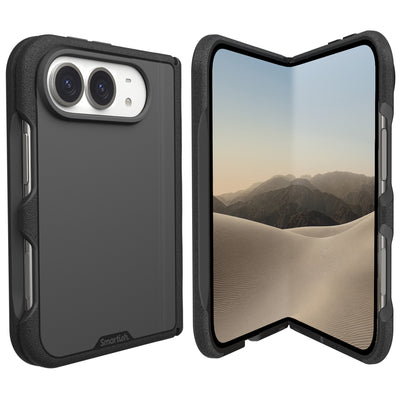
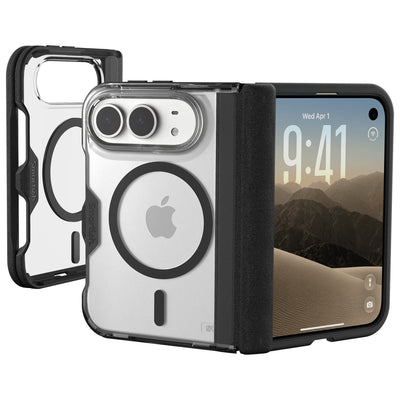
For a slim option, Gripmunk offers grippy sides, air-pocket corners, and raised screen edges without turning your phone into a protective lunchbox. Gripzilla is the better pick for people who want more impact protection while keeping MagSafe compatibility. Both are designed around practical handling, not fantasy-level butterfingers. Browse Smartish iPhone cases to compare options.
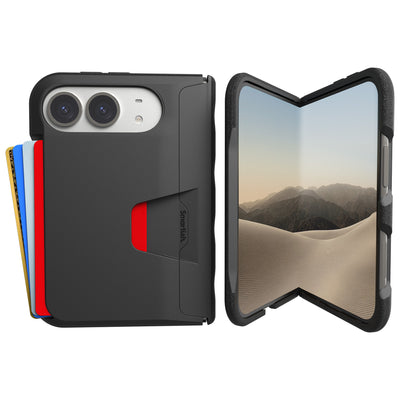
Wallet Slayer Vol. 2 adds card storage and a built-in kickstand, which makes it handy for watching the keynote from a desk, kitchen counter, or wherever your calendar has placed you. It is grippy, not sticky, and its wallet design has a real presence in your pocket. Check model compatibility before ordering, especially if the next phone changes camera or button dimensions.
Frequently Asked Questions
What is Apple planning on releasing in 2026?
Apple is expected to announce the iPhone 18 family at its fall 2026 event, alongside a possible new Apple Watch generation, updated AirPods, and the next major iOS release. Rumors also mention a premium iPhone Ultra and a foldable iPhone, but neither is confirmed. Treat those as direction, not a spec sheet.
What date is the next Apple event?
The apple event 2026 keynote is predicted for Tuesday, September 8, 2026, following the familiar Tuesday-after-Labor-Day pattern. Apple has not confirmed the date, so if the schedule shifts by a week, Tuesday, September 15 becomes the backup candidate. Invitations usually arrive seven to ten days before the show.
What to expect at WWDC 2026?
WWDC 2026 should follow Apple's usual June format, focusing on software previews for the next iOS, watchOS, iPadOS, and macOS versions. Big hardware like the iPhone 18 typically skips WWDC and saves its debut for the September keynote, where Apple explains software features ahead of the public rollout.
Will Apple release the iPhone 18 in 2026?
The iPhone 18 family is expected to headline Apple's fall 2026 keynote, making a September announcement very likely. Apple has not confirmed the lineup, launch sequence, or specifications, so camera hardware, chip details, and display behavior remain unverified until the official reveal. Fall is Apple's usual window for new iPhones.
Should I buy an iPhone 17 or wait for 18?
Buy the iPhone 17 if you need a phone now, and wait only if rumored improvements in camera processing, battery efficiency, and display behavior genuinely matter to you. The iPhone 18 will likely feel familiar while changing the daily experience in small ways. Judge every rumored feature by what changes on a normal Tuesday, not what sounds shiny onstage.
How can I watch the Apple event 2026 live?
The apple event 2026 keynote should stream free on Apple's events website, the Apple TV app, and Apple's official YouTube channel once the date is confirmed. Set your calendar alert in your local time zone, since a California morning lands around lunchtime on the East Coast and during the evening in Europe. The official events page gets the final say.
When do Apple event invitations usually go out?
Apple event invitations typically arrive in late August, roughly seven to ten days before the September keynote. The invite confirms the date, start time, event format, and sometimes a visual clue about the theme. Until that message shows up, every product name, launch date, and keynote detail remains unconfirmed.